

 EN
EN
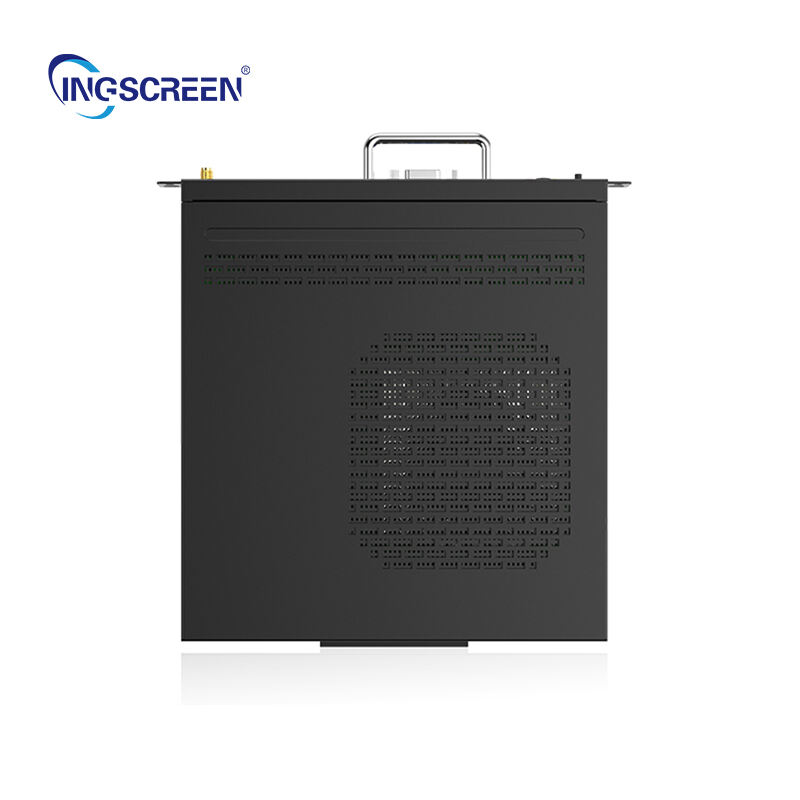
Investing in interactive panel technology represents a significant decision that can transform how organizations engage with their audiences, conduct presentations, and facilitate collaborative work environments. Understanding the key considerations before making this investment ensures that businesses select the right solution that aligns with their specific needs, budget constraints, and long-term strategic objectives.
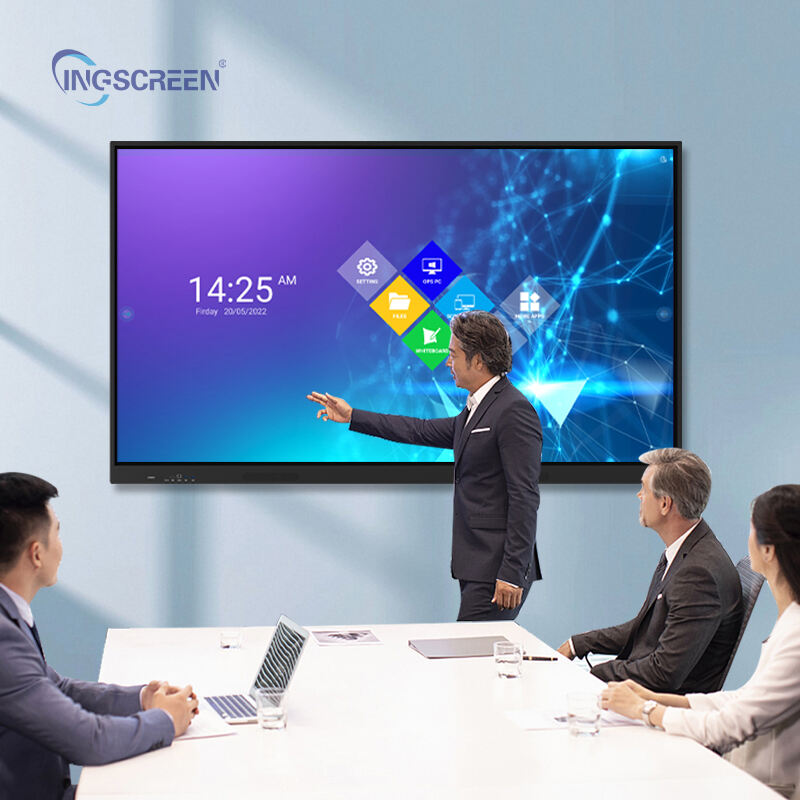
The interactive panel market has evolved dramatically, offering sophisticated touch-enabled displays that combine the functionality of traditional whiteboards with advanced digital capabilities. These comprehensive display solutions require careful evaluation across multiple dimensions including technical specifications, integration requirements, user experience factors, and total cost of ownership to ensure optimal return on investment and successful deployment.
Technical Specifications and Performance Requirements
Display Quality and Resolution Standards
When evaluating interactive panel technology, display quality serves as a fundamental consideration that directly impacts user experience and content visibility. Modern interactive panel systems typically offer 4K Ultra HD resolution as the standard, providing crisp image quality essential for detailed presentations, educational content, and collaborative work sessions. The display brightness level, measured in nits, should accommodate various lighting conditions within the intended installation environment.
Color accuracy becomes particularly important for organizations that rely on precise visual representation, such as design firms, educational institutions teaching visual arts, or corporate environments where brand colors must be displayed accurately. The interactive panel should support wide color gamuts and maintain consistent color reproduction across different viewing angles to ensure all participants can see content clearly regardless of their position in the room.
Screen size selection requires careful consideration of room dimensions, typical audience size, and intended use cases. While larger screens provide better visibility for group settings, they also require more wall space and higher investment costs. The optimal screen size balances visibility requirements with practical space constraints and budget considerations.
Touch Response and Multi-User Capabilities
The touch response accuracy and speed of an interactive panel significantly influence user adoption and satisfaction levels. Advanced interactive panel systems support multiple simultaneous touch points, typically ranging from 10 to 40 touch points, enabling multiple users to interact with the display concurrently. This multi-touch capability proves essential in collaborative environments where team members need to work together on shared content.
Touch latency, measured in milliseconds, determines how quickly the system responds to user input. Low latency ensures natural interaction patterns and prevents frustrating delays that can disrupt presentation flow or collaborative sessions. The touch technology should also support various input methods including finger touch, stylus input, and palm rejection to accommodate different user preferences and use cases.
Gesture recognition capabilities enhance the interactive panel user experience by supporting intuitive actions such as pinch-to-zoom, rotation, and multi-finger navigation. These advanced touch features should function reliably across different user hand sizes and interaction styles to ensure consistent performance for all users.
Integration and Connectivity Considerations
Hardware Compatibility Requirements
Successful interactive panel deployment depends heavily on seamless integration with existing technology infrastructure. Organizations must evaluate connectivity options to ensure the interactive panel can interface effectively with current devices, networks, and software systems. Standard connectivity ports including HDMI, USB, and wireless capabilities should accommodate both legacy equipment and modern devices without requiring extensive additional hardware investments.
Network integration requirements vary significantly based on intended use cases and organizational IT policies. The interactive panel should support both wired and wireless network connections, enabling content sharing, remote management, and cloud-based application access. Security protocols must align with organizational cybersecurity standards to prevent unauthorized access while maintaining functional flexibility.
Operating system compatibility affects software availability and user familiarity. Interactive panel systems running on Android, Windows, or proprietary operating systems offer different advantages in terms of application ecosystems, security features, and administrative control options. The chosen platform should support required software applications while providing adequate performance for intended workloads.
Software Ecosystem and Application Support
The software ecosystem surrounding an interactive panel determines its long-term utility and adaptability to changing organizational needs. Built-in applications for whiteboarding, annotation, screen sharing, and presentation should provide robust functionality without requiring additional software licenses. The availability of third-party applications through app stores or direct installation expands the system's capabilities for specialized use cases.
Cloud integration capabilities enable seamless content synchronization across multiple devices and locations, supporting modern hybrid work environments. The interactive panel should integrate with popular cloud storage services, collaboration platforms, and video conferencing solutions to facilitate smooth workflow integration without disrupting existing productivity patterns.
Administrative tools for device management, user access control, and content distribution become increasingly important in enterprise deployments. Centralized management capabilities allow IT departments to configure settings, push updates, and monitor system performance across multiple interactive panel installations efficiently.
User Experience and Accessibility Factors
Interface Design and Usability
The user interface design of an interactive panel significantly impacts adoption rates and user satisfaction across different skill levels and age groups. Intuitive navigation structures, clearly labeled functions, and consistent interaction patterns reduce the learning curve for new users while enabling experienced users to work efficiently. The interface should accommodate users with varying levels of technical expertise without compromising advanced functionality.
Customization options allow organizations to tailor the interactive panel interface to specific workflow requirements and user preferences. Configurable home screens, shortcut arrangements, and application layouts enable optimization for different use cases such as classroom instruction, corporate presentations, or creative collaboration sessions. These customization capabilities should balance flexibility with simplicity to avoid overwhelming less technical users.
Response feedback mechanisms including visual, auditory, and haptic cues help users understand system responses to their inputs. Clear confirmation signals prevent user confusion and reduce accidental inputs while providing confidence that interactions have been registered correctly by the system.
Accessibility and Inclusive Design
Accessibility features ensure that interactive panel technology can be used effectively by individuals with diverse abilities and needs. Height adjustability, whether through mounting systems or mobile stands, accommodates users of different statures and mobility requirements. Voice control capabilities provide alternative interaction methods for users who may have difficulty with touch interfaces.
Visual accessibility features such as high contrast modes, text size adjustment, and screen reader compatibility support users with visual impairments. Audio accessibility through hearing loop compatibility and visual indicator options ensures that individuals with hearing difficulties can participate fully in interactive panel activities.
The interactive panel should comply with relevant accessibility standards such as ADA requirements and WCAG guidelines to ensure legal compliance and inclusive access for all potential users. These accessibility considerations become particularly important in educational and public sector deployments where equal access requirements are strictly enforced.
Cost Analysis and Budget Planning
Initial Investment and Equipment Costs
The total cost of interactive panel ownership extends beyond the initial purchase price to include installation, training, maintenance, and ongoing operational expenses. Initial equipment costs vary significantly based on screen size, technical specifications, and included features. Organizations should evaluate the cost-per-feature ratio to ensure they receive appropriate value for their investment level.
Installation costs include mounting hardware, electrical work, network infrastructure modifications, and professional calibration services. These expenses can represent a substantial portion of the total project cost, particularly in environments requiring custom mounting solutions or significant infrastructure upgrades to support the interactive panel system properly.
Accessory costs for items such as styluses, cleaning supplies, protective covers, and mobile stands should be factored into the initial budget planning. While these items may seem minor compared to the main equipment cost, they contribute to the total investment required for full system deployment and ongoing operation.
Long-term Value and Return on Investment
Calculating the return on investment for interactive panel technology requires considering both quantifiable benefits such as increased productivity and reduced printing costs, as well as intangible advantages like improved collaboration and enhanced presentation quality. Organizations should establish baseline metrics before deployment to measure improvement accurately after implementation.
Maintenance costs including software updates, warranty extensions, and technical support services affect the long-term cost of ownership. Interactive panel systems with longer warranty periods and comprehensive support packages may justify higher initial costs through reduced ongoing maintenance expenses and improved system reliability.
Technology lifecycle considerations help organizations plan for future upgrades and replacement timelines. Interactive panel systems with modular designs or upgrade paths provide better long-term value by extending useful life and reducing the frequency of complete system replacements as technology standards evolve.
FAQ
What is the typical lifespan of an interactive panel system?
Most commercial-grade interactive panel systems have an expected lifespan of 7 to 10 years under normal usage conditions. This lifespan can vary based on usage intensity, environmental conditions, and maintenance practices. Higher-quality panels with commercial-grade components typically last longer than consumer-oriented models, making them more cost-effective for business and educational applications despite higher initial costs.
How much training is typically required for users to become proficient with interactive panel technology?
Basic interactive panel proficiency can usually be achieved within 2 to 4 hours of training for most users, while advanced features may require additional training sessions. The learning curve depends largely on users' existing technology comfort levels and the complexity of intended applications. Organizations should budget for initial training sessions and ongoing support to ensure successful adoption across all user groups.
Can interactive panels integrate with existing video conferencing systems?
Yes, modern interactive panel systems typically integrate seamlessly with popular video conferencing platforms such as Zoom, Microsoft Teams, and Google Meet. This integration enables remote participants to view and interact with shared content while supporting hybrid meeting environments. The level of integration varies by manufacturer, so organizations should verify compatibility with their preferred conferencing solutions before making a purchase decision.
What maintenance requirements should be expected for interactive panel systems?
Interactive panel maintenance typically includes regular screen cleaning, software updates, and periodic calibration checks. Most systems require minimal daily maintenance beyond basic cleaning, while more comprehensive maintenance such as firmware updates and performance optimization should be performed quarterly or as recommended by the manufacturer. Professional maintenance contracts can provide peace of mind and ensure optimal performance throughout the system's lifespan.
Table of Contents
- Technical Specifications and Performance Requirements
- Integration and Connectivity Considerations
- User Experience and Accessibility Factors
- Cost Analysis and Budget Planning
-
FAQ
- What is the typical lifespan of an interactive panel system?
- How much training is typically required for users to become proficient with interactive panel technology?
- Can interactive panels integrate with existing video conferencing systems?
- What maintenance requirements should be expected for interactive panel systems?

