

 EN
EN
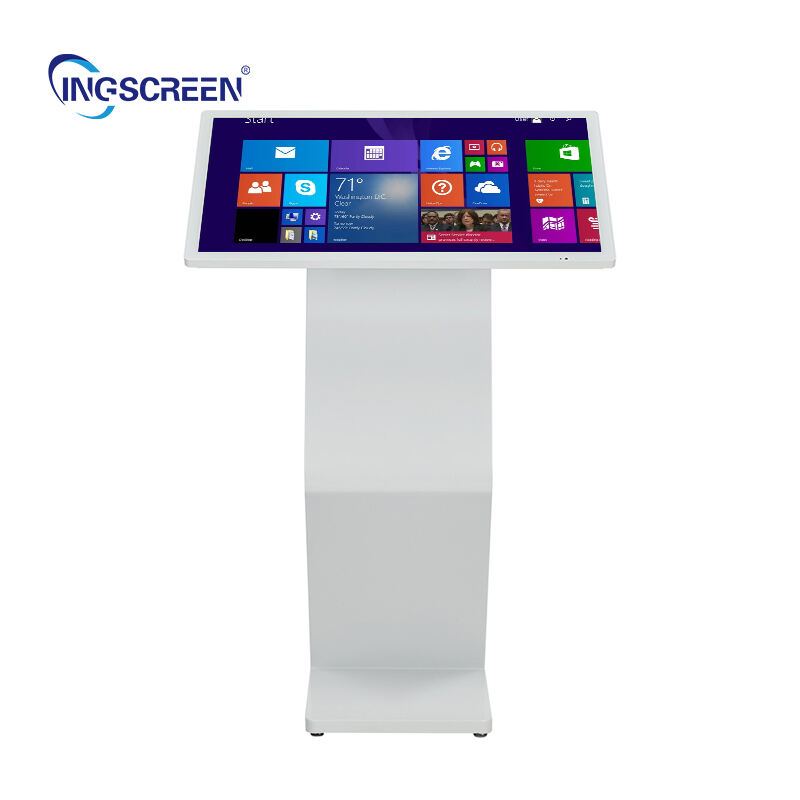
Selecting the right interactive flat panel for business operations requires careful evaluation of multiple technical and operational factors that directly impact productivity, user experience, and long-term value. Modern businesses face increasing demands for collaborative technologies that support hybrid work environments, dynamic presentations, and seamless digital workflows. The decision to invest in an interactive flat panel represents a significant commitment that affects daily operations, team collaboration, and overall technological infrastructure across the organization.
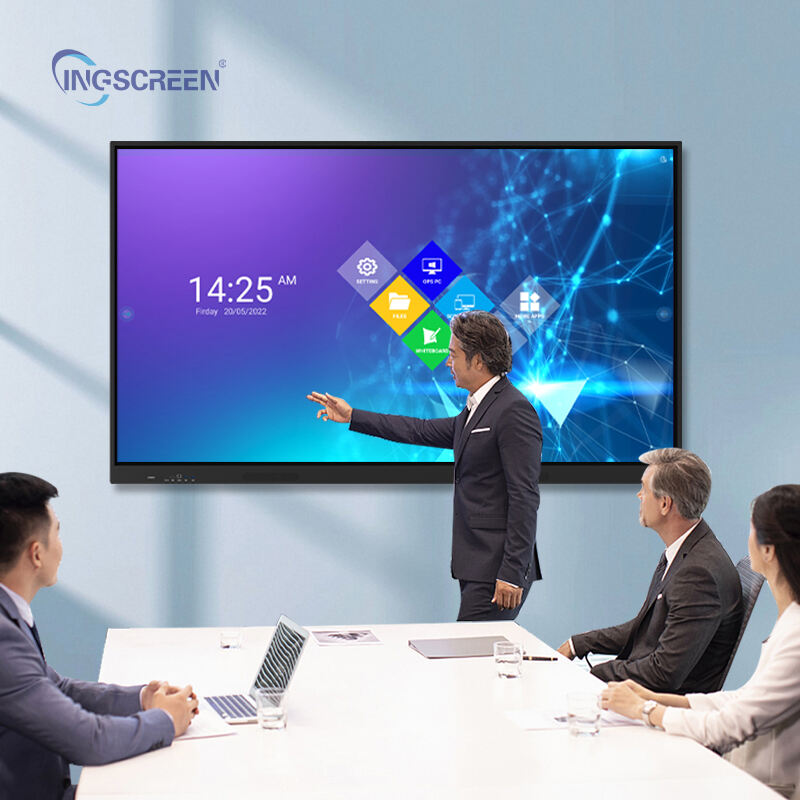
Understanding the critical selection factors enables businesses to make informed decisions that align with their specific operational requirements, budget constraints, and future growth plans. The reliability of an interactive flat panel depends on various interconnected elements including display technology, touch responsiveness, software compatibility, connectivity options, and manufacturer support services. These factors collectively determine whether the chosen solution will deliver consistent performance, maintain user satisfaction, and provide sustainable value throughout its operational lifespan in demanding business environments.
Display Technology and Visual Performance Specifications
Resolution Standards and Screen Clarity Requirements
The resolution capability of an interactive flat panel fundamentally determines the quality of visual content presentation and user interaction experience. Business environments typically require 4K Ultra HD resolution as the minimum standard for professional applications, ensuring crisp text rendering, detailed image display, and clear video conferencing capabilities. Higher resolution displays support multiple simultaneous applications without compromising readability, which becomes crucial during collaborative sessions where participants need to view complex documents, detailed diagrams, or high-resolution media content simultaneously.
Screen size considerations must balance viewing distance, room dimensions, and intended usage patterns to optimize visual performance. Most business applications benefit from 65-inch to 86-inch displays, providing sufficient screen real estate for group interactions while maintaining comfortable viewing angles for all participants. The pixel density relationship between screen size and resolution directly affects text sharpness and image quality, making it essential to evaluate these specifications together rather than independently when selecting an interactive flat panel solution.
Color Accuracy and Brightness Performance
Professional color reproduction capabilities ensure consistent visual communication across different lighting conditions and content types. Business presentations often include branded materials, technical diagrams, and multimedia content that require accurate color representation to maintain professional standards and effective communication. The interactive flat panel should deliver wide color gamut coverage, typically supporting at least 90% of the sRGB color space, ensuring that graphics, videos, and digital content appear as intended across various business applications.
Brightness levels and anti-glare properties significantly impact usability in different office environments. Conference rooms with large windows, open office spaces, and training facilities require displays with sufficient brightness output, typically 350-400 nits minimum, to maintain visibility under ambient lighting conditions. Advanced anti-glare coatings reduce reflections and eye strain during extended use, while maintaining touch sensitivity and visual clarity. These performance characteristics directly affect user comfort and interaction quality during long meetings or training sessions.
Touch Technology and Interaction Capabilities
Multi-Touch Functionality and Response Accuracy
The touch detection technology employed in an interactive flat panel determines the precision, responsiveness, and overall user experience during interactive sessions. Infrared touch technology and projected capacitive touch systems represent the most reliable options for business applications, providing accurate finger tracking, palm rejection capabilities, and consistent performance across the entire display surface. The number of simultaneous touch points supported affects collaborative functionality, with most business environments requiring at least 20-point multi-touch capability to accommodate multiple users working together effectively.
Touch latency measurements indicate how quickly the system responds to user input, directly impacting the natural feel of interaction and overall user satisfaction. Professional-grade interactive flat panel solutions should maintain touch response times under 10 milliseconds to ensure smooth writing, drawing, and navigation experiences. This responsiveness becomes particularly important for detailed work such as digital whiteboarding, annotation tasks, and precision-based applications where delayed response can disrupt workflow and reduce productivity.
Writing and Drawing Performance
Digital ink performance affects the quality of handwritten content, sketches, and annotations created during collaborative sessions. The interactive flat panel should support both finger touch and stylus input with equal precision, allowing users to switch between input methods based on task requirements. Palm rejection technology enables natural writing postures without accidental marks, while pressure sensitivity support provides variable line weights and artistic expression capabilities for design-focused applications.
The smoothness of writing and drawing operations depends on both hardware capabilities and software optimization working together seamlessly. Advanced interactive flat panel systems incorporate predictive algorithms that anticipate user movement, reducing perceived lag and creating more natural digital writing experiences. These features become essential for educational presentations, design reviews, and creative brainstorming sessions where drawing quality directly impacts communication effectiveness and user engagement levels.
Software Compatibility and Operating System Integration
Native Operating System Performance
The built-in operating system of an interactive flat panel determines baseline functionality, app compatibility, and overall system performance capabilities. Android-based systems offer extensive app ecosystems and familiar user interfaces, while Windows-based solutions provide seamless integration with existing business software and network infrastructure. The processing power, memory capacity, and storage options of the integrated system affect multitasking capabilities, application loading times, and overall responsiveness during complex operations.
System updates and security patch management represent critical considerations for business environments that require consistent security standards and feature improvements. The manufacturer's commitment to providing regular software updates, security patches, and new feature releases affects the long-term viability and security of the interactive flat panel investment. Business IT departments need assurance that the system will receive ongoing support and maintain compatibility with evolving software requirements throughout its operational lifespan.
Third-Party Application Support
Compatibility with existing business applications and software ecosystems determines how effectively an interactive flat panel integrates into current workflows and productivity systems. Video conferencing platforms, collaboration tools, presentation software, and specialized business applications should run smoothly without compatibility issues or performance degradation. The system should support popular business applications including Microsoft Office suite, Google Workspace, Zoom, Teams, and industry-specific software packages commonly used within the organization.
Application installation flexibility and administrative controls enable IT departments to manage software deployment, security policies, and user access permissions effectively. Enterprise-grade interactive flat panel solutions provide centralized management capabilities, allowing administrators to configure settings, install approved applications, and maintain consistent configurations across multiple devices. This level of control becomes essential for organizations with strict IT governance requirements and security compliance obligations.
Connectivity and Network Integration Requirements
Wired and Wireless Connection Options
Comprehensive connectivity options ensure that an interactive flat panel can accommodate various devices, presentation sources, and network configurations commonly found in business environments. Multiple HDMI inputs, USB ports, Ethernet connections, and wireless capabilities provide flexibility for different user preferences and technical requirements. The availability of USB-C connectivity with power delivery capabilities simplifies device connection and reduces cable management complexity during presentations and collaborative sessions.
Wireless display technologies such as Miracast, AirPlay, and Google Cast enable seamless content sharing from laptops, tablets, and smartphones without requiring physical cable connections. These wireless capabilities support bring-your-own-device policies and accommodate diverse device ecosystems within modern business environments. The reliability and performance of wireless connections affect user experience quality, particularly during important presentations or client meetings where technical difficulties can disrupt professional interactions.
Network Security and Access Management
Enterprise network security requirements demand that interactive flat panel systems provide robust authentication mechanisms, encryption capabilities, and access control features. The device should support corporate network policies including WPA3 wireless security, VPN connectivity, and certificate-based authentication systems. Integration with existing Active Directory or LDAP systems enables centralized user management and maintains consistency with organizational security protocols.
Network traffic management and bandwidth optimization features help ensure that interactive flat panel usage does not negatively impact other business network operations. Quality of service configurations, content caching capabilities, and efficient data compression help manage network resources effectively. These considerations become particularly important for organizations with limited bandwidth or complex network infrastructure where device performance must coexist with other critical business systems and applications.
Build Quality and Reliability Standards
Hardware Durability and Component Quality
The physical construction quality of an interactive flat panel directly affects its operational lifespan, maintenance requirements, and total cost of ownership. Commercial-grade displays typically feature reinforced glass surfaces, robust internal components, and enhanced thermal management systems designed for continuous operation in business environments. The display should withstand frequent touch interactions, temperature variations, and extended daily usage without degrading performance or developing dead pixels, touch sensitivity issues, or display artifacts.
Component reliability specifications include mean time between failures ratings, expected operational lifespan, and performance consistency over extended usage periods. Professional interactive flat panel systems often provide 50,000-hour operational ratings with minimal performance degradation, ensuring consistent functionality throughout typical business replacement cycles. Understanding these reliability metrics helps businesses plan maintenance schedules, budget for eventual replacements, and assess the true long-term value of their investment in interactive display technology.
Environmental Considerations and Installation Requirements
Operating environment specifications determine where an interactive flat panel can be reliably deployed within business facilities. Temperature ranges, humidity tolerances, and ventilation requirements affect installation planning and ongoing operational costs. The device should operate effectively in typical office climate conditions while maintaining optimal performance and preventing component degradation due to environmental stress factors.
Installation flexibility and mounting options accommodate different room configurations, ceiling heights, and furniture arrangements. Height adjustability, wall mounting capabilities, and mobile stand compatibility provide deployment flexibility for various business applications. The weight specifications and structural requirements must align with available mounting surfaces and building capabilities to ensure safe and secure installation that complies with workplace safety standards and regulations.
FAQ
What resolution should businesses prioritize when selecting an interactive flat panel?
Businesses should prioritize 4K Ultra HD resolution as the minimum standard for professional interactive flat panel applications. This resolution provides sufficient detail for text clarity, image sharpness, and video quality needed for presentations, collaboration, and digital content display. Higher resolutions may be beneficial for specialized applications requiring extreme detail, but 4K offers the best balance of visual quality and system performance for most business environments.
How important is touch technology in determining interactive flat panel reliability?
Touch technology represents one of the most critical factors affecting interactive flat panel reliability and user satisfaction. Infrared and projected capacitive touch systems provide the most consistent performance, accurate tracking, and durability needed for business applications. The touch response time, multi-point capability, and palm rejection features directly impact daily usability and determine whether the system supports productive collaborative workflows effectively.
What connectivity features are essential for business interactive flat panel deployment?
Essential connectivity features include multiple HDMI inputs, USB ports, Ethernet connectivity, and reliable wireless display capabilities supporting Miracast, AirPlay, and Google Cast. USB-C connectivity with power delivery simplifies device connections, while robust wireless security features ensure safe integration with corporate networks. These connectivity options provide the flexibility needed to accommodate diverse device ecosystems and user preferences in modern business environments.
How do software compatibility requirements affect interactive flat panel selection?
Software compatibility determines how effectively an interactive flat panel integrates with existing business applications and workflows. The system should support popular productivity software, video conferencing platforms, and industry-specific applications without performance issues. Native operating system capabilities, processing power, and memory specifications must align with intended software usage patterns, while ongoing update support ensures long-term compatibility and security compliance requirements are maintained.
Table of Contents
- Display Technology and Visual Performance Specifications
- Touch Technology and Interaction Capabilities
- Software Compatibility and Operating System Integration
- Connectivity and Network Integration Requirements
- Build Quality and Reliability Standards
-
FAQ
- What resolution should businesses prioritize when selecting an interactive flat panel?
- How important is touch technology in determining interactive flat panel reliability?
- What connectivity features are essential for business interactive flat panel deployment?
- How do software compatibility requirements affect interactive flat panel selection?

