

 EN
EN
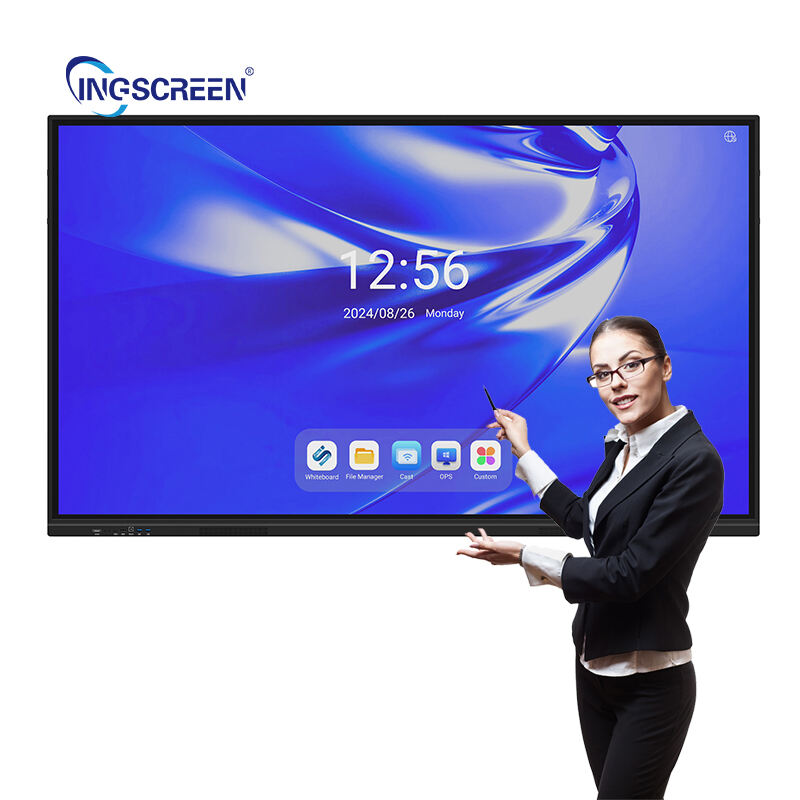
Modern classrooms demand innovative solutions that can seamlessly blend traditional teaching methods with cutting-edge technology to foster meaningful collaboration. The integration of smart board technology has fundamentally transformed how educators and students interact, moving beyond passive learning environments toward dynamic, participatory educational experiences. This technological evolution addresses the growing need for interactive learning tools that can accommodate diverse learning styles while promoting active engagement and collaborative problem-solving among students.
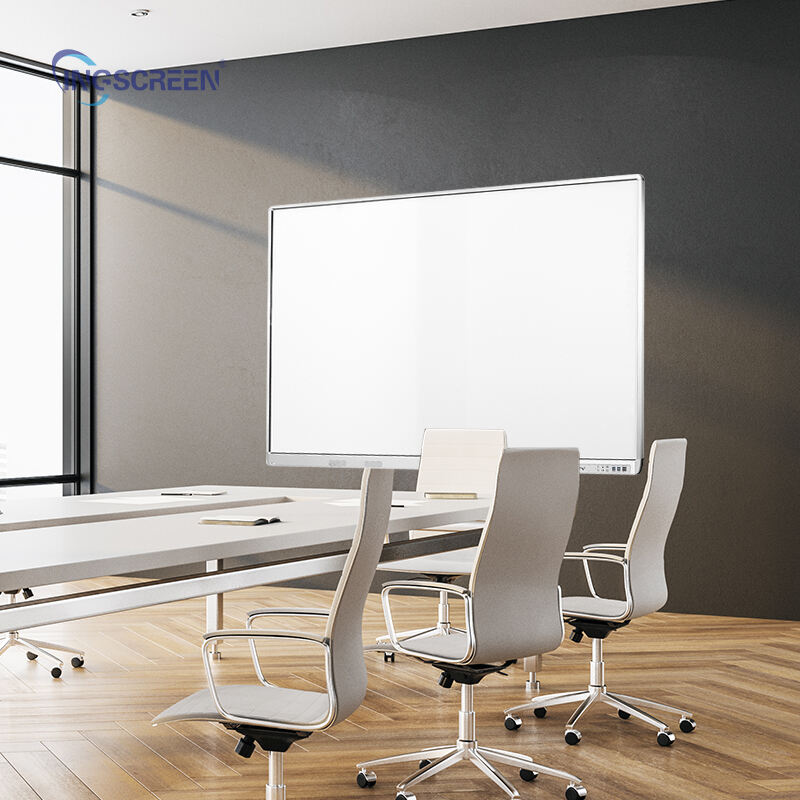
The effectiveness of smart board technology in classroom collaboration stems from its ability to create immersive, multi-sensory learning experiences that engage students at multiple cognitive levels. These interactive displays serve as central hubs for classroom activities, enabling real-time collaboration, instant feedback, and seamless integration with various digital resources. Understanding the specific features and capabilities that make smart board systems particularly effective for collaborative learning helps educators maximize their investment in classroom technology while creating more engaging educational environments.
Interactive Touch Technology and Multi-User Capabilities
Simultaneous Multi-Touch Functionality
The foundation of effective classroom collaboration through smart board technology lies in its sophisticated multi-touch capabilities that allow multiple students to interact with the display simultaneously. This feature transforms traditional one-to-many teaching models into collaborative learning experiences where several students can manipulate content, solve problems, and contribute ideas concurrently. The smart board recognizes individual touch points and gestures, enabling groups of students to work together on complex problems without interference between their interactions.
Advanced touch recognition technology ensures that collaborative activities remain smooth and responsive, even when multiple users are engaging with different areas of the screen simultaneously. This capability proves particularly valuable during group problem-solving sessions, where students can divide complex tasks into manageable components and work on different aspects of a solution simultaneously. The precision of modern smart board touch technology supports detailed work such as mathematical equations, scientific diagrams, and artistic creations that require fine motor control and accuracy.
Gesture Recognition and Natural Interaction
Modern smart board systems incorporate sophisticated gesture recognition capabilities that make interaction feel intuitive and natural for students of all ages. These systems can interpret common gestures such as pinching to zoom, swiping to navigate, and rotating to orient content, creating familiar interaction patterns that students already understand from their personal device usage. This intuitive interface reduces the learning curve associated with new technology adoption and allows students to focus on collaborative learning rather than struggling with unfamiliar controls.
The gesture recognition technology in advanced smart board systems extends beyond basic touch interactions to include palm rejection, which prevents accidental inputs when students rest their hands on the screen during writing or drawing activities. This feature ensures that collaborative sessions remain productive and frustration-free, allowing students to engage naturally with the smart board without worrying about unintended disruptions to their work. The system's ability to distinguish between intentional gestures and accidental contact maintains the flow of collaborative activities.
Software Integration and Digital Workflow Enhancement
Cloud-Based Collaboration Platforms
The effectiveness of smart board technology in modern classrooms is significantly amplified by its integration with cloud-based collaboration platforms that enable seamless sharing and real-time collaboration beyond the physical classroom boundaries. These platforms allow students to access shared workspaces, contribute to group projects remotely, and maintain continuity between in-class and remote learning activities. The smart board serves as a central access point for these collaborative platforms, displaying shared documents, presentations, and project materials that multiple students can edit simultaneously.
Cloud integration ensures that collaborative work created on the smart board is automatically saved and synchronized across all connected devices, allowing students to continue their collaborative efforts on personal tablets, laptops, or smartphones. This seamless workflow integration eliminates the traditional barriers between different learning environments and devices, creating a unified collaborative ecosystem that supports continuous learning. Students can begin a collaborative project on the smart board during class time and seamlessly continue their contributions from home or other locations.
Real-Time Content Sharing and Annotation
Smart board technology excels in collaborative learning environments through its powerful content sharing and annotation capabilities that allow multiple participants to contribute to shared documents and presentations simultaneously. Students can share their screen content directly to the smart board, enabling peer review sessions, collaborative editing, and group analysis of individual work. The annotation tools built into smart board software allow multiple users to add comments, highlight important information, and draw connections between different concepts in real-time.
The ability to layer annotations over existing content without permanently altering the original material proves particularly valuable for collaborative analysis activities. Students can add their insights, questions, and observations to shared documents while preserving the original content for future reference. This non-destructive annotation approach encourages active participation from all students, as they can contribute their thoughts without fear of accidentally damaging important materials or interfering with their classmates' work.
Visual Learning Enhancement and Multimedia Integration
High-Resolution Display Quality
The visual clarity provided by modern smart board technology plays a crucial role in effective classroom collaboration by ensuring that all participants can clearly see shared content regardless of their position in the classroom. High-resolution displays with excellent color accuracy and brightness consistency enable detailed collaborative work on complex visual materials such as scientific diagrams, historical maps, mathematical graphs, and artistic compositions. This visual fidelity supports collaborative activities that require precise observation and analysis of detailed information.
The large display size of smart board systems ensures that collaborative activities remain visible and accessible to all participants, even in larger classroom settings. Students working at the smart board can maintain eye contact with their classmates while manipulating content, fostering better communication and group dynamics during collaborative sessions. The anti-glare properties of modern smart board displays minimize visual distractions and ensure consistent visibility under various lighting conditions, maintaining the effectiveness of collaborative activities throughout the day.
Multimedia Content Integration
Smart board technology enhances collaborative learning through its seamless integration of diverse multimedia content types that appeal to different learning preferences and support various collaborative activities. Students can incorporate videos, audio clips, images, animations, and interactive simulations into their collaborative projects, creating rich, engaging presentations that demonstrate their understanding through multiple media formats. The smart board platform supports these various content types natively, eliminating compatibility issues and technical barriers that might otherwise disrupt collaborative workflows.
The ability to manipulate and annotate multimedia content directly on the smart board surface enables new forms of collaborative analysis and discussion. Students can pause videos at key moments to add annotations, crop images to focus on specific details, and overlay graphics onto existing content to illustrate their points. These multimedia manipulation capabilities transform passive content consumption into active, collaborative exploration that engages students more deeply with the subject matter and encourages meaningful peer-to-peer learning interactions.
Connectivity and Device Integration
Wireless Connectivity and BYOD Support
The wireless connectivity capabilities of modern smart board systems eliminate physical barriers to collaborative participation by allowing students to connect their personal devices seamlessly to the classroom display. This bring-your-own-device integration ensures that all students can participate in collaborative activities regardless of the availability of school-provided technology, democratizing access to digital collaboration tools. Wireless connectivity also reduces classroom clutter and safety hazards associated with cable connections, creating a more flexible and adaptable learning environment.
The smart board wireless connectivity supports multiple simultaneous device connections, enabling true collaborative scenarios where several students can share content, control presentations, and contribute to shared workspaces from their individual devices. This distributed control model empowers students to take leadership roles in collaborative activities while maintaining their connection to the central smart board display. The system's ability to manage multiple wireless connections smoothly ensures that technical issues do not disrupt the flow of collaborative learning activities.
Cross-Platform Compatibility
Effective classroom collaboration through smart board technology requires broad compatibility with diverse operating systems and software platforms to accommodate the varied technology preferences and requirements found in modern educational environments. Smart board systems that support Windows, macOS, iOS, and Android devices ensure that all students can participate in collaborative activities regardless of their preferred technology platform. This cross-platform compatibility eliminates technological barriers that might otherwise prevent some students from fully engaging in collaborative learning experiences.
The universal compatibility of modern smart board technology extends beyond basic device connection to include support for various software applications and file formats commonly used in educational settings. Students can share documents created in different software applications, collaborate on presentations using various tools, and access shared resources without worrying about format conversion or compatibility issues. This seamless interoperability supports natural collaborative workflows and reduces the technical overhead associated with group projects and shared learning activities.
Assessment and Feedback Integration
Real-Time Progress Monitoring
Smart board technology enhances collaborative learning effectiveness through integrated assessment tools that provide real-time feedback on student progress and group dynamics during collaborative activities. These monitoring capabilities allow educators to observe how individual students contribute to group work, identify areas where additional support may be needed, and adjust instructional strategies based on immediate feedback from collaborative sessions. The smart board system can track participation levels, contribution quality, and collaborative skill development over time.
The real-time monitoring capabilities of smart board technology enable immediate intervention and support when collaborative groups encounter difficulties or when individual students struggle to engage effectively with their peers. Educators can use the smart board display to provide instant feedback, offer guided prompts, and facilitate problem-solving discussions that keep collaborative activities productive and educational. This immediate feedback loop helps students develop better collaboration skills while ensuring that learning objectives are met during group activities.
Collaborative Assessment Tools
Modern smart board systems include sophisticated assessment tools that support both formative and summative evaluation of collaborative learning outcomes. These tools enable peer assessment activities where students can evaluate each other's contributions to group projects, provide constructive feedback on collaborative processes, and reflect on their own collaborative learning experiences. The smart board platform provides structured frameworks for these assessment activities, ensuring that feedback is constructive and aligned with learning objectives.
The assessment capabilities integrated into smart board technology support authentic evaluation of collaborative skills by capturing evidence of student interactions, problem-solving processes, and communication effectiveness during group activities. This documentation provides valuable insights into student development that extend beyond traditional academic achievement measures to include critical 21st-century skills such as teamwork, communication, and creative problem-solving. The smart board system can compile this assessment data into comprehensive reports that inform instructional planning and student support strategies.
FAQ
How does smart board technology improve student engagement in collaborative activities?
Smart board technology improves student engagement through interactive touch capabilities that allow multiple students to participate simultaneously, creating dynamic collaborative experiences that maintain attention and encourage active participation. The visual and tactile nature of smart board interactions appeals to different learning styles and keeps students physically and mentally engaged with collaborative tasks. The immediate visual feedback and responsive interface maintain student interest and motivation throughout collaborative sessions.
What technical requirements are necessary for effective smart board collaboration?
Effective smart board collaboration requires reliable wireless network infrastructure to support multiple device connections, sufficient bandwidth for multimedia content sharing, and compatible devices for all participants. The classroom should have adequate power outlets and proper lighting conditions to optimize smart board visibility. Regular software updates and technical support ensure that the smart board system maintains optimal performance for collaborative activities.
Can smart board technology support remote and hybrid collaborative learning?
Yes, modern smart board systems support hybrid collaborative learning through cloud-based platforms that enable remote students to participate in classroom activities in real-time. Remote students can view smart board content, contribute to collaborative documents, and participate in group discussions through integrated video conferencing capabilities. The smart board serves as a bridge between in-person and remote participants, maintaining collaborative continuity across different learning environments.
What training do educators need to effectively use smart board technology for collaboration?
Educators need training in smart board operation basics, collaborative software applications, and pedagogical strategies for group facilitation using interactive technology. Professional development should cover technical troubleshooting, classroom management techniques for collaborative activities, and assessment methods for evaluating collaborative learning outcomes. Ongoing support and practice opportunities help educators develop confidence and expertise in integrating smart board technology into collaborative learning experiences.
Table of Contents
- Interactive Touch Technology and Multi-User Capabilities
- Software Integration and Digital Workflow Enhancement
- Visual Learning Enhancement and Multimedia Integration
- Connectivity and Device Integration
- Assessment and Feedback Integration
-
FAQ
- How does smart board technology improve student engagement in collaborative activities?
- What technical requirements are necessary for effective smart board collaboration?
- Can smart board technology support remote and hybrid collaborative learning?
- What training do educators need to effectively use smart board technology for collaboration?

