

 EN
EN
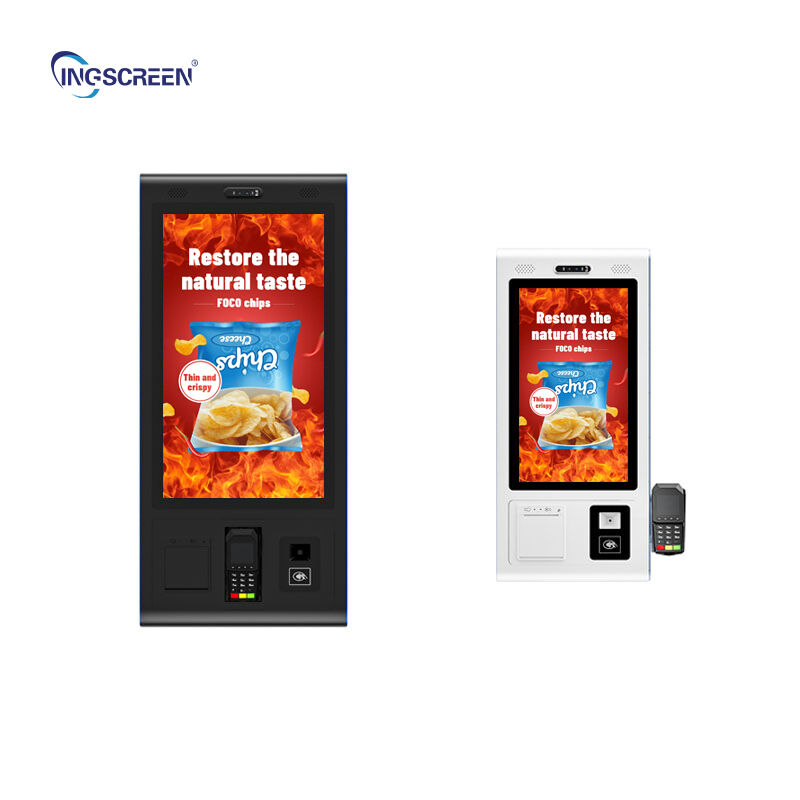
Modern businesses are increasingly recognizing the transformative power of interactive whiteboard technology in enhancing collaboration, productivity, and communication across various workplace environments. Whether you're outfitting a corporate conference room, educational facility, or creative workspace, selecting the right interactive whiteboard requires careful consideration of multiple technical and functional aspects. The market offers numerous options with varying capabilities, making it essential to understand which features align with your specific business needs and long-term objectives. An interactive whiteboard serves as more than just a digital display; it becomes a central hub for presentations, brainstorming sessions, video conferences, and collaborative workflows that can significantly impact your team's efficiency and engagement levels.

Display Technology and Visual Quality Considerations
Screen Resolution and Clarity Requirements
The visual foundation of any effective interactive whiteboard lies in its display technology and resolution capabilities. Modern businesses should prioritize 4K Ultra HD resolution as the minimum standard, ensuring crystal-clear text rendering and vibrant image reproduction during presentations and collaborative sessions. Higher resolution displays become particularly crucial when displaying detailed technical drawings, financial charts, or complex data visualizations that require precise clarity for accurate interpretation. The pixel density directly impacts readability from various distances within meeting rooms, making it essential to match resolution specifications with your typical room size and seating arrangements.
Beyond basic resolution metrics, consider the display's color accuracy and brightness levels, especially in environments with varying lighting conditions. Professional-grade interactive whiteboard systems often feature advanced LED backlighting technology that maintains consistent brightness across the entire screen surface while minimizing eye strain during extended use. Anti-glare coatings and wide viewing angles ensure that content remains clearly visible regardless of participant positioning around the room, supporting inclusive collaboration where every team member can effectively engage with displayed materials.
Touch Technology and Multi-User Support
The responsiveness and accuracy of touch technology fundamentally determine user experience and adoption rates within business environments. Capacitive touch sensors provide superior precision compared to resistive alternatives, enabling natural writing and drawing experiences that closely mimic traditional whiteboard interactions. Multi-touch capability supporting simultaneous input from multiple users transforms brainstorming sessions and collaborative workflows, allowing team members to contribute ideas concurrently without workflow interruptions or turn-taking delays.
Advanced touch recognition systems can distinguish between different input methods, such as finger touches, stylus input, and palm rejection, creating more intuitive and versatile interaction possibilities. Some premium interactive whiteboard models support up to 20 simultaneous touch points, accommodating large group collaborations where multiple participants can annotate, manipulate objects, and contribute to shared digital workspaces simultaneously. This multi-user functionality becomes particularly valuable during design reviews, strategy planning sessions, and creative workshops where diverse perspectives need immediate visual representation.
Software Integration and Compatibility Features
Operating System and Application Support
The software ecosystem surrounding your interactive whiteboard selection significantly impacts long-term usability and integration success within existing business workflows. Android-based systems offer extensive app compatibility and familiar user interfaces that reduce training requirements, while Windows-compatible models provide seamless integration with Microsoft Office applications and enterprise software suites. Cloud connectivity features enable real-time collaboration with remote team members and automatic synchronization of meeting notes, annotations, and shared documents across multiple devices and locations.
Consider the availability and quality of bundled software applications, including whiteboarding tools, presentation software, and collaborative platforms that come pre-installed with your chosen system. Some manufacturers provide proprietary software suites specifically designed for business environments, featuring advanced annotation tools, meeting recording capabilities, and integration with popular video conferencing platforms like Zoom, Microsoft Teams, and Google Meet. The ability to install third-party applications extends functionality and ensures compatibility with specialized industry software that your organization may already utilize.
Network Connectivity and Security Protocols
Robust network connectivity options ensure seamless integration with existing IT infrastructure while maintaining security standards required for sensitive business communications. Dual-band WiFi support, Ethernet connectivity, and Bluetooth capabilities provide flexible connection options that accommodate various deployment scenarios and network configurations. Enterprise-grade security features, including WPA3 encryption, VPN support, and user authentication protocols, protect confidential information shared during meetings and collaborative sessions.
Remote management capabilities allow IT administrators to monitor system performance, deploy software updates, and configure security settings across multiple interactive whiteboard installations from centralized management consoles. This administrative control becomes particularly valuable for organizations with multiple locations or large-scale deployments where consistent configuration and security enforcement are critical operational requirements. Advanced systems may also support single sign-on integration with existing directory services, streamlining user access while maintaining security compliance.
Physical Design and Installation Considerations
Size and Mounting Options
Selecting the appropriate screen size requires careful consideration of room dimensions, seating arrangements, and typical usage scenarios within your business environment. Interactive whiteboard sizes typically range from 55 inches for smaller meeting rooms to 98 inches or larger for auditoriums and large conference facilities. The optimal viewing distance formula suggests that screen diagonal measurements should accommodate comfortable reading from the furthest seating position while avoiding overwhelming proximity for front-row participants.
Mounting flexibility enables optimal positioning that maximizes accessibility and viewing angles for all meeting participants. Wall-mounted installations provide space-efficient solutions for most business environments, while mobile cart systems offer portability between different rooms and locations. Height adjustability features accommodate users of varying statures and ensure compliance with accessibility requirements, making the interactive whiteboard usable for individuals with different physical capabilities and preferences.
Build Quality and Durability Standards
Commercial-grade construction materials and robust engineering ensure long-term reliability in high-usage business environments where interactive whiteboards may operate continuously throughout workdays. Tempered glass surfaces resist scratches, impacts, and chemical damage from cleaning solutions, maintaining optical clarity and touch sensitivity over extended operational periods. Industrial-grade components and thermal management systems prevent overheating and component failures that could disrupt important meetings or presentations.
Certification standards such as FCC compliance, Energy Star ratings, and international safety certifications indicate adherence to quality and reliability benchmarks expected in professional environments. Manufacturer warranty terms and local service support availability provide important protection for significant technology investments while ensuring minimal downtime when maintenance or repairs become necessary. Extended warranty options and on-site service agreements offer additional peace of mind for mission-critical installations where system availability directly impacts business operations.
Audio and Video Capabilities
Integrated Sound Systems
High-quality audio reproduction enhances presentation effectiveness and supports clear communication during video conferences and multimedia presentations. Built-in speaker systems with adequate power output and frequency response ensure that all participants can clearly hear audio content without requiring additional external sound equipment. Advanced acoustic design features, including directional speakers and echo cancellation technology, optimize sound distribution throughout meeting spaces while minimizing audio feedback and distortion.
Microphone integration enables hands-free communication during video conferences and supports voice control features that streamline navigation and content management. Beamforming microphone arrays automatically focus on active speakers while suppressing background noise and conversation from other room areas. These audio enhancements create more natural and professional communication experiences that encourage active participation and reduce technical distractions during important business meetings.
Camera and Video Conferencing Integration
Integrated camera systems with high-definition video capture capabilities transform interactive whiteboards into comprehensive communication hubs that support remote collaboration and hybrid meeting formats. Wide-angle lenses and automatic tracking features ensure that all in-room participants remain visible during video conferences, while advanced image processing maintains optimal exposure and color balance across various lighting conditions. Privacy controls and physical camera covers address security concerns and provide users with confidence during sensitive discussions.
Seamless integration with popular video conferencing platforms eliminates compatibility issues and reduces setup complexity for routine meetings and presentations. One-touch meeting initiation and automatic connection features streamline the user experience, enabling non-technical staff to host professional video conferences without requiring specialized training or technical support. These integrated capabilities position the interactive whiteboard as a central communication platform that supports both local collaboration and remote team engagement.
Performance and Processing Power
Hardware Specifications and Response Times
The processing power and memory configuration of an interactive whiteboard directly impact responsiveness, multitasking capabilities, and overall user experience during demanding collaborative sessions. Modern business applications require sufficient RAM and processing speed to handle simultaneous video conferencing, content sharing, and real-time annotation without performance degradation or noticeable latency. Solid-state storage options provide faster boot times and application loading compared to traditional hard drive systems, improving efficiency and reducing wait times during meetings.
Touch response times and input lag specifications become critical factors when evaluating interactive whiteboard performance for professional environments. Sub-10-millisecond response times ensure natural writing and drawing experiences that don't frustrate users or inhibit creative workflows. Graphics processing capabilities determine how smoothly complex presentations, 3D models, and multimedia content display, particularly when handling high-resolution images or video content that may be common in architectural, engineering, or marketing presentations.
Multitasking and Application Performance
Advanced processor architectures enable smooth multitasking scenarios where users can run multiple applications simultaneously without experiencing system slowdowns or crashes. Split-screen functionality allows presenters to reference supporting materials while maintaining primary content visibility, enhancing presentation flow and reducing the need for constant application switching. Background processing capabilities ensure that system updates, file synchronization, and maintenance tasks occur without interrupting active meetings or collaborative sessions.
Memory management and thermal throttling controls maintain consistent performance levels during extended usage periods, preventing system slowdowns that could disrupt important business meetings. Efficient cooling systems and fanless designs minimize noise generation while ensuring optimal operating temperatures for internal components. These performance considerations become particularly important in professional environments where system reliability and consistent responsiveness directly impact meeting productivity and user satisfaction.
Cost Analysis and Return on Investment
Total Cost of Ownership Considerations
Evaluating the total cost of ownership for interactive whiteboard systems extends beyond initial purchase prices to include installation, training, maintenance, and operational expenses over the expected system lifespan. Professional installation services ensure optimal positioning, network integration, and initial configuration that maximizes system effectiveness and user adoption rates. Training costs for staff members should factor into budget planning, as proper utilization techniques significantly impact the technology's contribution to business productivity and collaboration effectiveness.
Ongoing maintenance requirements, including software licensing, warranty extensions, and potential hardware replacements, contribute to long-term ownership costs that influence overall return on investment calculations. Energy consumption specifications and operational efficiency ratings affect monthly utility expenses, particularly for organizations deploying multiple interactive whiteboard systems across extensive facility networks. Consideration of these cumulative costs provides more accurate budget projections and helps justify technology investments through comprehensive financial analysis.
Productivity Gains and Business Value
Quantifying productivity improvements and business value creation helps justify interactive whiteboard investments through measurable performance metrics and operational efficiency gains. Enhanced collaboration capabilities typically reduce meeting durations while improving decision-making speed and quality, generating time savings that translate into direct cost benefits. Improved presentation quality and engagement levels often lead to better client interactions, successful project outcomes, and enhanced professional reputation that contributes to business growth and revenue generation.
Remote collaboration capabilities reduce travel expenses and enable more frequent communication between distributed team members, supporting business continuity and operational flexibility. Digital workflow improvements eliminate paper-based processes, reduce printing costs, and create searchable meeting records that improve knowledge management and information accessibility. These operational benefits compound over time, creating substantial return on investment that extends well beyond the initial technology acquisition costs.
FAQ
What is the typical lifespan of a commercial interactive whiteboard
Commercial interactive whiteboard systems typically provide 5-7 years of reliable service in standard business environments with proper maintenance and care. Premium models from established manufacturers often exceed this timeframe, with some installations remaining functional and effective for 8-10 years. The actual lifespan depends on usage intensity, environmental conditions, and the quality of initial installation and ongoing maintenance. Regular software updates and component cleaning can extend operational life significantly, while harsh environmental conditions or excessive usage may reduce expected lifespan. Most manufacturers provide warranty coverage for 3-5 years, with extended service agreements available for mission-critical installations.
How much training do employees need to effectively use an interactive whiteboard
Most employees can become proficient with basic interactive whiteboard functions within 2-4 hours of hands-on training, depending on their existing technology comfort level and the complexity of intended applications. Initial training sessions should cover fundamental touch operations, software navigation, and common collaboration tools that will be used in daily business activities. Advanced features like multi-user collaboration, video conferencing integration, and specialized software applications may require additional training sessions totaling 6-8 hours for power users. Ongoing support and refresher training help maintain proficiency levels and introduce new features as system capabilities expand through software updates.
Can interactive whiteboards integrate with existing business software systems
Modern interactive whiteboard systems offer extensive integration capabilities with popular business software platforms including Microsoft Office 365, Google Workspace, Salesforce, and various project management applications. Most systems support standard file formats and protocols that enable seamless document sharing, real-time collaboration, and data synchronization with existing business workflows. Cloud connectivity features allow automatic backup and synchronization of meeting notes, annotations, and collaborative content across multiple devices and locations. Custom integration solutions may be available for specialized industry software or proprietary business applications, though compatibility should be verified during the evaluation process.
What maintenance requirements should businesses expect for interactive whiteboards
Regular maintenance for interactive whiteboard systems primarily involves screen cleaning, software updates, and periodic calibration to maintain optimal touch accuracy and display quality. Daily cleaning with appropriate solutions removes fingerprints and dust while preserving screen coating integrity, while weekly deeper cleaning maintains optimal optical clarity. Software updates should be applied regularly to ensure security, compatibility, and feature enhancements, with automatic update scheduling available on most modern systems. Annual professional maintenance including internal cleaning, component inspection, and calibration verification helps prevent issues and extends system lifespan. Most maintenance tasks can be performed by internal staff with minimal training, though complex repairs or component replacements typically require professional service technicians.
Table of Contents
- Display Technology and Visual Quality Considerations
- Software Integration and Compatibility Features
- Physical Design and Installation Considerations
- Audio and Video Capabilities
- Performance and Processing Power
- Cost Analysis and Return on Investment
-
FAQ
- What is the typical lifespan of a commercial interactive whiteboard
- How much training do employees need to effectively use an interactive whiteboard
- Can interactive whiteboards integrate with existing business software systems
- What maintenance requirements should businesses expect for interactive whiteboards

