

 EN
EN
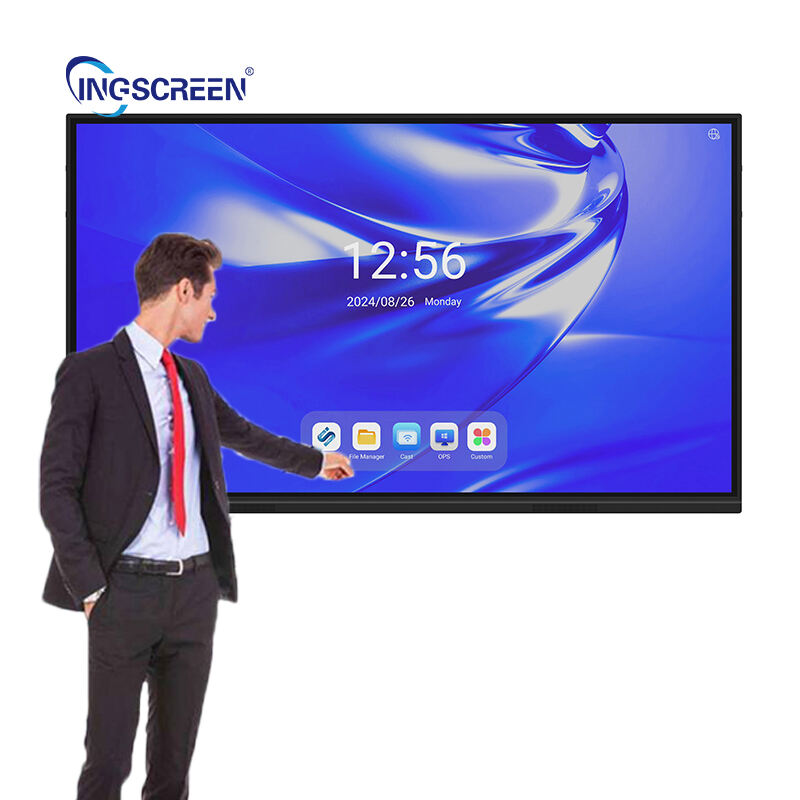
The evolution of display technology has reached a pivotal moment with the emergence of wireless touch screen solutions that are transforming how we interact with digital devices. Modern wireless touch screen systems eliminate the constraints of traditional wired connections while maintaining the responsive, intuitive user experience that touch interfaces are known for. These advanced displays leverage cutting-edge wireless protocols to deliver seamless communication between touch sensors and processing units, opening new possibilities for flexible installation and dynamic user interfaces.
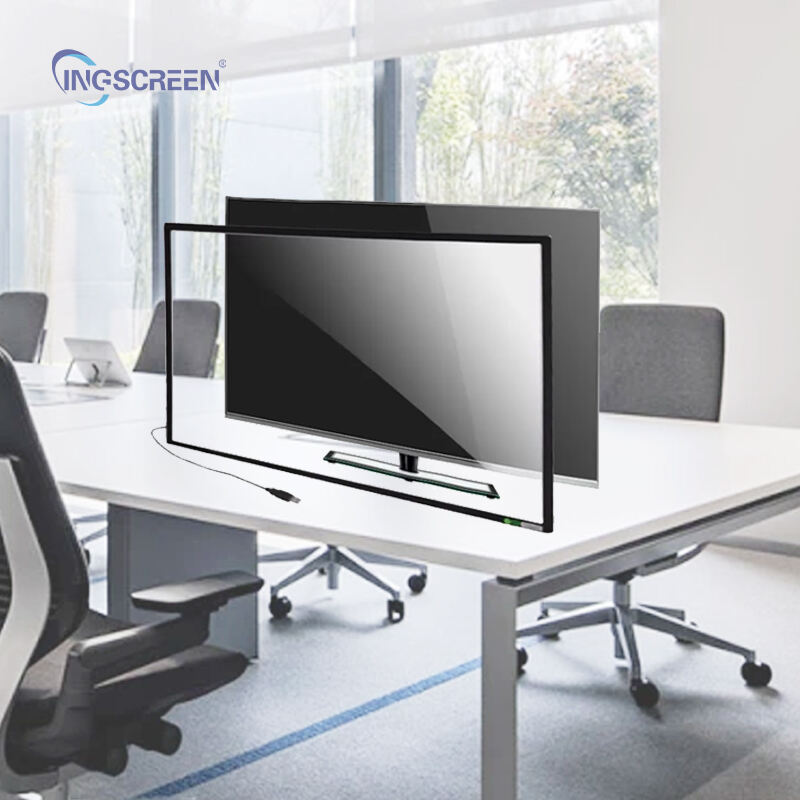
Industries across the spectrum are rapidly adopting wireless touch screen technology to enhance operational efficiency and user engagement. From manufacturing facilities requiring flexible control panels to retail environments demanding dynamic digital signage, the versatility of wireless touch solutions addresses diverse operational challenges. The technology represents a significant advancement over conventional touch displays by eliminating cable management complexities while providing the same precision and responsiveness users expect from premium touch interfaces.
Core Technology Components of Wireless Touch Screen Systems
Advanced Wireless Communication Protocols
The foundation of any effective wireless touch screen lies in its communication infrastructure, which typically employs multiple wireless protocols to ensure reliable data transmission. Modern systems integrate WiFi, Bluetooth, and proprietary wireless standards to create redundant communication pathways. This multi-protocol approach ensures that touch input data reaches the processing unit with minimal latency, maintaining the real-time responsiveness that users expect from direct-wired connections.
Signal optimization algorithms continuously monitor wireless channel conditions and automatically adjust transmission parameters to maintain consistent performance. These systems employ advanced error correction techniques and packet prioritization to ensure that critical touch data receives priority over less time-sensitive information. The result is a wireless touch screen experience that matches or exceeds the performance characteristics of traditional wired solutions.
Touch Sensor Integration and Calibration
The touch sensing layer in wireless systems requires sophisticated calibration mechanisms to account for potential signal variations in wireless environments. Capacitive and resistive touch technologies are both compatible with wireless architectures, though capacitive sensors generally provide superior performance in wireless configurations. The sensor arrays incorporate built-in signal conditioning circuits that optimize touch detection accuracy while minimizing power consumption.
Calibration algorithms continuously adapt to environmental changes and wireless signal conditions to maintain consistent touch sensitivity across the entire display surface. These systems employ machine learning techniques to predict and compensate for potential interference patterns, ensuring reliable operation even in electromagnetically challenging environments.
Industrial Applications and Implementation Strategies
Manufacturing and Process Control Integration
Manufacturing environments present unique challenges for traditional wired touch displays due to the need for equipment mobility and the harsh conditions often encountered on production floors. Wireless touch screen solutions address these challenges by providing operators with flexible control interfaces that can be repositioned as production requirements change. The technology enables real-time monitoring and control of manufacturing processes without the infrastructure limitations imposed by fixed wiring.
Process control applications benefit significantly from wireless touch screen implementations, as operators can maintain visual contact with equipment while accessing control functions from optimal vantage points. This flexibility enhances both operational efficiency and workplace safety by allowing operators to position themselves in secure locations while maintaining full control over critical processes.
Retail and Customer Engagement Solutions
Retail environments leverage wireless touch screen technology to create dynamic customer interaction points that can be easily reconfigured based on store layout changes and seasonal requirements. These systems enable retailers to deploy interactive product catalogs, wayfinding solutions, and customer feedback collection points without the infrastructure investments required for traditional wired installations. The wireless capability allows for rapid deployment and repositioning of interactive displays to optimize customer engagement.
Customer-facing wireless touch screen applications often incorporate advanced analytics capabilities that track interaction patterns and user preferences. This data collection enables retailers to optimize display content and positioning strategies to maximize customer engagement and conversion rates. The wireless infrastructure also supports real-time content updates, allowing retailers to respond quickly to changing market conditions and promotional requirements.
Technical Performance Characteristics and Optimization
Latency Management and Response Time Optimization
One of the critical performance metrics for wireless touch screen systems is input latency, which must remain within acceptable thresholds to maintain user satisfaction. Advanced wireless touch screen implementations employ predictive algorithms that anticipate user input patterns and pre-position data packets to minimize response delays. These systems typically achieve latency performance comparable to wired solutions through careful optimization of wireless protocol parameters and buffer management strategies.
Response time optimization involves comprehensive analysis of the entire signal path from initial touch detection through final display update. Engineers focus on minimizing processing delays at each stage while maintaining signal integrity and error correction capabilities. The resulting wireless touch screen systems deliver smooth, responsive user experiences that meet or exceed the performance expectations established by traditional wired interfaces.
Power Management and Battery Life Considerations
Effective power management represents a crucial design consideration for wireless touch screen implementations, particularly in portable or battery-powered applications. Modern systems incorporate intelligent power scaling algorithms that adjust wireless transmission power based on signal quality requirements and distance parameters. These optimizations significantly extend battery life while maintaining reliable communication between touch sensors and processing units.
Battery life optimization strategies include selective component activation, where non-essential functions are temporarily disabled during periods of inactivity. Advanced wireless touch screen systems also employ energy harvesting techniques, capturing ambient electromagnetic energy to supplement battery power and extend operational periods between charging cycles.
Installation and Deployment Best Practices
Site Survey and Wireless Environment Assessment
Successful wireless touch screen deployment begins with comprehensive site surveys that identify potential sources of electromagnetic interference and optimize wireless signal propagation paths. Professional installation teams conduct detailed RF spectrum analysis to select optimal operating frequencies and identify potential conflict sources that could impact system performance. This preliminary assessment ensures that wireless touch screen systems operate reliably within their intended environments.
Environmental assessment protocols also evaluate physical installation requirements, including mounting options, viewing angles, and user accessibility considerations. These factors directly impact the effectiveness of wireless touch screen implementations and must be carefully considered during the planning phase to ensure optimal user experiences and system longevity.
Network Integration and Security Configuration
Enterprise wireless touch screen deployments require careful integration with existing network infrastructure to ensure seamless operation and maintain security standards. Network administrators must configure wireless access points and security protocols to support the unique communication requirements of touch screen systems while protecting against unauthorized access and data interception attempts.
Security configuration for wireless touch screen systems typically involves multiple layers of protection, including encrypted communication channels, device authentication protocols, and network segmentation strategies. These security measures protect sensitive operational data while allowing authorized users to access system functions without unnecessary complexity or performance degradation.
Future Developments and Emerging Technologies
5G Integration and Enhanced Connectivity
The rollout of 5G wireless networks presents significant opportunities for next-generation wireless touch screen implementations that leverage ultra-low latency and high-bandwidth connectivity. These advanced networks enable more sophisticated applications, including real-time collaboration between multiple wireless touch screen devices and cloud-based processing capabilities that extend beyond traditional local area network limitations.
5G-enabled wireless touch screen systems will support advanced features such as high-definition video streaming, augmented reality overlays, and real-time data synchronization across distributed installations. These capabilities open new possibilities for collaborative work environments and interactive customer experiences that were previously impossible with conventional wireless technologies.
Artificial Intelligence and Machine Learning Integration
Emerging wireless touch screen systems incorporate artificial intelligence algorithms that learn from user interaction patterns to optimize performance and predict user needs. These intelligent systems automatically adjust interface layouts, suggest relevant content, and streamline navigation based on individual user preferences and behavior patterns. Machine learning capabilities enable wireless touch screen systems to continuously improve their effectiveness over time.
AI integration also enhances the technical performance of wireless touch screen systems by optimizing wireless communication parameters in real-time based on environmental conditions and usage patterns. These adaptive systems maintain optimal performance across varying operational conditions while minimizing power consumption and maximizing user satisfaction.
FAQ
What are the main advantages of wireless touch screen technology over traditional wired systems
Wireless touch screen technology offers several key advantages including installation flexibility, reduced infrastructure costs, easier system reconfiguration, and elimination of cable management challenges. These systems can be repositioned quickly to meet changing operational requirements and typically require less complex installation procedures compared to wired alternatives. Additionally, wireless touch screen solutions often provide better durability in harsh environments where cable connections might be vulnerable to damage.
How do wireless touch screen systems maintain reliable performance in industrial environments
Industrial-grade wireless touch screen systems employ multiple redundancy mechanisms including backup communication channels, advanced error correction algorithms, and environmental hardening to ensure reliable operation. These systems continuously monitor signal quality and automatically adjust transmission parameters to maintain consistent performance despite electromagnetic interference or physical obstacles. Professional installation and proper site surveying also play crucial roles in ensuring reliable operation in challenging industrial environments.
What security measures protect wireless touch screen systems from unauthorized access
Comprehensive security protocols for wireless touch screen systems include encrypted data transmission, device authentication certificates, network access control, and regular security updates. Many systems also implement role-based access controls that limit functionality based on user credentials and employ intrusion detection mechanisms to identify potential security threats. Enterprise deployments often integrate with existing security infrastructure to maintain consistent protection standards across all networked devices.
How do wireless touch screen systems handle power management and battery life optimization
Advanced power management in wireless touch screen systems involves intelligent component activation, dynamic power scaling based on usage patterns, and energy harvesting capabilities where applicable. These systems employ sophisticated algorithms that minimize power consumption during inactive periods while maintaining instant responsiveness when user interaction occurs. Battery life is further optimized through efficient wireless protocols and selective feature activation based on operational requirements and available power reserves.
As a high-tech enterprise focused on the research, development, production, and sales of multimedia teaching and high-end display equipment, Ingscreen is committed to providing reliable solutions for education, training, and commercial applications. With an independent R&D team, a complete production and after-sales service system, and a nationwide service network, we offer a wide range of products including LCD touch integrated machines, advertising machines, splicing screens, commercial displays, multimedia integrated machines, interactive electronic whiteboards, and central control systems. If you are looking for a professional display equipment supplier, Ingscreen is ready to support your business with quality products and dependable service.
Table of Contents
- Core Technology Components of Wireless Touch Screen Systems
- Industrial Applications and Implementation Strategies
- Technical Performance Characteristics and Optimization
- Installation and Deployment Best Practices
- Future Developments and Emerging Technologies
-
FAQ
- What are the main advantages of wireless touch screen technology over traditional wired systems
- How do wireless touch screen systems maintain reliable performance in industrial environments
- What security measures protect wireless touch screen systems from unauthorized access
- How do wireless touch screen systems handle power management and battery life optimization

