

 EN
EN
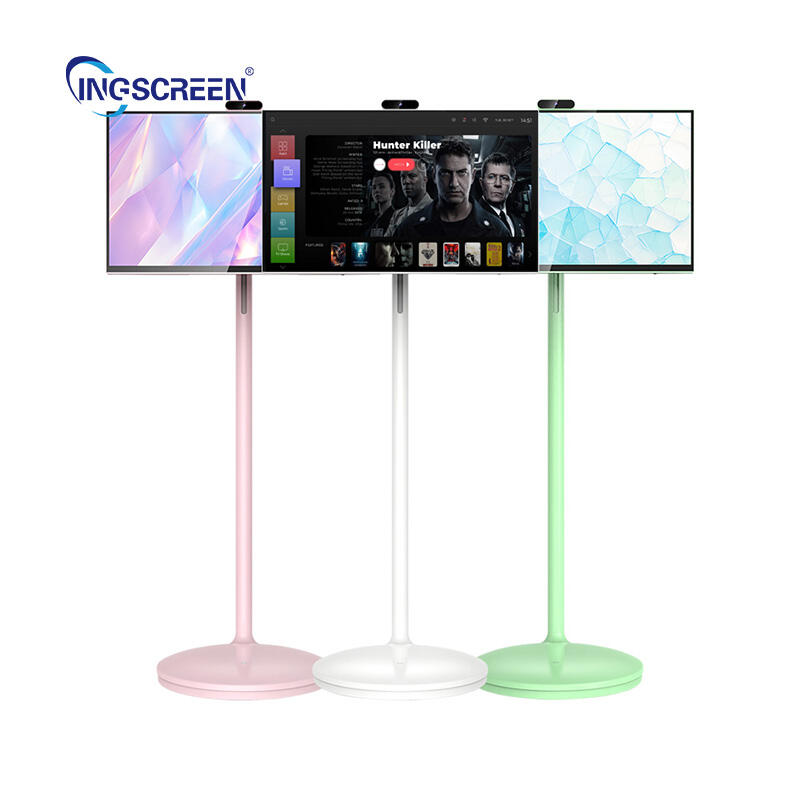
Modern classrooms and conference rooms rely heavily on interactive whiteboard technology to enhance collaboration and engagement. These sophisticated devices represent a significant investment for educational institutions and businesses, making proper maintenance crucial for maximizing their lifespan and performance. Understanding how to care for your interactive whiteboard ensures optimal functionality while protecting your investment for years to come. Regular maintenance practices not only extend the device's operational life but also maintain the crisp display quality and responsive touch capabilities that make these tools so valuable in professional environments.

Essential Daily Care Practices
Proper Cleaning Techniques
Daily cleaning of your interactive whiteboard surface requires specific techniques to avoid damage while maintaining clarity. Use only microfiber cloths designed for electronic displays, as these materials effectively remove fingerprints and dust without scratching the sensitive surface. Avoid paper towels, tissues, or rough fabrics that can create micro-scratches over time. The cleaning motion should be gentle and circular, working from the center outward to distribute any residue evenly across the surface.
When dealing with stubborn marks or residue on your interactive whiteboard, apply approved cleaning solutions sparingly to the cloth rather than directly to the screen. Most manufacturers recommend isopropyl alcohol solutions with concentrations between 70-90% for effective cleaning without damaging protective coatings. Allow the surface to air dry completely before powering on the device to prevent moisture damage to internal components.
Power Management and Shutdown Procedures
Proper power management significantly impacts the longevity of your interactive whiteboard system. Always follow the manufacturer's recommended shutdown sequence, which typically involves closing all applications, properly exiting the operating system, and then powering down the display. Abrupt power disconnections can cause software corruption or damage to the internal processing units that control touch sensitivity and display functions.
Implement scheduled power cycles for your interactive whiteboard to prevent overheating and component wear. Most modern units benefit from being powered down completely for at least 8-10 hours daily, allowing internal components to cool and reset. This practice is particularly important in heavily used environments where the board operates continuously throughout business hours.
Calibration and Touch Sensitivity Maintenance
Regular Calibration Procedures
Touch calibration ensures your interactive whiteboard responds accurately to user input, maintaining the precision necessary for detailed work and presentations. Most systems include built-in calibration software that should be accessed monthly or whenever you notice decreased accuracy in touch responses. The calibration process typically involves touching specific points on the screen in sequence, allowing the system to map physical touch locations to digital coordinates.
Environmental factors can affect interactive whiteboard calibration, including changes in room temperature, humidity, and ambient lighting conditions. Recalibrate your system after significant environmental changes or when moving the board to a new location. Document calibration dates and any observed accuracy issues to establish maintenance patterns and identify potential hardware problems before they become critical.
Troubleshooting Touch Response Issues
When your interactive whiteboard exhibits inconsistent touch response, systematic troubleshooting can identify and resolve common issues. Begin by checking for physical obstructions around the screen edges, as infrared sensors used in many touch detection systems require clear line-of-sight to function properly. Clean sensor areas carefully with appropriate cleaning solutions to remove dust or debris that might interfere with touch detection.
Software-related touch issues with your interactive whiteboard often resolve through driver updates or system restarts. Verify that all touch-related software components are current and compatible with your operating system. If problems persist, consult manufacturer documentation for advanced diagnostic procedures or contact technical support for specialized troubleshooting assistance.
Hardware Component Care
Projector and Display Maintenance
For projection-based interactive whiteboard systems, regular projector maintenance is essential for optimal image quality and system longevity. Clean projector air filters monthly to prevent dust accumulation that can cause overheating and reduce lamp life. Replace filters according to manufacturer schedules, typically every 3-6 months depending on environmental conditions and usage intensity.
Monitor projector lamp hours and replacement schedules for your interactive whiteboard system. Most projector lamps have rated lifespans between 2000-5000 hours, with performance gradually declining as they approach end-of-life. Proactive lamp replacement prevents sudden failures during important presentations and maintains consistent brightness levels across the display surface.
Cable and Connection Management
Proper cable management protects your interactive whiteboard connections from physical damage and signal interference. Secure all cables with appropriate management systems to prevent tension on connectors and reduce wear from repeated movement. Use high-quality cables rated for the specific signal types and distances required by your installation.
Regularly inspect all connections to your interactive whiteboard system for signs of corrosion, loose fittings, or physical damage. Clean connection points annually with appropriate contact cleaners to maintain optimal signal quality. Replace any damaged cables immediately to prevent signal degradation that can affect touch accuracy and display quality.
Software and System Updates
Firmware Management
Keeping your interactive whiteboard firmware current ensures compatibility with new software and maintains security standards. Check manufacturer websites quarterly for firmware updates and read release notes carefully to understand improvements and potential impacts. Schedule firmware updates during low-usage periods to minimize disruption to daily operations.
Create backup configurations before applying firmware updates to your interactive whiteboard system. Document current settings and calibration data to enable quick restoration if update issues occur. Some manufacturers provide rollback options, but having comprehensive backups ensures minimal downtime in case of update complications.
Operating System and Driver Updates
Regular operating system updates maintain security and compatibility for your interactive whiteboard computing platform. Enable automatic security updates while carefully evaluating major system updates for potential compatibility issues with board-specific software. Test all updates in a controlled environment when possible before deploying to production systems.
Driver updates for interactive whiteboard systems require special attention as they directly affect touch functionality and display performance. Subscribe to manufacturer notifications for driver releases and maintain a library of tested driver versions. This approach enables quick resolution of compatibility issues and provides rollback options if new drivers cause problems.
Environmental Considerations
Temperature and Humidity Control
Environmental conditions significantly impact interactive whiteboard performance and longevity. Maintain room temperatures between 60-80°F with relative humidity levels between 30-70% for optimal operation. Extreme temperatures can cause display panels to expand or contract, affecting touch calibration and potentially damaging internal components.
Install your interactive whiteboard away from direct sunlight, heating vents, and air conditioning units that create temperature fluctuations. Use window coverings or room positioning to minimize thermal stress on the display. Monitor environmental conditions with digital thermometers and hygrometers to identify potential issues before they affect system performance.
Dust and Debris Prevention
Implement comprehensive dust prevention strategies to protect your interactive whiteboard from airborne particles that can accumulate on sensors and display surfaces. Regular HVAC system maintenance reduces overall room dust levels, while air purification systems can provide additional protection in challenging environments.
Design protective covers or shields for your interactive whiteboard when not in use, particularly in dusty environments like workshops or laboratories. Ensure covers allow adequate ventilation while protecting sensitive surfaces and components. Remove covers carefully to avoid transferring accumulated dust to the display surface.
Preventive Maintenance Scheduling
Weekly and Monthly Tasks
Establish comprehensive maintenance schedules for your interactive whiteboard to ensure consistent performance and early problem detection. Weekly tasks should include thorough surface cleaning, connection inspection, and basic functionality testing. Document any performance changes or unusual behaviors to track system health over time.
Monthly maintenance for your interactive whiteboard should include calibration verification, software update checks, and detailed component inspection. Review system logs for error messages or performance warnings that might indicate developing hardware issues. This proactive approach enables timely repairs before minor problems become major failures.
Annual Professional Servicing
Schedule annual professional inspections for your interactive whiteboard system to address maintenance tasks beyond typical user capabilities. Professional technicians can perform detailed internal cleaning, component testing, and preventive replacements that extend system life significantly.
Professional servicing of your interactive whiteboard should include comprehensive performance testing, calibration verification, and component wear assessment. Technicians can identify potential failure points and recommend proactive replacements before system downtime occurs. Maintain service records for warranty purposes and to track maintenance effectiveness over time.
FAQ
How often should I clean my interactive whiteboard screen
Clean your interactive whiteboard screen daily in high-use environments or whenever visible fingerprints and smudges appear. Use only approved microfiber cloths and cleaning solutions to avoid damaging the surface. For light cleaning, dry microfiber cloths are sufficient, while stubborn residue may require approved cleaning solutions applied to the cloth, not directly to the screen.
What are signs that my interactive whiteboard needs calibration
Your interactive whiteboard needs calibration when touch points don't align with on-screen cursors, when multi-touch gestures become inconsistent, or when the system fails to recognize touches in specific screen areas. Environmental changes, software updates, or physical impacts can affect calibration accuracy, making regular monthly calibration checks essential for optimal performance.
Can I use regular cleaning products on my interactive whiteboard
Never use household cleaners, ammonia-based products, or abrasive cleaners on your interactive whiteboard surface. These can damage protective coatings and affect touch sensitivity. Use only manufacturer-approved cleaning solutions or 70-90% isopropyl alcohol applied to microfiber cloths. Avoid spraying liquids directly onto the screen surface to prevent moisture damage to internal components.
How long should an interactive whiteboard last with proper maintenance
A properly maintained interactive whiteboard can operate effectively for 7-10 years or more, depending on usage intensity and environmental conditions. Regular cleaning, calibration, software updates, and professional servicing significantly extend system life. Components like projector lamps and touch sensors may require replacement during this period, but the main system should provide reliable service throughout its expected lifespan.

