

 EN
EN

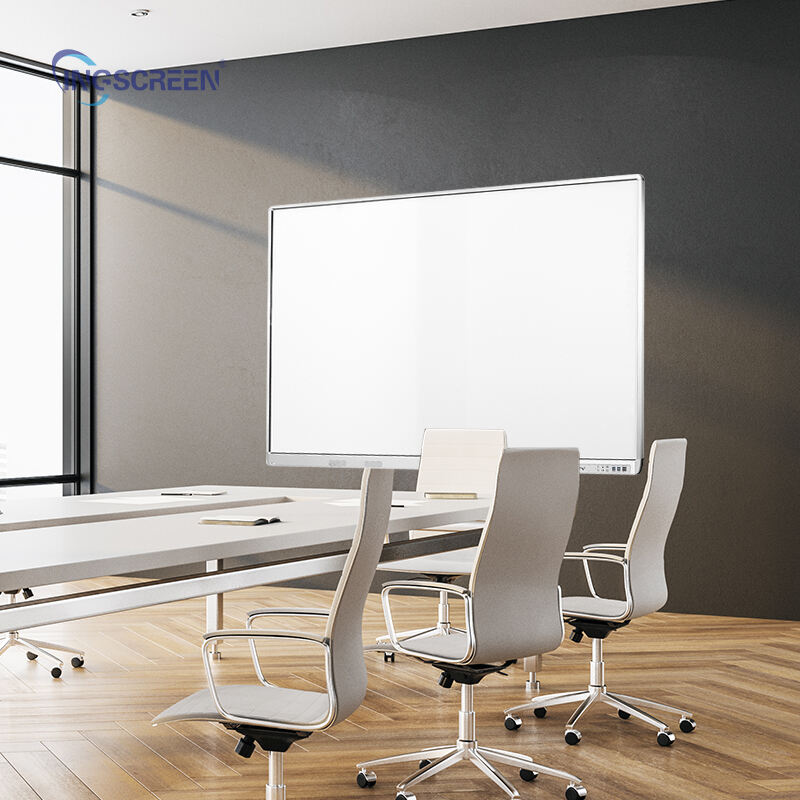
Modern classrooms and conference rooms rely heavily on advanced display technology to facilitate engaging presentations and collaborative learning experiences. A smart interactive whiteboard has become an essential tool for educators, business professionals, and trainers who need to deliver dynamic content that captures audience attention. These sophisticated devices combine the functionality of traditional whiteboards with cutting-edge touch technology, creating immersive environments where participants can interact directly with digital content. However, ensuring optimal performance requires careful consideration of multiple factors including hardware specifications, software compatibility, and environmental conditions.
Understanding Core Components of Interactive Display Systems
Hardware Architecture and Touch Technology
The foundation of any reliable smart interactive whiteboard lies in its hardware architecture, which determines response speed, accuracy, and overall user experience. Modern systems typically employ infrared or capacitive touch technology to detect multiple simultaneous touch points, enabling collaborative interactions from several users. Processing power plays a crucial role in maintaining smooth operation, particularly when running resource-intensive applications or displaying high-resolution multimedia content. Memory allocation and storage capacity directly impact the system's ability to handle complex presentations without lag or freezing.
Display resolution significantly affects visual clarity and text readability, especially in large rooms where participants sit at varying distances from the screen. Higher pixel density ensures that detailed diagrams, charts, and text remain crisp and legible from multiple viewing angles. The refresh rate determines how smoothly animations and videos play, with higher rates providing more fluid motion that reduces eye strain during extended use sessions.
Software Integration and Compatibility Factors
Software compatibility represents another critical aspect of smart interactive whiteboard performance, as educational institutions and businesses often rely on specific applications and file formats. The operating system must support a wide range of productivity software, presentation tools, and specialized educational applications without encountering compatibility issues. Regular firmware updates help maintain security standards while introducing new features and performance improvements that enhance the overall user experience.
Cloud connectivity enables seamless integration with online platforms, allowing users to access documents, presentations, and collaborative tools from various devices. This connectivity also facilitates real-time sharing and remote participation, making the smart interactive whiteboard a central hub for hybrid learning and meeting environments. Proper network configuration ensures stable connections that prevent interruptions during critical presentations or lessons.
Optimizing Performance Through Proper Installation and Calibration
Strategic Mounting and Positioning Guidelines
Proper mounting height and angle significantly impact user comfort and interaction accuracy on any smart interactive whiteboard system. The display should be positioned so that the center point aligns with the average eye level of primary users, reducing neck strain and improving viewing angles for extended sessions. Wall mounting brackets must provide adequate stability while allowing for minor adjustments that accommodate different user heights and room configurations.
Ambient lighting conditions directly affect screen visibility and touch sensitivity, requiring careful consideration during installation planning. Excessive glare from windows or overhead lighting can wash out display content and interfere with touch detection accuracy. Installing adjustable lighting controls or window coverings helps create optimal viewing conditions throughout different times of day and seasons.
Precision Calibration Procedures
Touch calibration ensures that finger or stylus inputs register accurately at their intended locations on the smart interactive whiteboard surface. This process involves touching specific reference points displayed on screen, allowing the system to map physical coordinates with digital positions. Regular recalibration maintains accuracy over time as components may shift slightly due to temperature changes or mechanical settling.
Color calibration optimizes display output to match standard color profiles, ensuring that presentations appear as intended across different viewing conditions. This process becomes particularly important in educational settings where accurate color representation affects comprehension of scientific diagrams, artistic content, and data visualizations. Professional calibration tools provide precise measurements that help achieve consistent results across multiple display units within the same facility.
Maintaining Peak Performance Through Routine Care
Cleaning and Surface Maintenance Protocols
Regular cleaning maintains both visual clarity and touch responsiveness on smart interactive whiteboard surfaces, preventing the accumulation of fingerprints, dust, and residue that can interfere with proper operation. Specialized cleaning solutions designed for electronic displays safely remove contaminants without damaging sensitive touch sensors or anti-glare coatings. Microfiber cloths provide effective cleaning action while minimizing the risk of scratching delicate surface treatments.
Daily maintenance routines should include gentle surface wiping and inspection for any signs of damage or wear that might affect performance. Weekly deep cleaning involves more thorough attention to corners, edges, and mounting hardware where dust and debris tend to accumulate. Monthly maintenance checks examine cable connections, ventilation areas, and software performance to identify potential issues before they impact system reliability.
Software Updates and System Optimization
Keeping firmware and software applications current ensures that the smart interactive whiteboard continues to operate with optimal efficiency and security. Manufacturers regularly release updates that address performance issues, add new features, and patch security vulnerabilities that could compromise system integrity. Establishing automated update schedules helps maintain current software versions without disrupting regular usage patterns.
System optimization involves managing storage space, clearing temporary files, and monitoring resource usage to prevent performance degradation over time. Regular restart cycles help refresh system memory and clear any accumulated processing errors that might slow down operation. Background application management ensures that only necessary programs run during active presentations or lessons, maximizing available resources for primary functions.
Troubleshooting Common Performance Issues
Touch Response and Accuracy Problems
Touch response issues often stem from calibration drift, surface contamination, or hardware malfunctions that require systematic troubleshooting approaches. When touch inputs register inaccurately or fail to respond consistently, recalibration typically resolves alignment problems caused by environmental factors or normal wear. Surface inspection may reveal scratches, cracks, or residue buildup that interferes with touch sensor operation and requires professional cleaning or repair.
Electromagnetic interference from nearby electronic devices can disrupt touch sensitivity on some smart interactive whiteboard models, particularly those using capacitive technology. Identifying and relocating interference sources or implementing shielding solutions helps restore normal operation. Power supply irregularities may also cause intermittent touch problems that improve with dedicated electrical circuits or power conditioning equipment.
Display and Connectivity Troubleshooting
Display quality issues including flickering, color distortion, or resolution problems often indicate cable connection problems or graphics driver conflicts that require methodical diagnosis. Checking all video cable connections and testing with different input sources helps isolate hardware versus software-related causes. Graphics driver updates frequently resolve compatibility issues that affect display performance or prevent proper resolution settings.
Network connectivity problems can severely impact smart interactive whiteboard functionality, particularly for cloud-based applications and remote collaboration features. Wireless signal strength, router configuration, and firewall settings all influence connection stability and performance. Testing with wired connections helps determine whether connectivity issues stem from wireless infrastructure or broader network configuration problems that require IT support.
FAQ
How often should I calibrate my smart interactive whiteboard for optimal performance
Touch calibration should be performed monthly for regular use environments, though high-traffic installations may require weekly calibration to maintain accuracy. Environmental factors such as temperature fluctuations, humidity changes, and vibrations from nearby equipment can affect calibration stability over time. If users notice touch inputs registering several inches away from their intended locations, immediate recalibration will restore proper functionality and prevent user frustration during presentations or lessons.
What are the most effective cleaning products for maintaining display clarity
Use only manufacturer-approved cleaning solutions or isopropyl alcohol solutions with concentrations between 70-90% for safe and effective cleaning. Avoid household cleaners containing ammonia, acetone, or abrasive compounds that can damage anti-glare coatings and touch sensors. Distilled water mixed with approved cleaning solutions provides gentle yet thorough cleaning action that removes fingerprints and residue without leaving streaks or chemical deposits on the smart interactive whiteboard surface.
How can I prevent electromagnetic interference from affecting touch sensitivity
Maintain at least three feet of clearance between the smart interactive whiteboard and potential interference sources such as fluorescent lights, wireless access points, and audio equipment. Install dedicated electrical circuits with proper grounding to minimize power line interference that can disrupt touch detection systems. If interference persists, consider electromagnetic shielding solutions or relocating problematic devices to restore normal touch operation and maintain consistent user experience.
What network requirements ensure smooth cloud connectivity and remote collaboration
Reliable smart interactive whiteboard operation requires minimum internet speeds of 25 Mbps download and 10 Mbps upload for standard collaborative applications, with higher bandwidth needed for video conferencing and real-time screen sharing. Configure Quality of Service settings on network routers to prioritize interactive whiteboard traffic during peak usage periods. Implement redundant internet connections or mobile hotspot backup systems to maintain functionality during primary network outages that could disrupt important presentations or remote learning sessions.
Table of Contents
- Understanding Core Components of Interactive Display Systems
- Optimizing Performance Through Proper Installation and Calibration
- Maintaining Peak Performance Through Routine Care
- Troubleshooting Common Performance Issues
-
FAQ
- How often should I calibrate my smart interactive whiteboard for optimal performance
- What are the most effective cleaning products for maintaining display clarity
- How can I prevent electromagnetic interference from affecting touch sensitivity
- What network requirements ensure smooth cloud connectivity and remote collaboration

