

 EN
EN
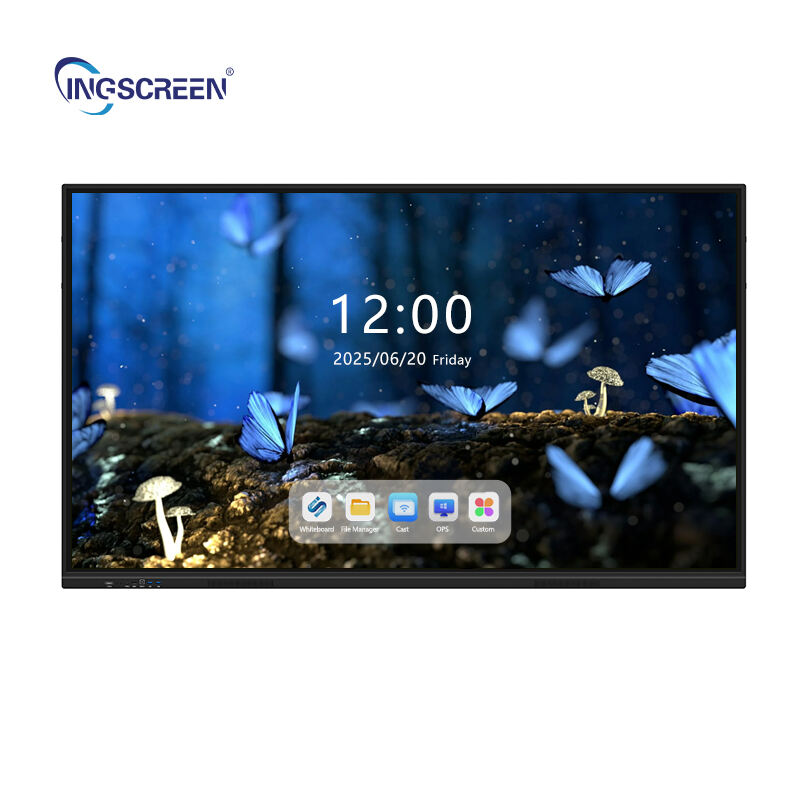
Training sessions across corporate environments, educational institutions, and professional development programs face a persistent challenge: maintaining learner engagement throughout the entire session. Traditional presentation methods often result in passive learning experiences where participants struggle to stay focused, retain information, or actively participate in discussions. The integration of interactive panel technology represents a transformative solution that addresses these engagement barriers by creating dynamic, participatory learning environments that capture attention and enhance knowledge absorption.
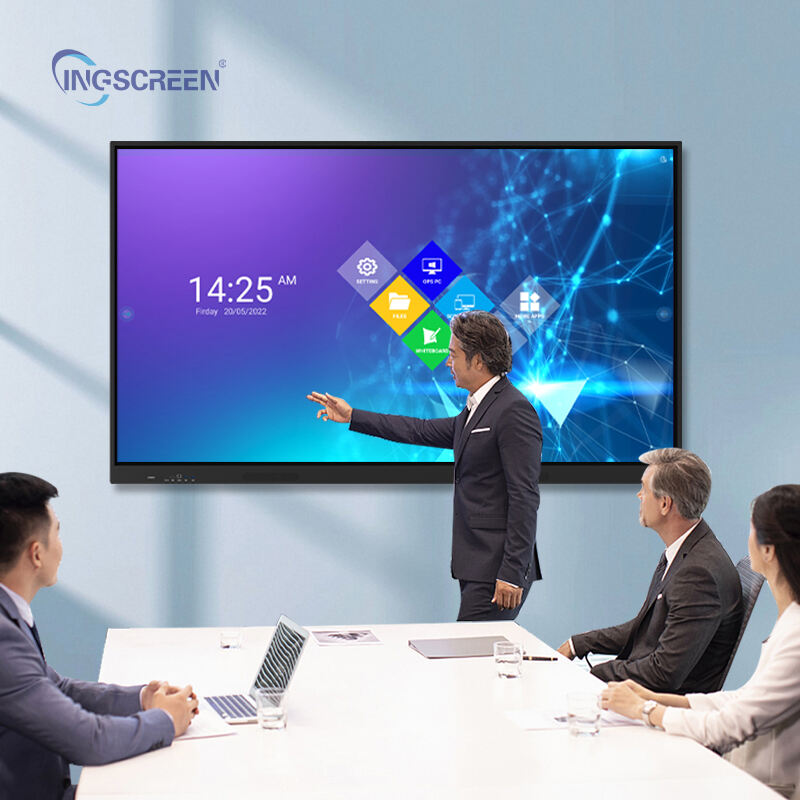
An interactive panel serves as a powerful catalyst for transforming traditional training methodologies by enabling real-time collaboration, multimedia integration, and hands-on learning experiences. These advanced display systems combine touch-screen functionality with sophisticated software capabilities, allowing trainers to create immersive educational experiences that adapt to diverse learning styles and preferences. The technology facilitates seamless interaction between instructors and participants while providing immediate feedback mechanisms that enhance comprehension and retention rates significantly.
Understanding Interactive Panel Technology in Training Context
Core Components and Functionality
An interactive panel integrates multiple technological elements to create a comprehensive training platform that extends far beyond conventional projection systems. The foundation consists of a high-resolution display screen equipped with multi-touch capabilities, enabling simultaneous interaction from multiple users. Advanced gesture recognition technology allows for intuitive navigation and manipulation of content, while integrated speakers and microphone systems ensure clear audio communication throughout the training space.
The software ecosystem supporting interactive panel functionality includes annotation tools, whiteboard applications, screen sharing capabilities, and multimedia integration features. These components work together to create a seamless learning environment where trainers can present information, facilitate discussions, and engage participants in collaborative activities. The technology supports various input methods including stylus interaction, finger touch, and palm rejection, ensuring precise control and natural user experiences during training sessions.
Integration with Training Management Systems
Modern interactive panel solutions seamlessly integrate with existing training management systems and learning platforms, creating unified educational ecosystems. This integration enables trainers to access course materials, participant information, and assessment tools directly through the interactive panel interface. Cloud-based connectivity ensures that training content remains synchronized across multiple devices and locations, facilitating consistent delivery regardless of the training venue or instructor.
The compatibility with various file formats and presentation software allows trainers to leverage existing content while enhancing it with interactive elements. Integration capabilities extend to video conferencing platforms, enabling hybrid training scenarios where remote participants can actively engage with on-site learners through the interactive panel interface. This flexibility ensures that training programs can adapt to diverse delivery requirements and participant needs.
Mechanisms of Enhanced Engagement Through Interactive Panels
Multi-Sensory Learning Activation
Interactive panel technology engages multiple sensory channels simultaneously, creating more memorable and impactful learning experiences. Visual learners benefit from high-definition displays that present information with exceptional clarity and color accuracy, while kinesthetic learners engage through direct touch interaction with content elements. The integration of audio feedback and multimedia presentations ensures that auditory learners receive optimal information delivery tailored to their preferred learning style.
The tactile nature of interactive panel interaction triggers physical memory formation, which enhances information retention compared to passive observation methods. Participants who physically manipulate content, draw diagrams, or interact with simulations create stronger neural pathways associated with the learning material. This multi-sensory approach addresses different cognitive processing preferences within training groups, ensuring broader engagement across diverse participant populations.
Real-Time Collaboration Features
Interactive panel technology facilitates immediate collaboration between training participants through shared workspace environments and simultaneous editing capabilities. Multiple users can contribute to brainstorming sessions, problem-solving activities, and group discussions directly on the panel interface, creating visible and dynamic collaboration processes. These real-time interactions eliminate the barriers associated with traditional training formats where participation is often limited to verbal contributions or written handouts.
The collaborative features of interactive panel systems include split-screen functionality that allows different groups to work on separate sections simultaneously while maintaining visibility of all activities. Annotation tools enable participants to highlight key points, add comments, and create visual connections between concepts during presentations. These collaborative capabilities transform passive training sessions into active learning experiences where every participant becomes a contributor to the knowledge-building process.
Immediate Feedback and Assessment Integration
Interactive panel systems provide instant feedback mechanisms that enhance engagement through immediate validation and correction opportunities. Real-time polling, quiz functionality, and interactive assessment tools allow trainers to gauge understanding levels continuously throughout sessions. Participants receive immediate results and explanations, creating learning loops that reinforce correct understanding while addressing misconceptions promptly.
The feedback systems integrated with interactive panel technology include visual progress indicators, performance analytics, and competency tracking features. These tools enable trainers to adjust session pace and content focus based on real-time participant performance data. The immediate nature of feedback maintains engagement levels by providing constant interaction opportunities and preventing attention drift that commonly occurs during lengthy training presentations.
Interactive Panel Applications Across Training Scenarios
Corporate Skills Development Programs
Corporate training environments benefit significantly from interactive panel integration, particularly in skills development programs that require demonstration, practice, and collaborative learning. Leadership training sessions utilize interactive panel technology to facilitate team-building exercises, decision-making simulations, and role-playing scenarios that engage participants actively. The technology enables trainers to present case studies visually while allowing participants to manipulate variables and observe different outcome scenarios in real-time.
Technical skills training programs leverage interactive panel capabilities to demonstrate complex processes, software applications, and equipment operations through hands-on interaction. Participants can practice procedures directly on the interactive panel interface, receiving immediate feedback and guidance from instructors. This approach significantly improves skill acquisition rates while reducing the time required for competency development compared to traditional training methods.
Educational Institution Applications
Educational institutions implement interactive panel technology to enhance classroom engagement and improve learning outcomes across various subject areas. Science and mathematics courses benefit from interactive simulations, virtual experiments, and dynamic visual representations that make abstract concepts tangible and understandable. Students can manipulate mathematical equations, conduct virtual laboratory experiments, and explore complex scientific phenomena through interactive panel interfaces.
Language learning programs utilize interactive panel features to create immersive cultural experiences, interactive grammar exercises, and collaborative storytelling activities. The technology supports multimedia integration that combines audio, visual, and interactive elements to create comprehensive language learning environments. Students engage more actively in pronunciation practice, vocabulary building, and conversational exercises when using interactive panel systems compared to traditional classroom methods.
Professional Certification Training
Professional certification programs across industries utilize interactive panel technology to deliver comprehensive training experiences that prepare participants for certification examinations and real-world application. Medical training programs implement interactive panel systems to display detailed anatomical diagrams, medical procedures, and diagnostic scenarios that participants can explore and manipulate. The technology enables simulation of patient cases where trainees can practice decision-making processes in safe, controlled environments.
Engineering and technical certification programs leverage interactive panel capabilities to demonstrate equipment operations, safety procedures, and troubleshooting methodologies through interactive simulations. Participants can practice complex procedures repeatedly without safety risks or equipment costs, while receiving detailed feedback on their performance. This approach significantly improves certification success rates while ensuring practical competency development.
Measuring and Optimizing Engagement Outcomes
Engagement Metrics and Analytics
Interactive panel systems provide comprehensive analytics capabilities that enable trainers to measure engagement levels quantitatively and qualitatively throughout training sessions. Touch interaction frequency, response times to interactive elements, and participation rates in collaborative activities serve as key engagement indicators. These metrics help trainers identify content areas that generate high engagement and sections that may require modification or enhancement to maintain participant attention.
Advanced analytics features track individual participant engagement patterns, enabling personalized training approaches that address specific learning needs and preferences. Heat maps showing interaction patterns across the interactive panel surface reveal which content elements attract attention and which areas receive minimal engagement. This data-driven approach enables continuous improvement of training content and delivery methods to optimize engagement outcomes.
Long-Term Retention Assessment
The enhanced engagement generated by interactive panel technology translates into improved long-term retention rates that can be measured and compared against traditional training methods. Follow-up assessments conducted weeks or months after training sessions consistently demonstrate higher retention rates among participants who experienced interactive panel-enhanced training compared to conventional presentation formats. The multi-sensory learning experiences and active participation facilitated by interactive panel systems create stronger memory formations that persist over extended periods.
Competency assessments conducted in real-world work environments show that skills developed through interactive panel training sessions transfer more effectively to practical applications. Participants demonstrate greater confidence in applying learned concepts and procedures, while making fewer errors during initial implementation phases. These retention and transfer benefits justify the investment in interactive panel technology through improved training effectiveness and reduced need for remedial training sessions.
Continuous Improvement Strategies
Successful implementation of interactive panel technology in training environments requires ongoing optimization based on engagement data and participant feedback. Regular analysis of interaction patterns, engagement metrics, and learning outcomes enables trainers to refine content presentation, adjust interactive elements, and enhance collaborative features. This iterative improvement process ensures that interactive panel utilization continues to evolve and improve engagement effectiveness over time.
Training program managers can implement standardized engagement measurement protocols that provide consistent data across different training sessions and instructors. These protocols enable comparison of engagement levels between different content areas, training methods, and instructor approaches. The resulting insights inform training program improvements and guide future interactive panel implementation strategies to maximize engagement outcomes across all training initiatives.
FAQ
What specific features of interactive panels contribute most to training engagement?
The most impactful features include multi-touch capability enabling simultaneous participant interaction, real-time annotation tools for immediate feedback, multimedia integration supporting diverse content types, and collaborative workspace functionality that allows group problem-solving activities. These features transform passive learning into active participation experiences that maintain attention and enhance information retention throughout training sessions.
How do interactive panels accommodate different learning styles in training environments?
Interactive panel systems address visual learners through high-resolution displays and dynamic visual content, support kinesthetic learners via direct touch interaction and manipulation capabilities, and engage auditory learners through integrated sound systems and multimedia presentations. The technology enables trainers to present information through multiple sensory channels simultaneously, ensuring that diverse learning preferences are accommodated within single training sessions.
Can interactive panel technology integrate with existing training materials and systems?
Yes, modern interactive panel solutions offer extensive compatibility with existing training management systems, presentation software, and digital content libraries. The technology supports various file formats including PowerPoint, PDF, video files, and web-based applications while maintaining full interactive functionality. Cloud-based integration enables seamless access to existing training materials while enhancing them with interactive capabilities and collaborative features.
What measurable improvements can organizations expect from implementing interactive panels in training programs?
Organizations typically observe 25-40% increases in participant engagement levels, 15-30% improvements in knowledge retention rates, and 20-35% reductions in training time required for competency achievement. Additional benefits include higher participant satisfaction scores, increased training completion rates, and improved practical application of learned skills in real-world work environments. These improvements result in reduced training costs per participant and enhanced return on investment for training programs.
Table of Contents
- Understanding Interactive Panel Technology in Training Context
- Mechanisms of Enhanced Engagement Through Interactive Panels
- Interactive Panel Applications Across Training Scenarios
- Measuring and Optimizing Engagement Outcomes
-
FAQ
- What specific features of interactive panels contribute most to training engagement?
- How do interactive panels accommodate different learning styles in training environments?
- Can interactive panel technology integrate with existing training materials and systems?
- What measurable improvements can organizations expect from implementing interactive panels in training programs?

