

 EN
EN
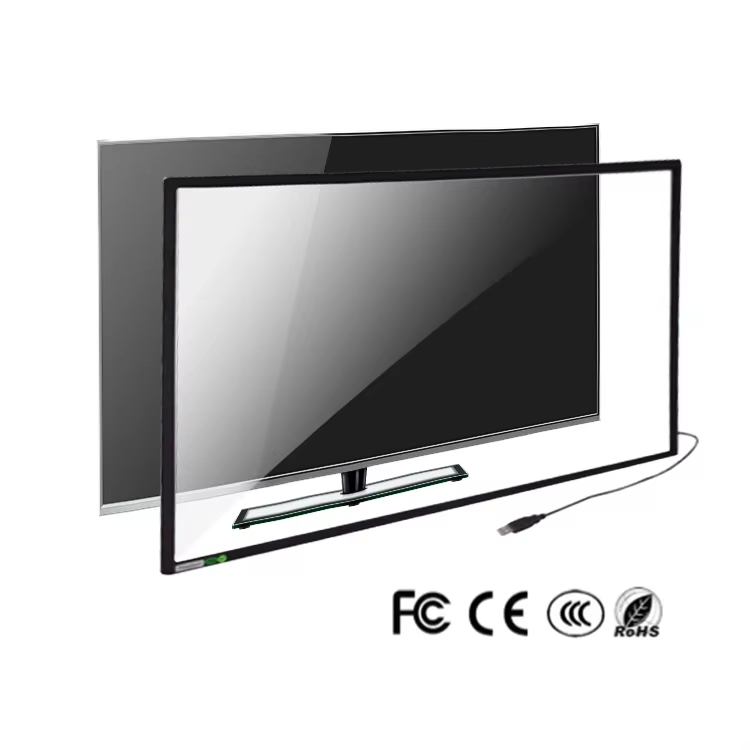
The evolution of display technology has reached a pivotal moment with the emergence of wireless touch screen solutions that are transforming how industries interact with digital interfaces. These innovative systems eliminate the constraints of traditional wired connections while maintaining the responsive functionality that modern applications demand. As businesses increasingly prioritize mobility and flexibility in their operations, wireless touch screen technology has become an essential component for creating dynamic, user-friendly environments across various sectors.
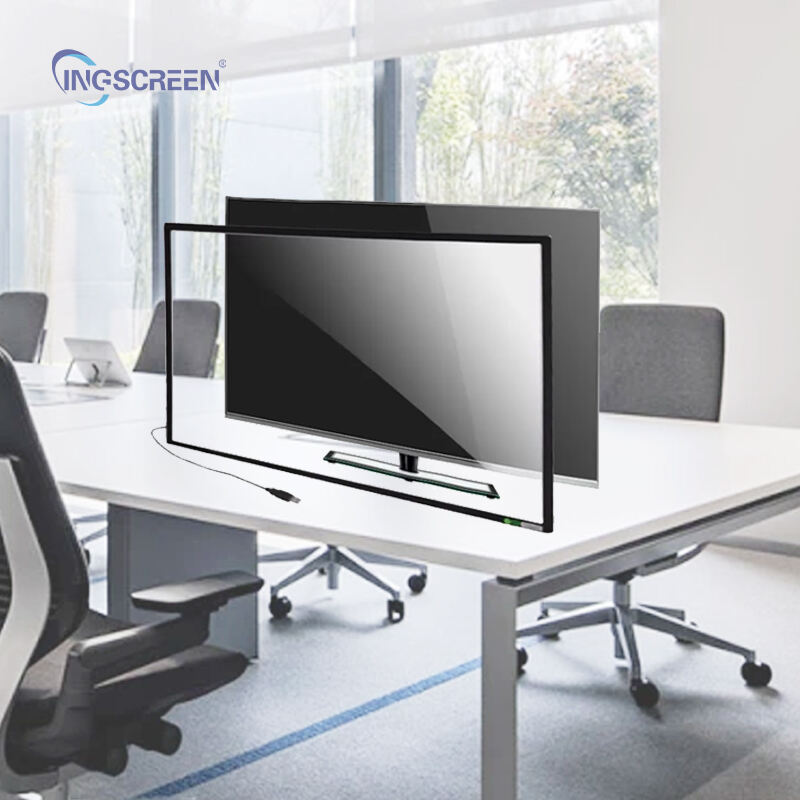
Understanding Wireless Touch Screen Architecture
Core Components and Functionality
A wireless touch screen system integrates multiple sophisticated components that work seamlessly together to deliver responsive user experiences. The primary elements include capacitive or resistive touch sensors, wireless communication modules, and advanced processing units that handle signal transmission and interpretation. These systems utilize various wireless protocols such as Wi-Fi, Bluetooth, or proprietary radio frequencies to establish reliable connections with host devices or networks.
The touch detection mechanism operates through electrical field changes or pressure sensitivity, depending on the technology employed. Modern wireless touch screen implementations often feature multi-touch capabilities that can simultaneously recognize multiple contact points, enabling complex gesture controls and collaborative interactions. The processing unit converts these touch inputs into digital signals that are transmitted wirelessly to connected devices, maintaining accuracy and responsiveness comparable to traditional wired solutions.
Wireless Communication Protocols
Different wireless communication standards offer varying advantages for touch screen applications, with each protocol designed to address specific operational requirements. Wi-Fi-based systems provide high bandwidth and extended range capabilities, making them ideal for applications requiring real-time data transmission and complex graphics rendering. These systems can integrate seamlessly with existing network infrastructure, allowing for centralized management and remote monitoring capabilities.
Bluetooth Low Energy protocols excel in battery-powered applications where power consumption is a critical concern. This wireless touch screen approach enables extended operational periods without frequent charging cycles, making it particularly suitable for portable devices and temporary installations. The reduced power requirements also contribute to heat dissipation benefits and enhanced component longevity.
Industrial Applications and Use Cases
Manufacturing and Automation
Manufacturing environments have embraced wireless touch screen technology to enhance operational efficiency and worker safety. These systems enable operators to control complex machinery and monitor production processes from various positions without being tethered to fixed control stations. The wireless capabilities allow for dynamic positioning of control interfaces, optimizing workflow patterns and reducing the risk of accidents associated with cable management in industrial settings.
Quality control processes benefit significantly from portable wireless touch screen devices that can be moved throughout production lines to capture data and perform inspections. This mobility enables more comprehensive monitoring and faster response times to potential issues, ultimately improving product quality and reducing waste. Integration with existing manufacturing execution systems ensures that data collected through wireless touch screen interfaces is automatically synchronized with central databases and reporting systems.
Healthcare and Medical Environments
Healthcare facilities utilize wireless touch screen solutions to improve patient care delivery and streamline clinical workflows. Mobile medical carts equipped with wireless touch displays allow healthcare professionals to access patient records, update treatment plans, and communicate with colleagues while remaining at the bedside. This immediate access to information enhances decision-making capabilities and reduces the time spent on administrative tasks.
Infection control measures in healthcare environments particularly benefit from wireless touch screen implementations, as these systems can be easily sanitized without concerns about cable connections or ports that might harbor contaminants. The ability to quickly deploy and relocate these devices supports flexible care delivery models and emergency response scenarios where traditional fixed installations would be inadequate.
Technical Specifications and Performance Metrics
Display Quality and Resolution Standards
Modern wireless touch screen systems deliver exceptional visual performance through high-resolution displays that maintain clarity across various viewing distances and lighting conditions. Full HD and 4K resolution options provide crisp detail reproduction essential for applications requiring precise visual feedback, such as design software and technical documentation review. Advanced LED backlighting technologies ensure consistent brightness levels and accurate color reproduction while minimizing power consumption.
Response time specifications for wireless touch screen devices have reached levels comparable to wired alternatives, with typical latency measurements below 10 milliseconds for most commercial applications. This performance level supports real-time interactions and maintains user experience quality across demanding applications such as gaming, digital art creation, and precision control interfaces. Anti-glare coatings and viewing angle optimization further enhance usability in diverse environmental conditions.
Battery Life and Power Management
Power efficiency represents a critical consideration in wireless touch screen design, with manufacturers implementing sophisticated battery management systems to maximize operational duration. Lithium-ion battery technologies typically provide 8-12 hours of continuous operation under normal usage conditions, with power-saving modes extending standby periods to several days. Smart charging protocols prevent overcharging damage while optimizing charge cycles for extended battery lifespan.
Adaptive power management features automatically adjust screen brightness, processing speeds, and wireless transmission power based on usage patterns and environmental conditions. These intelligent systems can significantly extend battery life during periods of reduced activity while maintaining full performance capabilities when needed. Solar charging options and wireless charging compatibility further enhance the flexibility and sustainability of wireless touch screen deployments.
Installation and Integration Considerations
Network Infrastructure Requirements
Successful wireless touch screen implementation requires careful consideration of existing network infrastructure and potential expansion needs. Wi-Fi networks must provide adequate bandwidth and coverage throughout the intended deployment area, with particular attention to potential interference sources and signal strength variations. Network security protocols should be configured to support device authentication while maintaining ease of use for authorized personnel.
Redundant connectivity options enhance system reliability by providing backup communication paths in case of primary network failures. This approach is particularly important in mission-critical applications where continuous operation is essential. Network monitoring tools help identify potential issues before they impact system performance, enabling proactive maintenance and optimization strategies.
Software Integration and Compatibility
Wireless touch screen systems must integrate seamlessly with existing software applications and operating systems to maximize their utility and user adoption. Driver compatibility across multiple platforms ensures broad applicability, while standardized communication protocols facilitate integration with custom software solutions. Application programming interfaces enable developers to create specialized applications that take full advantage of wireless touch screen capabilities.
Cloud-based management platforms provide centralized control over multiple wireless touch screen devices, enabling remote configuration, software updates, and performance monitoring. These platforms support scalable deployments and reduce the administrative overhead associated with managing distributed touch screen installations. Version control and rollback capabilities ensure system stability during software updates and configuration changes.
Maintenance and Troubleshooting
Preventive Maintenance Protocols
Regular maintenance procedures for wireless touch screen systems focus on preserving both hardware integrity and optimal performance levels. Screen cleaning protocols using appropriate cleaning solutions and microfiber cloths prevent accumulation of contaminants that could affect touch sensitivity or display quality. Battery health monitoring helps identify units requiring replacement before performance degradation becomes noticeable to users.
Firmware updates address security vulnerabilities and performance improvements while adding new features and compatibility enhancements. Scheduled maintenance windows allow for systematic updates across multiple devices without disrupting normal operations. Documentation of maintenance activities supports warranty compliance and helps identify recurring issues that might indicate design improvements or user training needs.
Common Issues and Solutions
Connectivity issues represent the most frequent challenges encountered with wireless touch screen systems, often resulting from network configuration changes or environmental interference. Systematic troubleshooting procedures help identify whether problems originate from the touch screen device, network infrastructure, or connected applications. Signal strength testing and wireless channel analysis can reveal interference sources and guide optimization efforts.
Touch sensitivity calibration may require periodic adjustment to maintain optimal performance, particularly in environments with varying temperature or humidity conditions. Calibration utilities built into wireless touch screen systems typically provide step-by-step guidance for accuracy optimization. User training programs help prevent common operational errors and ensure that devices are used within their design parameters to minimize potential issues.
Future Trends and Technological Developments
Emerging Wireless Standards
Next-generation wireless communication standards promise to enhance wireless touch screen capabilities through improved bandwidth, reduced latency, and enhanced security features. 5G connectivity enables real-time cloud processing for complex applications while supporting higher resolution displays and more sophisticated interaction modes. These advancements will expand the range of applications suitable for wireless touch screen implementation.
Mesh networking capabilities allow wireless touch screen devices to form self-healing networks that maintain connectivity even when individual access points fail. This technology particularly benefits large-scale deployments where traditional infrastructure might be impractical or expensive to implement. Edge computing integration brings processing power closer to wireless touch screen devices, reducing dependency on central servers and improving response times.
Advanced User Interface Technologies
Haptic feedback integration in wireless touch screen systems provides tactile responses that enhance user experience and accessibility. These technologies enable confirmation of touch inputs through vibration patterns or simulated texture sensations, improving usability in noisy environments or for users with visual impairments. Advanced algorithms can simulate different material properties and surface textures through precise haptic control.
Gesture recognition capabilities continue to evolve, enabling more natural and intuitive interactions with wireless touch screen interfaces. Machine learning algorithms can adapt to individual user preferences and usage patterns, optimizing interface responsiveness and reducing accidental inputs. Voice command integration provides alternative input methods that complement touch-based interactions in hands-busy or sterile environments.
FAQ
What is the typical range for wireless touch screen connectivity
Wireless touch screen connectivity ranges vary significantly depending on the communication protocol and environmental factors. Wi-Fi based systems typically operate effectively within 100-300 feet of access points, while Bluetooth implementations generally function within 30-100 feet. Factors such as building materials, interference sources, and network configuration can substantially impact actual operational ranges in specific installations.
How do wireless touch screens compare to wired alternatives in terms of performance
Modern wireless touch screen systems achieve performance levels nearly identical to wired alternatives in most applications. Response times typically remain below 10 milliseconds, which is imperceptible to users during normal interactions. However, applications requiring extremely high precision or minimal latency may still benefit from wired connections, particularly in specialized industrial or gaming applications.
What security considerations apply to wireless touch screen deployments
Wireless touch screen security requires implementation of encryption protocols, device authentication, and network access controls. WPA3 encryption provides robust protection for Wi-Fi based systems, while Bluetooth implementations should utilize the latest pairing and encryption standards. Regular security updates and monitoring for unauthorized devices help maintain system integrity in enterprise environments.
Can wireless touch screens operate in harsh industrial environments
Industrial-grade wireless touch screen systems are specifically designed to withstand challenging environmental conditions including extreme temperatures, humidity, vibration, and chemical exposure. These ruggedized devices typically feature IP65 or higher protection ratings, reinforced housings, and specialized coatings that maintain functionality in demanding applications. Proper selection of industrial-rated components ensures reliable operation in harsh conditions.

