

 EN
EN
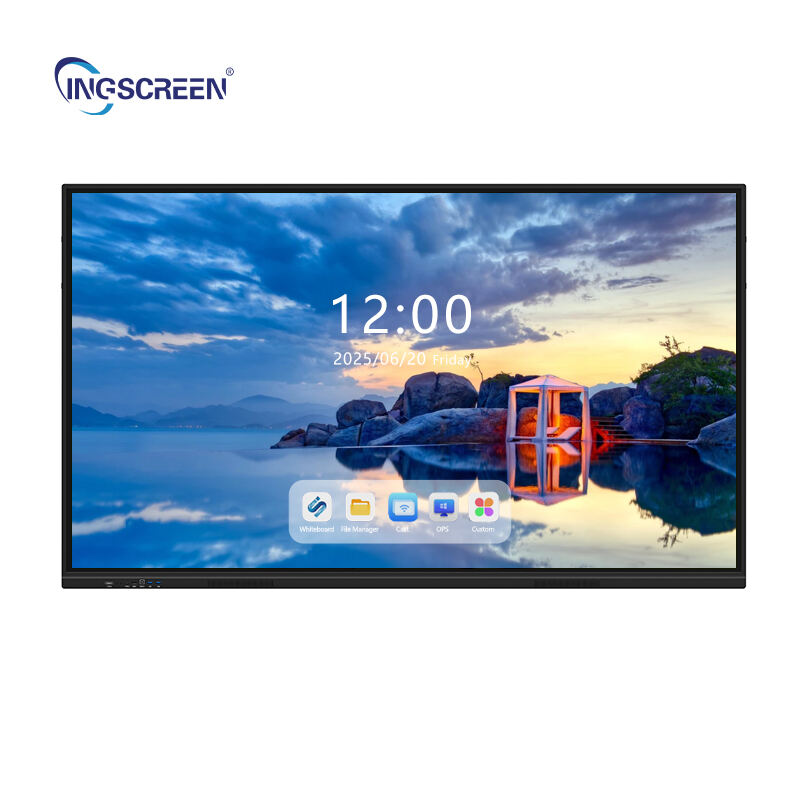
When businesses invest in modern presentation and collaboration technology, selecting the right interactive whiteboard becomes a critical decision that impacts productivity, user experience, and return on investment. The interactive whiteboard market offers numerous options with varying capabilities, making it essential for organizations to understand which features align with their specific operational needs and long-term goals.

Understanding the key features that differentiate interactive whiteboard solutions helps businesses make informed purchasing decisions that enhance collaboration effectiveness while ensuring compatibility with existing workflows. This comprehensive evaluation of essential features provides organizations with the knowledge needed to select an interactive whiteboard that delivers optimal functionality and supports their collaborative objectives.
Display Technology and Visual Performance
Screen Resolution and Image Quality
The visual clarity of an interactive whiteboard directly affects user engagement and content readability during presentations and collaborative sessions. Modern interactive whiteboard solutions typically offer 4K Ultra HD resolution, providing sharp text rendering and vibrant color reproduction that ensures content remains clear even when viewed from different angles across meeting rooms or classrooms.
High-resolution displays become particularly important when businesses frequently share detailed documents, technical drawings, or data visualizations that require precise detail visibility. The pixel density and color accuracy of the interactive whiteboard determine how effectively users can read small text, distinguish between similar colors in charts, and maintain visual focus during extended collaborative sessions.
Anti-glare technology represents another crucial visual performance feature that prevents reflections from overhead lighting or windows from interfering with content visibility. This technology ensures that the interactive whiteboard remains usable in various lighting conditions without requiring room modifications or lighting adjustments that could disrupt the working environment.
Screen Size and Aspect Ratio
The physical dimensions of an interactive whiteboard should align with the typical group size and room layout where it will be deployed. Larger screens accommodate more participants while providing sufficient workspace for complex collaborative activities, but they must fit appropriately within the available wall space without overwhelming the room or creating viewing distance issues.
Aspect ratio considerations affect how different types of content display on the interactive whiteboard, with widescreen formats supporting modern presentation layouts while maintaining compatibility with various software applications and document formats. The chosen aspect ratio should complement the primary content types that the organization regularly presents or collaborates on.
Viewing angles and optimal seating arrangements depend on screen size selection, as participants positioned at the edges of larger groups need clear visibility without image distortion or color shifting. The interactive whiteboard size should support the maximum expected group size while ensuring all participants can comfortably view and interact with displayed content.
Touch Technology and User Interaction
Multi-Touch Capability and Simultaneous Users
Advanced interactive whiteboard systems support multiple simultaneous touch points, enabling several users to collaborate directly on the screen surface at the same time. This multi-touch functionality transforms traditional presentation formats into dynamic collaborative experiences where team members can manipulate objects, annotate content, and contribute ideas simultaneously without waiting for individual turns.
The number of supported touch points varies among different interactive whiteboard models, with enterprise-grade solutions typically supporting ten or more simultaneous touches. This capability becomes essential for large group brainstorming sessions, design reviews, or educational environments where multiple participants need to interact with content concurrently.
Touch response accuracy and palm rejection technology ensure that the interactive whiteboard correctly interprets intentional gestures while ignoring accidental contact from hands resting on the screen surface. These features prevent frustrating interaction errors that could disrupt collaborative flow and reduce user confidence in the technology.
Writing and Drawing Precision
The precision and responsiveness of writing and drawing functions determine how naturally users can create content directly on the interactive whiteboard surface. High-quality touch sensors detect fine motor movements and pressure variations, enabling users to create detailed diagrams, annotate documents, and write legible text using their fingers or stylus tools.
Stylus support and pressure sensitivity add professional-grade capabilities for users who require precise control over line weight, opacity, and drawing techniques. Some interactive whiteboard systems include specialized styluses that provide additional functionality such as eraser tips, programmable buttons, or palm rejection when held properly.
Handwriting recognition capabilities can convert handwritten notes into editable text, enabling seamless integration between manual content creation and digital document workflows. This feature proves particularly valuable for organizations that need to capture meeting notes, action items, or collaborative ideas in searchable digital formats.
Software Integration and Compatibility
Operating System and Application Support
The software ecosystem compatibility of an interactive whiteboard determines how effectively it integrates with existing business applications and workflow tools. Modern interactive whiteboard solutions should support major operating systems including Windows, macOS, Android, and iOS, ensuring compatibility with the diverse device ecosystem that most organizations maintain.
Native application support for popular productivity suites, video conferencing platforms, and collaboration tools eliminates the need for complex workarounds or additional software installations. The interactive whiteboard should seamlessly run common business applications such as Microsoft Office, Google Workspace, Zoom, Microsoft Teams, and industry-specific software that the organization regularly uses.
Cloud integration capabilities enable users to access files directly from cloud storage services, share content across devices, and synchronize collaborative work with remote team members. This integration ensures that the interactive whiteboard becomes part of the broader digital workflow rather than an isolated presentation tool.
Wireless Connectivity and Screen Sharing
Wireless screen mirroring functionality allows users to share content from laptops, tablets, and smartphones directly to the interactive whiteboard without requiring physical cable connections. This capability streamlines meeting setup, reduces technical barriers for participants, and supports bring-your-own-device policies that many organizations have adopted.
Multiple device connectivity enables several users to queue content for sharing or switch between different presenters seamlessly during meetings. The interactive whiteboard should support simultaneous connections from multiple devices while providing intuitive controls for managing which content displays on screen.
Network security features ensure that wireless connections maintain appropriate access controls and data protection standards. The interactive whiteboard should support enterprise network authentication, encrypted connections, and access restrictions that align with organizational security policies.
Hardware Build Quality and Durability
Construction Materials and Longevity
The physical construction quality of an interactive whiteboard affects both its operational reliability and total cost of ownership over its expected service life. Commercial-grade interactive whiteboard systems use tempered glass surfaces that resist scratches, impacts, and wear from frequent touch interactions while maintaining optical clarity and touch sensitivity over time.
Frame construction materials and mounting systems must support the weight and size of the display while providing stable attachment to various wall types. The mounting solution should accommodate different installation scenarios and provide secure attachment that prevents movement or vibration during intensive interaction sessions.
Environmental durability ratings indicate how well the interactive whiteboard performs under different temperature, humidity, and lighting conditions. Organizations with challenging environmental conditions should prioritize models with appropriate IP ratings and thermal management systems that ensure consistent performance.
Maintenance Requirements and Serviceability
Low-maintenance design features reduce the ongoing operational costs and administrative burden associated with interactive whiteboard ownership. Easy-to-clean surfaces, dust-resistant construction, and accessible cable management contribute to simplified maintenance routines that minimize downtime and service requirements.
Modular component design and field-replaceable parts enable cost-effective repairs and upgrades when necessary. The interactive whiteboard should provide clear access to commonly serviced components and support standard replacement procedures that qualified technicians can perform without extensive factory training.
Warranty coverage and technical support availability ensure that organizations receive appropriate assistance when issues arise or when they need guidance on advanced features. Comprehensive support programs should include remote diagnostics, on-site service options, and training resources for administrators and users.
FAQ
What connectivity options should businesses prioritize when selecting an interactive whiteboard?
Businesses should prioritize wireless connectivity with support for multiple protocols including Wi-Fi Direct, Miracast, and AirPlay to ensure compatibility with diverse device ecosystems. Additionally, having multiple USB ports, HDMI inputs, and Ethernet connections provides flexibility for different presentation scenarios and ensures reliable connectivity options when wireless networks experience issues.
How important is the interactive whiteboard software ecosystem for business productivity?
The software ecosystem significantly impacts productivity by determining how seamlessly the interactive whiteboard integrates with existing business workflows and applications. A robust software platform should offer cloud synchronization, annotation tools, collaborative features, and compatibility with popular business applications to ensure the interactive whiteboard enhances rather than disrupts established work processes.
What size interactive whiteboard works best for typical conference room setups?
For typical conference rooms accommodating 8-12 participants, interactive whiteboard sizes between 65-75 inches provide optimal visibility and interaction space without overwhelming the room layout. The key is ensuring all participants can clearly see content from their seating positions while maintaining comfortable reach access for users who need to interact with the screen directly.
How do touch technology differences affect the user experience on interactive whiteboards?
Touch technology differences significantly impact responsiveness, accuracy, and multi-user capability of interactive whiteboards. Infrared touch technology typically offers excellent precision and unlimited touch points but may be affected by bright lighting, while capacitive touch provides fast response times and natural finger interaction but may have limitations on simultaneous users and stylus compatibility.
Table of Contents
- Display Technology and Visual Performance
- Touch Technology and User Interaction
- Software Integration and Compatibility
- Hardware Build Quality and Durability
-
FAQ
- What connectivity options should businesses prioritize when selecting an interactive whiteboard?
- How important is the interactive whiteboard software ecosystem for business productivity?
- What size interactive whiteboard works best for typical conference room setups?
- How do touch technology differences affect the user experience on interactive whiteboards?

