

 EN
EN
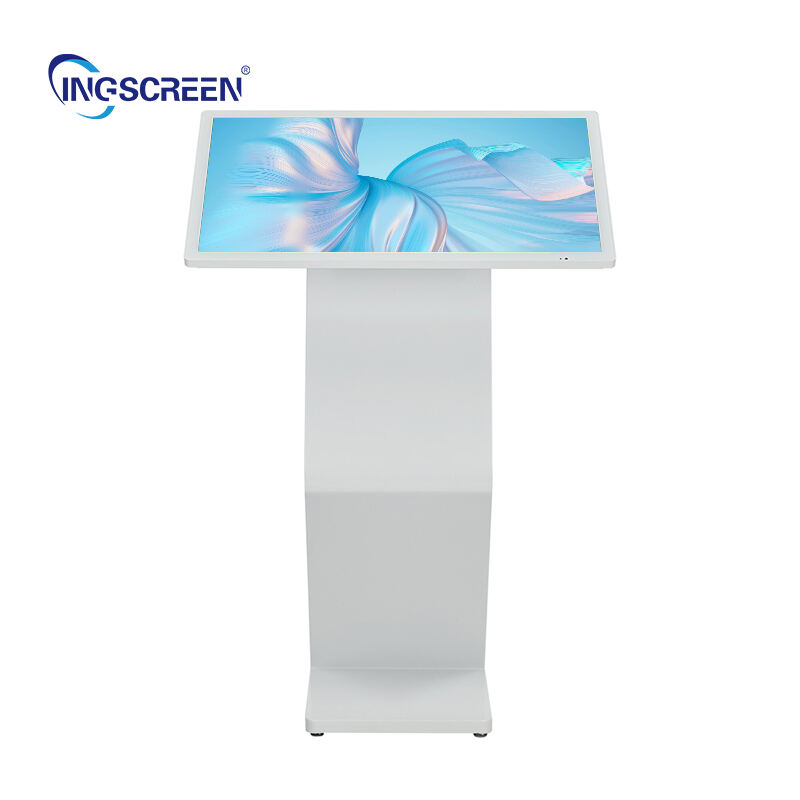
Selecting the right digital kiosk for your business requires careful consideration of multiple factors that directly impact customer experience, operational efficiency, and return on investment. Whether you're planning to enhance self-service capabilities, streamline information delivery, or create interactive customer touchpoints, the digital kiosk you choose must align perfectly with your specific business objectives and operational environment.

The process of choosing a digital kiosk extends beyond simply comparing technical specifications or pricing. It involves understanding your unique business workflow, customer behavior patterns, space constraints, and long-term strategic goals. A well-chosen digital kiosk becomes an integral part of your customer service infrastructure, while a poorly matched solution can create operational challenges and diminish user satisfaction.
Understanding Your Business Requirements
Defining Primary Use Cases
Before evaluating any digital kiosk options, you must clearly define how the kiosk will function within your business operations. Different industries utilize digital kiosk technology for varying purposes, from retail product catalogs and wayfinding in corporate buildings to check-in systems in healthcare facilities and ordering platforms in restaurants. Your primary use case directly influences hardware requirements, software capabilities, and integration needs.
Consider whether your digital kiosk will primarily serve informational purposes, facilitate transactions, collect customer data, or provide interactive services. Each function demands different technical specifications and user interface design approaches. An informational digital kiosk may prioritize display quality and content management flexibility, while a transactional kiosk requires secure payment processing capabilities and robust data handling protocols.
Analyzing Customer Interaction Patterns
Understanding how your customers will interact with the digital kiosk helps determine optimal hardware configuration and software features. Analyze typical customer demographics, technology comfort levels, and interaction preferences within your business environment. High-traffic locations with brief customer interactions may require durable hardware with simplified interfaces, while environments that encourage extended exploration might benefit from more sophisticated touch capabilities and detailed content structures.
Consider peak usage periods, concurrent user scenarios, and accessibility requirements for customers with varying abilities. A digital kiosk serving elderly customers in a healthcare setting requires different design considerations compared to one targeting tech-savvy millennials in a retail environment. These insights directly impact screen size selection, interface complexity, and hardware durability requirements.
Evaluating Physical Environment Constraints
Your installation environment significantly influences digital kiosk selection criteria. Indoor installations offer more hardware options and simplified maintenance requirements, while outdoor deployments demand weather-resistant enclosures, enhanced security features, and specialized cooling or heating systems. Consider factors such as ambient lighting conditions, available floor space, power accessibility, and network connectivity options.
Measure available installation areas and consider customer flow patterns around the proposed digital kiosk location. Some environments benefit from wall-mounted units that preserve floor space, while others require freestanding kiosks that create natural interaction zones. Understanding these physical constraints early in the selection process prevents costly modifications or compromised installations later.
Technical Specifications and Hardware Considerations
Display Technology and Size Requirements
The display serves as the primary interface between your customers and the digital kiosk, making screen selection a critical decision factor. Consider screen size based on typical viewing distances, content complexity, and space constraints. Larger displays accommodate more detailed information and multiple concurrent users, while compact screens suit space-limited environments and focused single-user interactions.
Evaluate display technology options including LCD, LED, and OLED screens based on brightness requirements, color accuracy needs, and expected lifespan. High-brightness displays perform better in well-lit environments, while standard brightness screens suffice for controlled lighting conditions. Consider anti-glare coatings and vandal-resistant glass options for public-facing installations where the digital kiosk may encounter challenging usage conditions.
Touch Technology and Responsiveness
Touch interface responsiveness directly impacts user experience and operational efficiency. Capacitive touch technology offers precise multi-touch capabilities and smooth gesture recognition, making it ideal for complex interactions and detailed navigation. Resistive touch screens provide reliable single-touch functionality at lower costs, suitable for simple menu navigation and basic data entry tasks.
Consider touch sensitivity requirements based on expected user demographics and interaction patterns. Some digital kiosk applications benefit from supporting gloved hands or stylus input, while others prioritize bare finger responsiveness. Evaluate whether your use case requires multi-touch gestures, pinch-to-zoom functionality, or other advanced touch features that influence technology selection.
Processing Power and Performance Specifications
The internal computing platform determines how smoothly your digital kiosk operates and what software capabilities it can support. Basic informational displays require minimal processing power, while interactive applications, video content, and real-time data integration demand more robust hardware specifications. Consider current performance requirements alongside anticipated future needs to ensure scalability.
Evaluate memory requirements, storage capacity, and expansion options based on your content management needs and software complexity. A digital kiosk running multimedia presentations requires different specifications compared to one handling simple text-based information. Factor in operating system requirements, software licensing considerations, and compatibility with your existing technology infrastructure.
Software Capabilities and Integration Requirements
Content Management and Update Flexibility
Effective content management capabilities determine how easily you can maintain and update your digital kiosk information over time. Look for solutions that offer intuitive content creation tools, scheduled publishing options, and remote update capabilities. The ability to modify content without physical access to each digital kiosk unit significantly reduces operational overhead and enables timely information updates.
Consider whether your content strategy requires multimedia support, interactive elements, or dynamic data integration. Some businesses need simple static displays that change infrequently, while others require real-time inventory updates, social media feeds, or interactive product catalogs. Ensure your chosen digital kiosk platform supports your content complexity requirements and provides adequate customization options.
Integration with Existing Business Systems
Seamless integration with your current business systems maximizes the value and efficiency of your digital kiosk investment. Evaluate compatibility with existing databases, customer relationship management systems, point-of-sale platforms, and inventory management tools. A well-integrated digital kiosk can access real-time data, update information automatically, and contribute valuable analytics to your business intelligence efforts.
Consider data synchronization requirements, API availability, and security protocols for system integration. Some digital kiosk deployments require direct database connections, while others operate effectively with periodic data exports and imports. Understanding integration complexity helps estimate implementation timelines and ongoing maintenance requirements.
Security and Data Protection Features
Security considerations become increasingly important as digital kiosk systems handle more sensitive customer data and integrate with critical business systems. Evaluate encryption capabilities, user authentication options, and data storage security measures. Consider whether your digital kiosk will process payment information, collect personal data, or access confidential business information that requires enhanced protection protocols.
Assess physical security features such as tamper-resistant hardware, secure mounting systems, and component protection measures. Public-facing installations require different security considerations compared to internal employee-only systems. Ensure your chosen digital kiosk solution meets relevant industry compliance requirements and provides adequate audit trail capabilities for security monitoring.
Operational Considerations and Long-term Viability
Maintenance Requirements and Support Services
Understanding maintenance requirements and available support services helps ensure long-term operational success of your digital kiosk investment. Evaluate manufacturer support offerings including warranty terms, response times for technical issues, and availability of local service technicians. Consider whether you prefer comprehensive support packages or plan to handle routine maintenance internally.
Factor in cleaning requirements, software update procedures, and hardware replacement timelines when calculating total cost of ownership. Some digital kiosk installations require daily cleaning and content updates, while others operate effectively with weekly or monthly maintenance cycles. Understanding these operational demands helps staff planning and budget allocation for ongoing kiosk management.
Scalability and Future Expansion Options
Consider how your digital kiosk deployment might expand or evolve as your business grows and customer needs change. Evaluate whether your chosen platform supports multiple unit management, centralized administration, and consistent user experiences across different locations. Some businesses start with single digital kiosk installations and gradually expand to multi-location networks requiring sophisticated management capabilities.
Assess hardware upgrade paths, software compatibility with future versions, and vendor stability for long-term partnerships. A digital kiosk solution that cannot adapt to changing requirements may become obsolete quickly, requiring costly replacements rather than incremental improvements. Choose platforms that demonstrate ongoing development and commit to supporting evolving business needs.
Budget Considerations and Return on Investment
Developing a comprehensive budget for your digital kiosk project requires considering initial hardware costs, software licensing, installation expenses, and ongoing operational costs. Compare total cost of ownership across different solutions rather than focusing solely on upfront purchase prices. Factor in training costs, maintenance expenses, content creation resources, and potential integration consulting fees.
Calculate expected return on investment based on improved customer service efficiency, reduced staff workload, enhanced customer satisfaction, or direct revenue generation capabilities. Some digital kiosk implementations pay for themselves through labor cost savings, while others provide value through improved customer experiences and increased sales opportunities. Establish measurable success criteria to evaluate digital kiosk performance over time.
FAQ
What size digital kiosk screen is best for retail environments?
For retail environments, screen sizes between 32 and 55 inches typically provide the best balance of visibility, space efficiency, and cost effectiveness. The optimal size depends on your specific space constraints, viewing distances, and content complexity. Larger screens work well for product showcases and detailed catalogs, while smaller screens suffice for simple navigation and basic information display.
How do I ensure my digital kiosk integrates properly with existing point-of-sale systems?
Successful integration requires evaluating API compatibility, data format requirements, and security protocols between your digital kiosk platform and existing POS systems. Work with vendors who provide detailed integration documentation and consider hiring integration specialists if your systems require custom development. Test all integration points thoroughly before full deployment to identify and resolve compatibility issues.
What maintenance schedule should I follow for outdoor digital kiosk installations?
Outdoor digital kiosk units typically require weekly visual inspections, monthly deep cleaning, and quarterly technical maintenance checks. Weather-exposed installations may need more frequent attention depending on local environmental conditions. Establish relationships with local service technicians and maintain spare parts inventory for critical components to minimize downtime during repairs.
Can a single digital kiosk platform support multiple business locations with different content needs?
Modern digital kiosk platforms offer centralized management capabilities that support location-specific content while maintaining consistent user experiences. Look for solutions that provide role-based access controls, template systems, and automated content distribution features. This approach enables efficient management of multiple installations while allowing customization for local requirements and preferences.
Table of Contents
- Understanding Your Business Requirements
- Technical Specifications and Hardware Considerations
- Software Capabilities and Integration Requirements
- Operational Considerations and Long-term Viability
-
FAQ
- What size digital kiosk screen is best for retail environments?
- How do I ensure my digital kiosk integrates properly with existing point-of-sale systems?
- What maintenance schedule should I follow for outdoor digital kiosk installations?
- Can a single digital kiosk platform support multiple business locations with different content needs?

