

 EN
EN

In today's competitive business landscape, selecting the appropriate digital screen for commercial applications has become a critical decision that directly impacts customer engagement, brand visibility, and operational efficiency. Modern enterprises across retail, hospitality, corporate, and public sectors are increasingly recognizing the transformative power of high-quality digital displays in creating immersive experiences and driving business outcomes. The process of choosing the right digital screen involves careful consideration of multiple technical specifications, environmental factors, and business objectives that align with your organization's specific requirements and budget constraints.
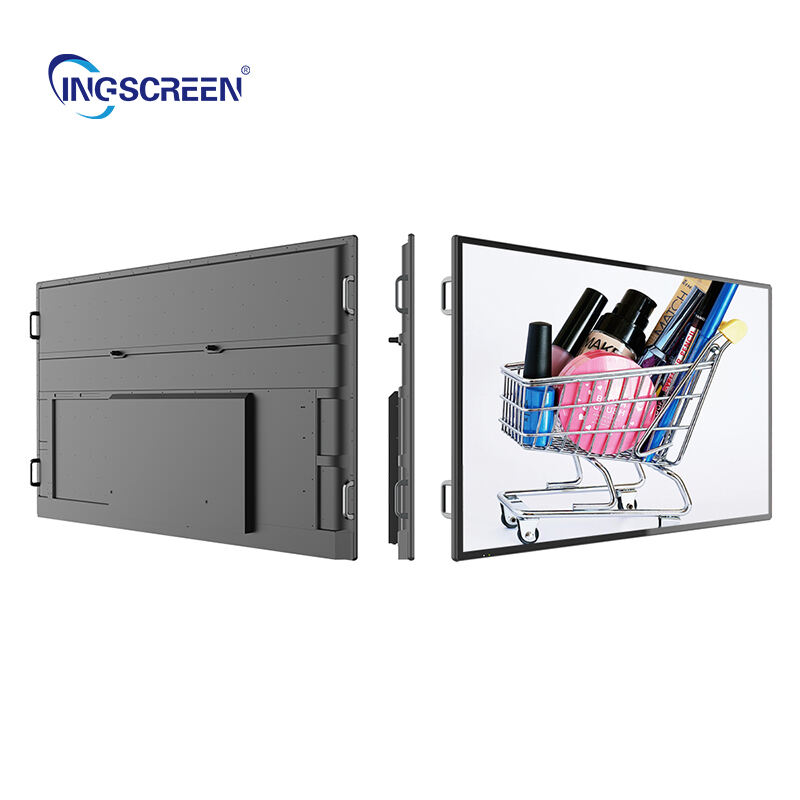
Understanding Display Technology Fundamentals
LED vs LCD Screen Technologies
The choice between LED and LCD technologies represents one of the most fundamental decisions when selecting a commercial digital screen. LED displays offer superior brightness levels, typically ranging from 1,000 to 10,000 nits, making them ideal for outdoor installations or environments with high ambient light conditions. These displays also provide exceptional color reproduction, wider viewing angles, and longer operational lifespans compared to traditional LCD alternatives. LED technology consumes less power while delivering consistent performance across varying temperature ranges, which translates to reduced operational costs over the display's lifecycle.
LCD displays, while offering excellent image quality and cost-effectiveness for indoor applications, typically provide brightness levels between 300 to 700 nits. Modern LCD panels incorporate advanced backlighting technologies such as quantum dot enhancement and local dimming capabilities that significantly improve contrast ratios and color accuracy. For businesses operating in controlled lighting environments, LCD displays often represent the optimal balance between performance and budget considerations, particularly for applications requiring extended operational hours.
Resolution and Pixel Density Considerations
Resolution selection directly impacts content clarity, viewer engagement, and the overall effectiveness of your digital signage deployment. 4K Ultra HD resolution has become the industry standard for commercial displays larger than 55 inches, providing exceptional detail reproduction that remains sharp even at close viewing distances. This resolution proves particularly beneficial for retail environments where customers examine product details or interactive applications requiring precise text rendering.
Pixel density, measured in pixels per inch (PPI), determines how crisp content appears at various viewing distances. Commercial environments with close viewer proximity, such as interactive kiosks or menu boards, benefit from higher pixel densities exceeding 80 PPI. Conversely, displays intended for distant viewing in lobbies or outdoor installations can utilize lower pixel densities while maintaining optimal visual impact and cost efficiency.
Environmental and Installation Requirements
Indoor vs Outdoor Deployment Specifications
Indoor digital screen installations require different technical specifications compared to outdoor deployments, primarily focusing on brightness, weatherproofing, and temperature management. Indoor displays typically operate effectively with brightness levels between 300 to 1,000 nits, depending on ambient lighting conditions and window exposure. These environments allow for more flexible mounting options and generally require less robust protective housing, resulting in lower overall system costs.
Outdoor installations demand significantly higher brightness levels, often exceeding 3,000 nits, to maintain visibility under direct sunlight conditions. Weather-resistant enclosures with IP65 or higher ratings protect internal components from moisture, dust, and temperature fluctuations. Additionally, outdoor displays must incorporate advanced thermal management systems, including internal fans, heat sinks, and automatic brightness adjustment to prevent overheating and ensure consistent performance across seasonal temperature variations.
Mounting and Space Optimization
Proper mounting solutions ensure optimal viewing angles, structural stability, and maintenance accessibility throughout the display's operational lifetime. Wall-mounted installations offer space efficiency and security advantages, while floor-standing configurations provide flexibility for temporary deployments or frequently changing layouts. Ceiling-suspended displays work exceptionally well in retail environments with limited wall space or where 360-degree visibility is required.
Space planning considerations include adequate ventilation clearances, cable management accessibility, and future expansion capabilities. Professional installations often incorporate adjustable mounting systems that accommodate minor positioning adjustments after initial deployment. Additionally, considering the weight distribution and structural load requirements prevents costly modifications to existing building infrastructure.
Performance and Connectivity Features
Processing Power and Content Management
Modern commercial displays integrate powerful processing capabilities that eliminate the need for external media players in many applications. System-on-chip (SoC) technology embedded within the digital screen provides sufficient computing power for displaying high-resolution video content, interactive applications, and real-time data feeds. These integrated solutions reduce installation complexity, minimize cable requirements, and improve system reliability by eliminating additional hardware failure points.
Content management system compatibility ensures seamless integration with existing digital signage networks and remote monitoring capabilities. Cloud-based management platforms enable centralized control of multiple displays across different locations, allowing for real-time content updates, scheduling automation, and performance monitoring. Advanced systems support multi-zone content layouts, interactive touch capabilities, and integration with third-party business applications such as inventory management or customer relationship management systems.
Connectivity Options and Network Integration
Comprehensive connectivity options ensure compatibility with diverse content sources and network architectures commonly found in commercial environments. Modern displays typically include multiple HDMI inputs, USB ports, Ethernet connections, and wireless capabilities including Wi-Fi and Bluetooth support. These connectivity options accommodate various content sources, from live camera feeds and computer presentations to mobile device screen mirroring and cloud-based content streams.
Network security considerations become increasingly important as displays connect to corporate networks and internet services. Enterprise-grade displays incorporate advanced security protocols, including encrypted data transmission, secure boot processes, and regular firmware updates that protect against cybersecurity threats. Additionally, VLAN support and network isolation capabilities ensure that digital signage systems operate independently from critical business networks while maintaining necessary connectivity for content management and monitoring functions.
Commercial-Grade Durability and Reliability
Operational Lifespan and Warranty Coverage
Commercial-grade displays are engineered for continuous operation, typically rated for 16 to 24 hours of daily use compared to consumer displays designed for intermittent residential usage. Professional displays incorporate industrial-grade components, enhanced thermal management, and robust power supplies that maintain consistent performance over extended operational periods. The typical commercial display lifespan ranges from 50,000 to 100,000 hours of operation, representing 5 to 11 years of continuous use.
Warranty coverage for commercial displays often extends beyond standard consumer warranties, providing 3 to 5 years of comprehensive protection including on-site service options. Premium commercial displays may include advanced warranty features such as preventive maintenance schedules, proactive monitoring services, and expedited replacement programs that minimize downtime in mission-critical applications. Understanding warranty terms and service availability in your geographic region helps ensure long-term operational continuity and cost predictability.
Maintenance Requirements and Service Accessibility
Proactive maintenance schedules significantly extend display lifespan and maintain optimal performance throughout the operational period. Regular cleaning procedures, firmware updates, and component inspections prevent common issues such as dust accumulation, software vulnerabilities, and gradual performance degradation. Many commercial displays include self-diagnostic capabilities that monitor internal temperatures, component status, and performance metrics to identify potential issues before they impact operations.
Service accessibility considerations include modular component design, standardized replacement parts availability, and local service network coverage. Displays with user-replaceable components such as fans, filters, and media players reduce service costs and minimize downtime for routine maintenance procedures. Additionally, remote diagnostic capabilities allow service technicians to troubleshoot issues and perform software updates without requiring on-site visits, further reducing operational disruptions and maintenance expenses.
Cost Analysis and Return on Investment
Initial Investment vs Long-Term Value
The initial purchase price represents only a portion of the total cost of ownership for commercial digital screen deployments. Comprehensive cost analysis includes installation expenses, ongoing operational costs, maintenance requirements, and content creation expenses that accumulate over the display's operational lifetime. Higher-quality displays often justify premium pricing through reduced energy consumption, lower maintenance requirements, and extended operational lifespans that minimize replacement frequency.
Energy efficiency ratings significantly impact long-term operational costs, particularly for installations with multiple displays operating continuously. ENERGY STAR certified displays typically consume 20 to 30 percent less power compared to standard models, resulting in substantial savings over multi-year operational periods. Additionally, displays with automatic brightness adjustment and scheduling capabilities further optimize energy consumption by reducing power usage during low-activity periods or after business hours.
Scalability and Future Expansion Planning
Scalable digital signage solutions accommodate business growth and changing requirements without necessitating complete system replacements. Modular display systems support easy expansion through standardized mounting interfaces, compatible content management platforms, and consistent hardware specifications across product lines. This scalability proves particularly valuable for businesses planning phased deployments or anticipating future location expansion.
Technology refresh cycles typically span 5 to 7 years for commercial displays, making future-proofing considerations essential for maximizing investment returns. Displays supporting emerging connectivity standards, higher resolution formats, and advanced interactive capabilities maintain relevance longer and accommodate evolving business requirements. Additionally, selecting displays from manufacturers with strong product roadmaps and backward compatibility commitments ensures continued support and upgrade pathways throughout the operational period.
FAQ
What brightness level should I choose for indoor commercial displays?
Indoor commercial displays typically require brightness levels between 350 to 700 nits for standard office environments, while locations with significant window exposure or ambient lighting may benefit from displays rated up to 1,000 nits. The optimal brightness depends on your specific environment's lighting conditions, viewing distances, and the type of content being displayed. Displays with automatic brightness adjustment capabilities can optimize visibility while minimizing energy consumption throughout different times of day.
How do I determine the appropriate screen size for my space?
Screen size selection depends on viewing distance, content type, and available installation space. As a general guideline, the optimal viewing distance is approximately 1.5 to 2.5 times the diagonal screen measurement for detailed content viewing. For example, a 55-inch display works well for viewing distances between 7 to 11 feet. However, consider ceiling height, mounting limitations, and whether the display will show detailed information requiring close examination or general messaging visible from greater distances.
What connectivity options are most important for commercial installations?
Essential connectivity features include multiple HDMI inputs, USB ports, Ethernet connection, and built-in Wi-Fi capabilities. These options accommodate various content sources including computers, media players, mobile devices, and network-based content management systems. For businesses planning interactive applications or multi-source content display, additional inputs such as DisplayPort, wireless presentation capabilities, and touch interface support become increasingly valuable for operational flexibility.
How long do commercial digital screens typically last?
Commercial-grade digital screens are designed for continuous operation and typically provide 50,000 to 100,000 hours of reliable service, equivalent to 5 to 11 years of 24/7 operation. Actual lifespan varies based on usage patterns, environmental conditions, and maintenance quality. Displays operated in controlled indoor environments with regular maintenance often exceed manufacturer specifications, while outdoor installations or high-usage applications may require replacement closer to the minimum rated lifespan. Proper installation, environmental control, and preventive maintenance significantly extend operational life and maintain optimal performance throughout the service period.

