

 EN
EN
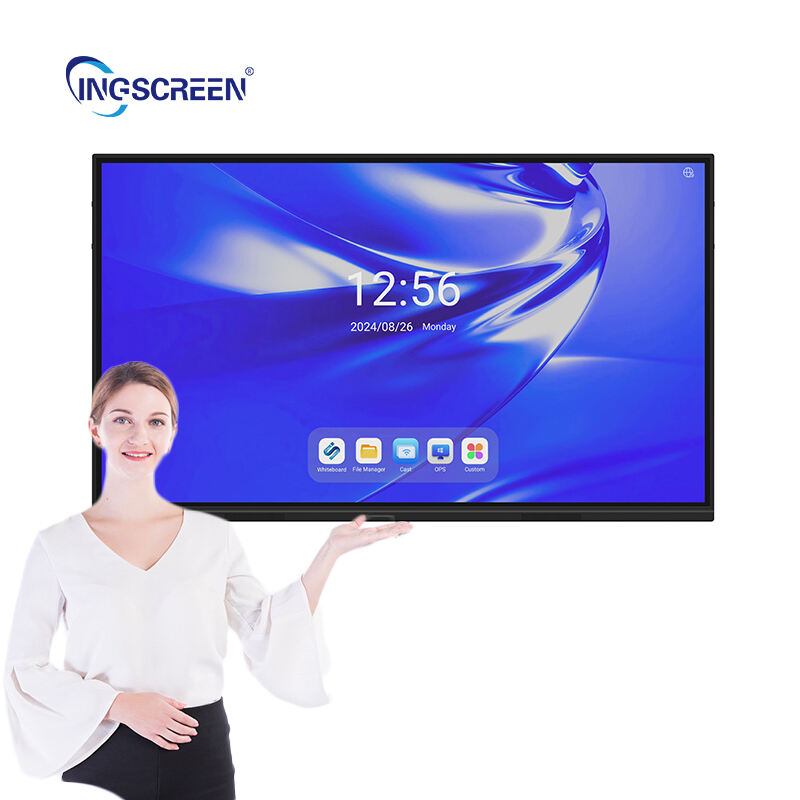
Modern företag söker kontinuerligt efter teknologier som förbättrar samarbete, effektiviserar kommunikation och förbättrar operativ effektivitet. Bland de mest omvandlande verktygen som dyker upp i affärsmiljöer sticker interaktiva flätskärmar ut som en mångsidig lösning som möter flera affärsmässiga utmaningar. Till skillnad från traditionella visningssystem integrerar dessa avancerade enheter beröringsfunktioner, digital annotering, trådlös anslutning och interaktion för flera användare i en enda plattform, vilket gör dem oumbärliga för organisationer som strävar efter att modernisera sin arbetsplatsinfrastruktur och förbättra teamets produktivitet i olika operativa sammanhang.
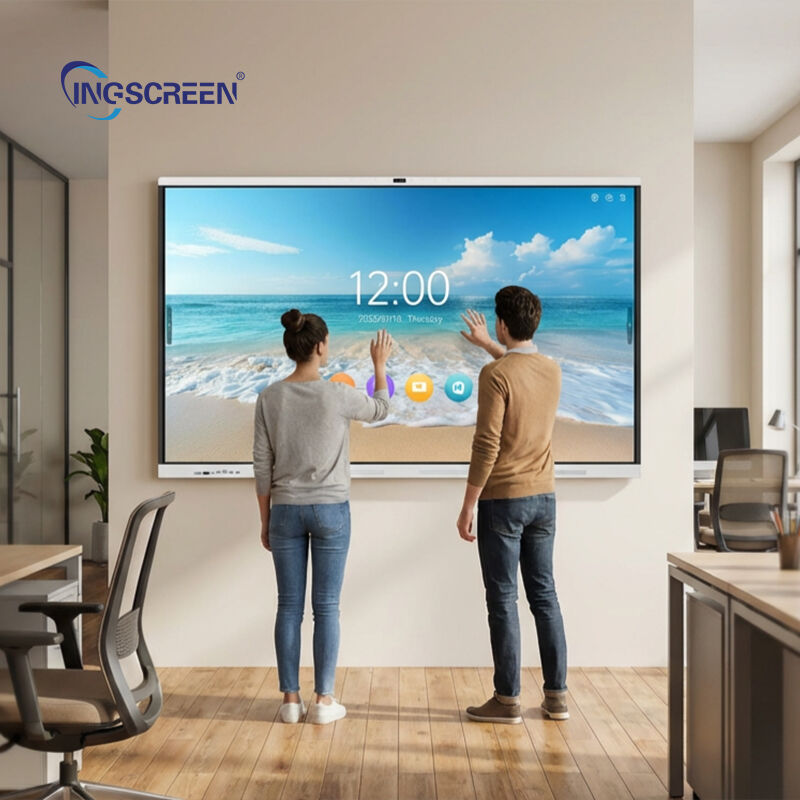
Att förstå vilka specifika tillämpningar som gör interaktiva platta paneler särskilt lämpliga för företagsmiljöer kräver en undersökning av hur dessa system integreras i dagliga affärsarbetsflöden. Från ledningsgruppens mötesrum till utbildningsanläggningar, från designstudior till kundkontaktområden – dessa interaktiva skärmar fyller olika funktionella syften som direkt påverkar affärsergonomen. Denna omfattande översikt identifierar de viktigaste företagsanvändningarna där distribution av interaktiva platta paneler ger mätbar värde, och undersöker de specifika användningsområdena, operativa fördelarna och implementeringsövervägandena som gör dessa system oumbärliga för moderna affärsverksamheter.
Företagsmöten och presentationsmiljöer
Applikationer för ledningsgruppens mötesrum
Exekutiva konferensrum utgör ett primärt tillämpningsområde där interaktiv panelteknik förändrar hur ledningsteam genomför strategiska diskussioner och fattar viktiga affärsmässiga beslut. I dessa högriskmiljöer möjliggör förmågan att visa komplex finansiell data, manipulera strategidokument i realtid och göra anteckningar direkt på presentationer en mer dynamisk och produktiv mötesupplevelse. Chefer och andra högre chefer drar nytta av den omedelbara visuella tydligheten som storskaliga interaktiva skärmar erbjuder, vilket gör det möjligt att granska kvartalsrapporter, marknadsanalysdiagram och konkurrenspositioneringsmatriser i detalj utan de begränsningar som traditionella projekteringssystem ofta har, exempelvis störningar från omgivande ljus.
Den interaktiva plattskärmen är avsedd för konferensrum i styrelsen genom att möjliggöra sömlös integration med företagsplattformar för videokonferenser, vilket säkerställer att distansdeltagande chefer deltar lika effektivt som de fysiskt närvarande. Skärmdelning med touchfunktion gör att vilken deltagare som helst kan ta kontroll över displayen, vilket underlättar samarbetsbaserad granskning av dokument och realtidsmarkering av beslut. Denna applikation visar sig särskilt värdefull under styrelsemöten som involverar diskussioner om fusioner, godkännande av budgetar och granskning av strategiska initiativ, där flera intressenter behöver samtidig tillgång till information samt möjlighet att markera specifika datapunkter, jämföra scenarier sida vid sida och registrera beslut direkt på de visade dokumenten för omedelbar distribution till berörda parter.
Distribution på avdelningsnivå för konferensrum
Utöver ledningsnivåns mötesutrymmen får avdelningsnivåns konferensrum betydande fördelar av installationen av interaktiva platta skärmar, vilket stödjer de dagliga operativa mötena som driver företagets genomförande. Marknadsföringsteam använder dessa skärmar för att granska instrumentpaneler för kampanjprestanda, samarbeta kring kreativt innehåll och föra diskussioner om varumärkespositionering med interaktiva stämningstavlor. Försäljningsavdelningar utnyttjar tekniken under genomgångar av försäljningspipelinen, vilket gör det möjligt för chefer och representanter att gräva djupare i data från kundrelationshanteringssystemet, gemensamt justera prognoser och strategiskt planera för kontaktpåverkan på kunder med visuella territoriekartor som deltagarna kan manipulera direkt på skärmen.
Finans- och verksamhetsavdelningar finner interaktiva plattskärmsapplikationer särskilt värdefulla under budgetplaneringscykler och processoptimeringssessioner. Möjligheten att visa kalkylarksdata i läsbar skala, kommentera avvikelseanalyser och arbeta interaktivt med scenarioplaneringsövningar accelererar beslutsfattandet, vilket traditionellt krävt flera mötesomgångar. Ingenjörs- och produktutvecklingsgrupper använder dessa system under designgranskningar, diskussioner kring tekniska specifikationer och möten om kvalitetsproblem, där förmågan att kommentera tekniska ritningar, zooma in på detaljerade scheman och jämföra olika versionsiterationer sida vid sida förbättrar kommunikationseffektiviteten och minskar missförstånd som leder till kostsamma utvecklingsdröjsmål.
Kundpresentationer och försäljningsdemonstrationsutrymmen
Konferensrum som är utrustade med interaktiv plattskärms-teknik och är avsedda för kundkontakt ger företag en konkurrensfördel under försäljningspresentationer och konsultationer med kunder. Den professionella utformningen och de responsiva interaktionsmöjligheterna skapar positiva intryck vid första mötet, samtidigt som de möjliggör för försäljningsteam att leverera anpassade demonstrationer som möter kundens specifika krav. Istället for att bläddra igenom statiska presentationsbilder kan kontoinnehavare dynamiskt navigera genom produktkataloger, konfigurera lösningar i realtid baserat på kundens återkoppling och illustrera implementeringsscenarier med interaktiva diagram som kunderna själva kan manipulera för att utforska olika alternativ.
Konsultföretag inom professionella tjänster drar särskilt stora fördelar av denna tillämpning av interaktiva platta paneler vid presentationer av konsultrekommendationer, revisionsresultat eller strategiska rådgivningstjänster. Möjligheten att gå igenom komplexa analytiska ramverk tillsammans med kunderna, samarbetsvis kommentera processflödesdiagram och justera strategiska vägkartor under själva presentationen skapar en rådgivande atmosfär som förstärker kundrelationerna. Finansiella rådgivare använder dessa system för att illustrera portföljstrategier, försäkringsprofessionella förklarar täckningsscenarier interaktivt, och fastighetsfirmor presenterar bostadsalternativ med integrerade kartfunktioner och virtuella rundturer – vilket omvandlar passiva visningssessioner till engagerande, samarbetsbaserade utforskningsupplevanden.
Utbildnings- och yrkesutvecklingsprogram
Implementeringar av företagsutbildningsrum
Verktyg för företagsutbildning utgör ett av de mest effektiva tillämpningsområdena för interaktiva platta paneler, vilket i grunden förändrar hur organisationer utvecklar medarbetares kompetenser och kunskaper. Företagsutbildare använder dessa system för att leverera mer engagerande undervisningsinnehåll och går därmed bort från passiva föreläsningsformat till interaktiva lärandeupplevanden, där deltagare samarbetar kring problemlösningsövningar, tillsammans arbetar igenom fallstudier och visar förståelse genom praktisk interaktion med utbildningsmaterial som visas på skärmen. Den interaktiv platt panel möjliggör för utbildare att spara kommenterat sessionsinnehåll, vilket ger deltagarna omfattande material som inte bara omfattar den ursprungliga presentationen utan även förtydliganden, exempel och diskussionspunkter som uppstod under undervisningen.
Tekniska utbildningsprogram drar särskilt nytta av interaktiva platta paneler, eftersom instruktörer kan demonstrera programvarufunktioner, gå igenom tekniska procedurer steg för steg med anteckningar och låta deltagare öva direkt på skärmen under handledning. Vid efterlevnadsutbildning används dessa system för att presentera regleringskrav, arbeta igenom scenariobaserade beslutsövningar och dokumentera deltagarnas svar för verifiering av utbildningen. Försäljningsstödsprogram utnyttjar tekniken för att öva kundinteraktionsscenarier, förbättra presentationsmetoder genom uppspelning av inspelningar och gemensamt utveckla budskapsstrategier som deltagare kan testa och förbättra interaktivt innan de tillämpas i verkliga kundsamtal.
Introduktions- och orienteringsmöten
Ny anställd på arbetsplatsen är en annan viktig applikation för företag där interaktiv plattpanelteknik ökar effektiviteten i orienteringsprogram. Personalteam använder dessa skärmar för att presentera företagskulturen, organisationsstrukturen och operativa förfaranden i format som uppmuntrar ny anställd att delta snarare än passiv informationsabsorption. Interaktiva organisationsdiagram gör det möjligt för nykomlingar att utforska rapporteringsrelationer, avdelningsfunktioner och viktig kontaktinformation genom beröringsnavigering, medan samarbetsövningar hjälper nya anställda att ansluta till sin kohort och börja bygga interna nätverk från sin första dag.
Den interaktiva plattskärmen används för introduktionsapplikationer genom att möjliggöra en konsekvent leverans av viktig information under flera introduktionssessioner, samtidigt som den behåller flexibiliteten att anpassa innehållet för olika roller, avdelningar eller platser. Medlemsregistreringen för förmåner blir mer begriplig när HR-representanter kan gå igenom planalternativen interaktivt, jämföra täckningsscenarier sida vid sida och markera specifika planfunktioner som besvarar enskilda medarbetares frågor. Processen för policybekräftelse blir effektivare när nyanställda kan granska, diskutera och digitalt signera nödvändig dokumentation direkt på den interaktiva skärmen, medan slutförda formulär automatiskt dirigeras till lämpliga system för efterlevnadsövervakning och arkivering.
Fortbildning och certifieringsprogram
Professionella certifierings- och fortbildningsprogram som genomförs av företag drar stora fördelar av integrationen av interaktiva platta paneler, särskilt inom branscher med strikta regleringskrav, såsom vård, finans och tillverkning. Dessa system möjliggör en mer effektiv leverans av tekniskt innehåll, detaljerad procedurutbildning och kompetensbedömningsövningar som verifierar deltagarnas förståelse. Sjukvårdsanläggningar använder interaktiva skärmar under klinisk färdighetsutbildning, vilket gör att instruktörer kan demonstrera tekniker, gemensamt granska anatomi-referenser och bedöma praktikernas kompetens genom interaktiva scenariobaserade svar som kan dokumenteras för legitimeringsändamål.
Finansiella institutioner använder interaktiv plattskärms-teknik under utbildningsupprepningar för efterlevnad, undervisning om motverkan av penningtvätt samt kunskapsöverföring om nya produkter – kurser som registrerade representanter måste slutföra för att behålla sina licenser. Möjligheten att presentera fallstudier interaktivt, gemensamt arbeta igenom regleringsrelaterade scenarier och bedöma förståelsen genom övningar på skärmen förbättrar kunskapsbevarandet jämfört med traditionella datorbaserade utbildningsmoduler. Tillverkningsverksamheter använder dessa system under säkerhetsutbildning, undervisning i kvalitetsstyrning samt introduktionskurser för ny utrustning, där kombinationen av visuell demonstration, interaktiv delaktighet och möjlighet att göra anteckningar skapar mer effektiva lärandeupplevanden som leder till förbättrad arbetsplatsprestanda och färre operativa incidenter.
Samarbetsarbetsplats och mötesrum för snabb samordning
Agila teamarbetsplatser
Moderna agila arbetsmetodiker har skapat efterfrågan på samarbetsutrymmen där tvärfunktionella team kan samlas för sprintplanering, dagliga standup-möten, retrospektiv och iterativa designsessioner. Interaktiv plattskärms-teknik tjänar dessa miljöer exceptionellt väl genom att erbjuda digitala skrivtavlor för brainstorming, visualisering av uppgifter och spårning av framsteg – vilket ersätter traditionella whiteboards samtidigt som det lägger till möjligheter för beständig digital lagring och delning. Utvecklingsteam använder dessa skärmar för att hantera sprintbackloggar visuellt, flytta användarhistorier genom arbetsflödessteg med touchinteraktion och genomföra kodgranskningar där teammedlemmar direkt kan kommentera den visade källkoden för att föreslå förbättringar eller identifiera potentiella problem.
Produktansvarsgrupper utnyttjar interaktiva platta paneler under sessions för vägkartor, övningar för funktionsprioritering och granskningar av användarupplevande. Möjligheten att samtidigt visa kundfeedback, användningsanalyser och konkurrensanalys, medan teammedlemmar samarbetar kring strategiska åtgärder, skapar mer informerade beslutsprocesser. Designthinking-workshops drar nytta av den storskaliga interaktiva ytan, som möjliggör att deltagare skissar koncept, organiserar idéer rumsligt och bygger vidare på varandras bidrag i realtid. Den digitala karaktären hos innehållet på interaktiva platta paneler möjliggör omedelbar delning med intressenter som inte kunde delta i sessionen, vilket bibehåller projektets drivkraft och säkerställer samstämmighet bland distribuerade team.
Snabb samling och spontant samarbete
Mindre samarbetsrum utrustade med interaktiva platta skärmar i lämplig storlek stödjer det spontana samarbetet som präglar dynamiska affärsmiljöer. Dessa utrymmen är avsedda för snabba problemlösningsmöten, korta projektuppföljningar och omedelbara diskussioner som inte kräver formella mötesbokningar, men som ändå drar stora fördelar av visuella samarbetsverktyg. Den interaktiva platta skärmen gör det möjligt for två eller tre kollegor att snabbt öppna relevanta dokument, skissa lösningstankar och registrera beslut utan den extra belastning som laptopanslutningar, projektorers uppvärmningstid eller överföring från whiteboard innebär – faktorer som bromsar traditionellt samarbete.
Försäljningsteam uppskattar särskilt interaktiva flätskärmar i sammanträdesrum för snabba strategisessioner kring affärer, där kontoteam snabbt ställer in sig på kundnära angreppssätt, granskar förslagsinnehåll och övar presentationsdelar innan kundmöten. Kundframgångsteam använder dessa utrymmen vid planering av åtgärder vid eskalerade ärenden, vilket gör att supportrepresentanter och tekniska specialister tillsammans kan diagnostisera kundproblem, dokumentera lösningssätt och förbereda kommunikationsstrategier. Omedelbarheten och enkelheten med interaktionen via interaktiva flätskärmar i sammanträdesmiljöer minskar friktionen i samarbetsarbete, vilket främjar mer frekvent kunskapsdelning och kollektiv problemlösning – och därmed förbättrar hela teamets effektivitet och organisationens handlingsförmåga.
Integrering av distansarbetslag och stöd för hybridarbete
När företag allt mer omfattande inför hybridarbetsmodeller med geografiskt spridda teammedlemmar spelar interaktiva platta paneler en avgörande roll för att sammanföra fysiska och virtuella samarbetsupplevanden. Dessa skärmar integreras sömlöst med företagsplattformar för videokonferenser och ger distansdeltagare tydlig insyn i de samarbetsaktiviteter som pågår i fysiska mötesutrymmen. Kombinationen av högupplöst display, integrerade kamerasystem och intelligent ljudbehandling säkerställer att distansdeltagare tydligt kan se anteckningar, höra alla deltagare lika väl och bidra till interaktiva aktiviteter lika effektivt som de som är fysiskt närvarande i rummet.
Den interaktiva plattskärmen löser en vanlig utmaning inom hybridarbete, där samarbete på plats omedvetet utesluter distansdeltagare som inte kan interagera med fysiska whiteboards eller tydligt se detaljerad information via standardvideofeedar. Genom att digitalisera det samarbetsbaserade arbetsområdet och tillhandahålla fjärråtkomst till interaktiva funktioner via kompanjonsapplikationer skapar dessa system en mer rättvis delaktighet oavsett plats. Projektgrupper som sträcker sig över flera kontor eller inkluderar medlemmar som arbetar hemifrån behåller sin produktivitet och sammanhållning när de använder interaktiva displayar som synkroniserar innehåll mellan olika platser, vilket gör att en grupp på ett kontor kan påbörja en brainstormingssession som kollegor i en annan region kan fortsätta – med alla bidrag synliga för alla och bevarade för asynkron granskning av teammedlemmar i olika tidszoner.
Specialiserade operativa applikationer inom företagsfunktioner
Driftkontroll- och övervakningscenter
Företagsdriftscenter drar nytta av distributionen av interaktiva platta paneler för realtidsövervakning, samordning av incidenthantering och hantering av operativa instrumentpaneler. Logistik- och leveranskedjedrifter använder dessa skärmar för att visualisera spårning av transporter, hantera lagerarbetsflöden och samordna distributionsaktiviteter över flera anläggningar. Den interaktiva funktionen gör det möjligt för driftsansvariga att gräva djupare i specifika transporter, omdirigera resurser som svar på störningar och kommunicera direkt med fältlag, samtidigt som de behåller visuell kontext på den huvudsakliga operativa skärmen som alla teammedlemmar kan referera till.
IT-driftcenter använder interaktiva platta paneler för nätverksövervakning, svar på säkerhetsincidenter och infrastrukturhantering. Den storskaliga skärmen möjliggör samtidig visualisering av flera systeminstrumentpaneler, varningsköer och prestandamått, medan beröringsinteraktionen gör det möjligt att snabbt reagera på uppstående problem utan att operatörer behöver växla mellan flera arbetsstationskärmar. Tillverkningsverksamheter använder liknande konfigurationer av interaktiva skärmar för produktionsövervakning, kvalitetskontroll och underhållsplanering, där linjechefer på fabriksgolvet kan kommentera produktionsscheman direkt på skärmen, markera utrustning som kräver uppmärksamhet och dokumentera åtgärder under skiftöverlämningar – en process som säkerställer kontinuitet i driftmedvetenheten.
Design- och kreativutvecklingsstudio
Kreativa avdelningar och designstudior inom företag finner interaktiva platta paneler särskilt värdefulla för samarbetsbaserad innehållsutveckling, designgranskningssessioner och utforskning av kreativa koncept. Marknadsföringskreativa team använder dessa skärmar under kampanjutveckling, vilket gör att konstchefer, textare och varumärkeschefer kan granska kreativa tillgångar i full skala, ge återkoppling genom direkt annotering och iterera designerna samarbetsvis på ett sätt som förkortar godkännandecyklerna. Färgnoggrannheten och den höga upplösningen hos kvalitetsfulla interaktiva platta panelsystem säkerställer att de granskade materialen korrekt återger det slutliga resultatet, vilket minskar kostsamma omarbetningar som uppstår när design godkänns på vanliga skärmar men inte översätts väl till den slutliga produktionen.
Arkitekt- och ingenjörsföretag drar nytta av distributionen av interaktiva platta paneler i designstudior där projektgrupper granskar byggnadsplaner, genomför designcharretter och samordnar tvärvetenskapligt arbete. Möjligheten att visa CAD-ritningar i läsbar skala, överlagra olika byggnadssystem för att identifiera samordningskonflikter samt kommentera direkt på designdokument förbättrar kommunikationen mellan arkitekter, ingenjörer och konsulter. Produktutvecklingsgrupper använder dessa system under industriell designgranskning, utvecklingssessioner för användargränssnitt och utvärderingar av förpackningsdesign, där den interaktiva funktionen möjliggör snabb iteration och gemensam beslutsfattning – vilket säkerställer att projektens tidsplan upprätthålls samtidigt som designkvaliteten uppfyller varumärkesstandarder och funktionskrav.
Hälsovårdens kliniska och administrativa tillämpningar
Hälso- och sjukvårdsföretag använder interaktiva platta paneler i kliniska undersökningsrum, patientutbildningsområden och områden för samordning av medicinska team. Läkare använder dessa skärmar under patientundersökningar för att granska diagnostiska bilder, förklara behandlingsalternativ med hjälp av interaktiva anatomiavbildningar och dokumentera patientens preferenser direkt i elektroniska journalssystem. Den visuella tydligheten och den interaktiva funktionaliteten förbättrar patientens förståelse av medicinska tillstånd och behandlingsmetoder, vilket stödjer processen för informerat samtycke och förbättrar patientens nöjdhet med vårdupplevelsen.
Sjukhusets vårdkoordinationsteam använder interaktiva plattskärmsapplikationer under multidisciplinära rundgångar, där läkare, sjuksköterskor, socialarbetare och vårdkoordinatorer gemensamt utvecklar behandlingsplaner, koordinerar utskrivningsplanering och hanterar komplexa patientvårdutmaningar. Möjligheten att samtidigt visa patientinformation, kliniska protokoll och kontrolllistor för vårdkoordination på en stor interaktiv skärm förbättrar kommunikationseffektiviteten och minskar medicinska fel som uppstår när vårdteammedlemmar arbetar med olika information. Administrativa avdelningar använder dessa system under initiativ för processförbättring, granskning av kvalitetsmått och operativ planeringssessioner, där ledare inom vården kan analysera prestandadata interaktivt, identifiera förbättringsområden och gemensamt utveckla åtgärdsplaner som involverar personalen vid frontlinjen i pågående kvalitetsförbättringsarbete.
Strategiska implementeringsöverväganden för enterprise-distribution
Integration med befintliga enterprise-system
En framgångsrik distribution av interaktiva flatskärmar kräver noggrann övervägande av integrationen med den befintliga enterprise-teknikinfrastrukturen. Organisationer måste säkerställa att de valda interaktiva displaysystemen ansluter sömlöst till etablerade plattformar för videokonferenser, skärmdelningsprotokoll och autentiseringssystem som styr åtkomsten till företagsresurser. Den interaktiva flatskärmen bör stödja enterprise-standarder för trådlös presentation, vilket möjliggör för medarbetare att dela innehåll från olika enhetstyper utan specialanpassade adapter eller komplicerade anslutningsförfaranden som orsakar användarförvirring och minskar antalet användare.
Integration med produktivitetspaket, samarbetsplattformar och enterprise-innehållshanteringssystem avgör hur effektivt interaktiva skärmar förbättrar de faktiska arbetsprocesserna snarare än att fungera som fristående presentationsverktyg. System som integrerar med Microsoft 365, Google Workspace eller andra enterprise-produktivitetsmiljöer gör det möjligt for användare att komma åt, redigera och spara arbete direkt via gränssnittet för den interaktiva skärmen utan krav på separata enheter. Kalenderintegration möjliggör automatisk schemaläggning av mötesrum och hantering av tillgänglighet, medan katalogintegration säkerställer lämpliga åtkomstkontroller för känslig information som visas under konfidentiella affärssamtal i delade mötesutrymmen.
Hanterings-, säkerhets- och styrningskrav
Företags IT-avdelningar kräver centraliserade hanteringsfunktioner för distribution av interaktiva platta paneler på flera platser och med ett stort antal enheter. Hanteringsplattformar bör möjliggöra fjärrövervakning av enheternas hälsotillstånd, automatiserade programvaruuppdateringar, standardisering av konfigurationen på alla enheter samt användningsanalys som stödjer beslut om optimering. Säkerhetsaspekter inkluderar att säkerställa att interaktiva skärmar inte sparar känslig information efter möten avslutats, att implementera lämplig autentisering för åtkomst till enheterna samt att förhindra obehöriga nätverksanslutningar som kan äventyra företagets säkerhet.
Den interaktiva plattskärmen måste följa företagets policyer för datahantering, särskilt vad gäller informationens visning, lagring och överföring. Hälso- och sjukvårdsorganisationer kräver funktioner som uppfyller HIPAA-kraven, finansinstitut behöver system som uppfyller regleringsmyndigheternas granskningsstandarder, och multinationella företag måste säkerställa att den distribuerade tekniken uppfyller kraven på datavärdskap i olika jurisdiktioner. Innehållsfiltrering, åtkomstloggning och krypteringsfunktioner blir avgörande urvalskriterier vid distribution av interaktiv displayteknik inom reglerade branscher eller miljöer där känslig konkurrens-, kund- eller anställdinformation hanteras och som kräver skydd mot obehörig åtkomst eller oavsiktlig avslöjande.
Användarinförande och förändringshanteringsstrategier
Lyckad implementering av teknik beror i hög grad på användarinförandet, vilket gör förändringshantering till en avgörande faktor vid införandet av interaktiva flätskärmar i företag. Organisationer bör utveckla utbildningsprogram som hjälper medarbetare att förstå inte bara hur de ska driva tekniken, utan också när och varför de ska använda de interaktiva funktionerna i olika samarbetscenarier. Ambassadörer inom olika avdelningar kan visa praktiska tillämpningar som är relevanta för specifika affärsfunktioner och på så sätt illustrera värdet genom konkreta exempel snarare än abstrakta beskrivningar av funktioner som inte översätts till verkliga förbättringar av arbetsprocesser.
Att mäta utnyttjandet och samla in användarfeedback möjliggör en kontinuerlig förbättring av strategier för distribution av interaktiva platta paneler. Organisationer bör spåra mötesrummens användningsmönster, identifiera funktioner som användarna snabbt antar jämfört med funktioner som kräver ytterligare utbildning eller förbättring av gränssnittet, samt dokumentera specifika användningsfall där tekniken ger mätbar affärsvärde. Denna data stödjer beslut om utvidgning, vägleder leverantörsval för ytterligare distributioner och hjälper till att motivera fortsatt investering i interaktiv samarbets-teknik genom att visa konkreta avkastningar i form av förbättrad möteseffektivitet, minskade reskrav, förbättrad utbildningseffektivitet eller snabbare beslutsfattande processer som påverkar den övergripande affärsprestationen.
Vanliga frågor
Vad är den typiska återbetalningstiden för investeringen i interaktiva platta paneler på företagsnivå?
Avkastningen på investeringen för företagsinteraktiva platta paneler manifesterar vanligtvis inom 12–18 månader genom sammansatt besparing i mötestidseffektivitet, minskade reseskostnader tack vare mer effektiv fjärrsamverkan, lägre kostnader för utbildningsleverans samt snabbare beslutsfattning. Organisationer som spårar mötesproduktivitet rapporterar en minskning av mötestiden med 15–25 % vid användning av interaktiva displayar jämfört med traditionella presentationsmetoder, medan utbildningsavdelningar dokumenterar en förbättring av kunskapsbevarandet med 20–30 % när interaktiv teknik integreras i undervisningsprogrammen. Den specifika ROI-tidsramen varierar beroende på distributionsomfattning, befintlig teknik som ersätts samt hur omfattande organisationen integrerar interaktiva funktioner i sina faktiska arbetsprocesser – snarare än att använda systemen endast som dyrbara skärmar.
Hur jämför sig interaktiva platta paneler med traditionella projektorssystem för företagsmötesrum?
Interaktiva platta paneler erbjuder betydande fördelar jämfört med traditionella projektorssystem i företagsmiljöer, inklusive överlägsen bildkvalitet som inte påverkas av omgivande belysning, undanröjande av kostnader för lampbyten och projektorunderhåll, integrerad beröringsinteraktion utan separat utrustning samt vanligtvis längre driftslivslängd. Även om de initiala anskaffningskostnaderna är högre än för projektoralternativ, tenderar totala ägarkostnaderna under en period på fem till sju år att gynna interaktiva skärmar på grund av minimalt underhåll, lägre energiförbrukning och minskade supportkostnader. Den interaktiva funktionen förändrar mötesdynamiken i grunden på sätt som projektorer inte kan matcha, vilket möjliggör samarbetsbaserad kommentering, interaktion för flera användare och integrerad videokonferens – funktioner som motiverar den extra investeringen för organisationer som prioriterar mötets effektivitet och kvaliteten på samarbetsarbete.
Vilken storlek på interaktivt platt skärmsystem är lämplig för olika konfigurationer av företagsmötesrum?
Storleken på interaktiva platta paneler för företagsutrymmen bör följa riktlinjer för betraktningsavstånd, där skärmens diagonalmått är ungefär en sjättedel av avståndet från skärmen till den längst bort sittande betraktaren. Små mötesrum för fyra till sex deltagare kräver vanligtvis 55–65 tum stora skärmar, standardkonferensrum för åtta till tolv personer fungerar väl med 75–86 tum stora skärmar, och större styrelserum eller utbildningsanläggningar drar nytta av 98-tums-skärmar eller dubbla skärmkonfigurationer. Utöver fysiska storleksöverväganden blir upplösningen avgörande för tydligheten hos detaljerad innehåll, där 4K-skärmar är nödvändiga i rum där ekonomiska kalkylblad, tekniska ritningar eller detaljerade analytiska instrumentpaneler kräver tydlig läsbarhet från betraktningsavstånd som överstiger tio fot. Organisationer bör ta hänsyn till att det är bättre att välja en något för stor skärm än en för liten, eftersom begränsningar i skärmens yta påverkar samarbetsaktiviteter mer avsevärt än mindre variationer i optimering av betraktningsavstånd.
Kan interaktiva platta paneler effektivt stödja hybridmöten med distansdeltagare?
Modern interaktiva plattskärmsystem stödjer effektivt hybridmötescenarier när de är korrekt konfigurerade med integrerade eller komplementära kamerasytem, högkvalitativa mikrofonmatriser och sömlös integration med videokonferensplattformar. Nyckeln till framgångsrika hybridmöten ligger i att säkerställa att distansdeltagare tydligt kan se allt interaktivt innehåll, höra alla deltagare i rummet lika tydligt oavsett deras position och bidra till samarbetsaktiviteter via skärmdelening eller gränssnitt i komplementära applikationer. Organisationer bör välja interaktiva displayar med intelligent kamerabildramning som håller alla deltagare i rummet synliga, ljudbehandling som eliminerar ekon och bakgrundsljud samt plattformskompatibilitet med deras standardiserade videokonferenslösning. Ytterligare överväganden inkluderar rumslayout som förhindrar att deltagare i rummet blockerar kamerans synfält, tillräcklig nätverksbandbredd för samtidig högupplöst video och innehållsdelning samt mötesfaciliteringsrutiner som aktivt involverar distansdeltagare istället for att låta diskussioner i rummet dominera interaktionen.
Innehållsförteckning
- Företagsmöten och presentationsmiljöer
- Utbildnings- och yrkesutvecklingsprogram
- Samarbetsarbetsplats och mötesrum för snabb samordning
- Specialiserade operativa applikationer inom företagsfunktioner
- Strategiska implementeringsöverväganden för enterprise-distribution
-
Vanliga frågor
- Vad är den typiska återbetalningstiden för investeringen i interaktiva platta paneler på företagsnivå?
- Hur jämför sig interaktiva platta paneler med traditionella projektorssystem för företagsmötesrum?
- Vilken storlek på interaktivt platt skärmsystem är lämplig för olika konfigurationer av företagsmötesrum?
- Kan interaktiva platta paneler effektivt stödja hybridmöten med distansdeltagare?

