

 EN
EN
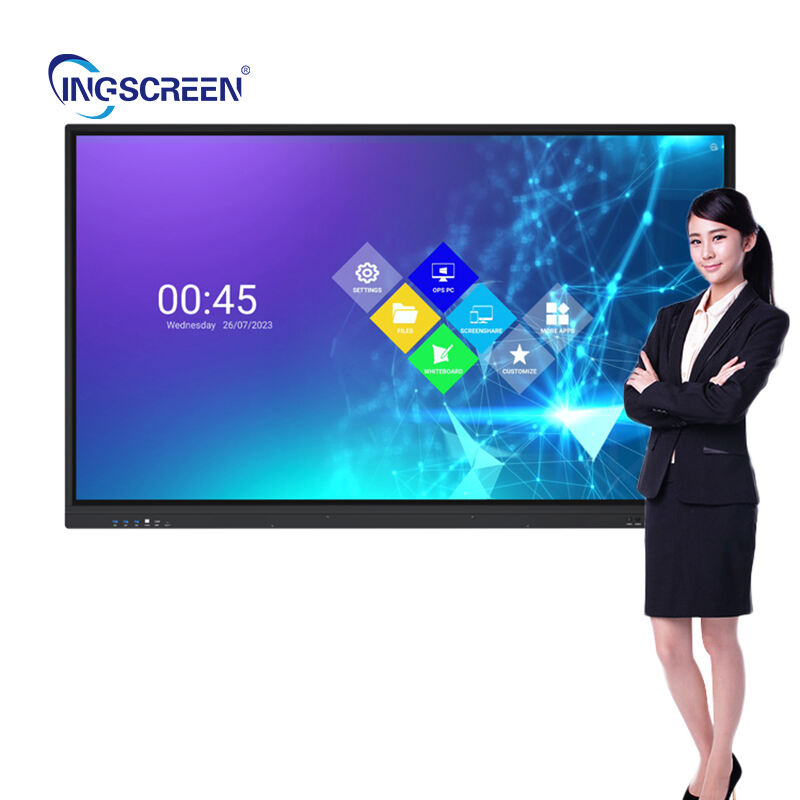
Izbira pravilnega interaktivnega ploščatega zaslona za poslovne operacije zahteva natančno oceno več tehničnih in operativnih dejavnikov, ki neposredno vplivajo na produktivnost in dolgoročno vrednost. Sodobna podjetja se zanašajo na zanesljive rešitve interaktivnih ploščatih zaslonov, da omogočijo brezhibno sodelovanje, izboljšajo kakovost predstavitev in podpirajo različne potrebe po komunikaciji na delovnem mestu v različnih okoljih.
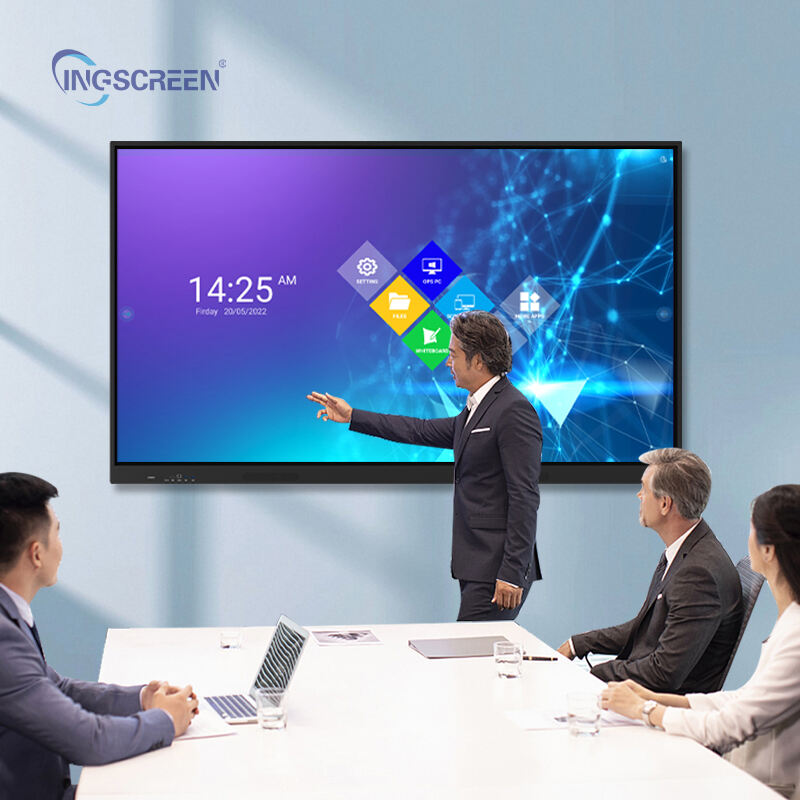
Postopek odločanja o nakupu zanesljivega interaktivnega ploščatega zaslona vključuje oceno specifikacij tehnologije zaslona, zmogljivosti dotikovne odzivnosti, zahtev za združljivost programske opreme ter standardov trdnosti strojne opreme. Razumevanje teh ključnih meril za izbiro omogoča podjetjem, da sprejmejo utemeljene odločitve o nakupu, ki so usklajene z njihovimi posebnimi operativnimi zahtevami in omejitvami proračuna ter zagotavljajo optimalno delovanje skozi celotno življenjsko dobo izdelka.
Tehnologija zaslona in specifikacije vizualne zmogljivosti
Standardi ločljivosti zaslona in kakovosti slike
Ločljivost zaslona je osnovni dejavnik pri ocenjevanju zanesljivih interaktivnih plošč za poslovne okolja. Plošče z visoko ločljivostjo omogočajo oster prikaz besedila, podrobno predstavitev slik in izboljšano vizualno jasnost, kar podpira profesionalne predstavitve in sodelovalne delovne seje. Večina interaktivnih plošč za poslovno rabo kot standardno specifikacijo ponuja ločljivost 4K Ultra HD, kar zagotavlja zadostno gostoto pik za prikaz podrobnega vsebine na različnih razdaljah gledanja.
Natančnost barv in ravnji svetlosti pomembno vplivajo na vizualno zmogljivost interaktivnih ploščih zaslonov v različnih razmerah osvetlitve. Plošče profesionalne kakovosti običajno ponujajo širok obseg barvnega spektra, kar zagotavlja natančno predstavitev barv za oblikovalska dela, vizualizacijo podatkov in multimedijske predstavitve. Specifikacije svetlosti, izmerjene v nitih, določajo vidnost plošče pri okoliški osvetlitvi; višje vrednosti svetlosti omogočajo jasno ogledovanje v dobro osvetljenih konferenčnih sobah in odprtih pisarnah.
Zdravilne površinske obdelave proti bleščanju in zmogljivost pod kotom ogleda vplivata na uporabniško izkušnjo med sodelovalnimi sejami z več udeleženci. A zanesljiva interaktivna plošča z zaslonom morajo ohranjati dosledno kakovost slike in natančnost barv v širokem kotu ogleda, kar vsem udeležencem sestanka omogoča jasen ogled vsebine ne glede na njihovo sedišče glede na zaslon.
Tehnologija plošče in dejavniki trajnosti
Osnovna tehnologija panela vpliva tako na lastnosti delovanja kot tudi na pričakovano življenjsko dobo sistemov interaktivnih ravnih panelov. LCD-plošče z LED-osvetlitvijo predstavljajo najpogostejšo tehnološko izbiro za poslovne aplikacije in ponujajo uravnoteženo delovanje, energijsko učinkovitost ter cenovno ugodnost. Ti paneli zagotavljajo enakomerno svetlost, dolgo delovno življenjsko dobo ter zanesljivo delovanje pri neprekinjenem uporabnem obremenitvah, ki so tipične v korporativnih okoljih.
Specifikacije trdnosti površine določajo odpornost panela proti praskam, udarcem in pogostim dotikom med vsakodnevno uporabo. Zakaljena steklena površina z navedenimi vrednostmi trdote zagotavlja zaščito pred naključnimi poškodbami, hkrati pa ohranja optimalno občutljivost na dotik in vizualno jasnost. Protipočastne prevleke pomagajo ohraniti čist videz in zmanjšati potrebe po vzdrževanju v primerih intenzivne uporabe.
Sistemi za upravljanje toplote znotraj zanesljivih interaktivnih ploščanih zaslonov zagotavljajo stabilno delovanje med daljšimi obdobji uporabe. Ustrezen odvod toplote preprečuje zmanjševanje zmogljivosti, ohranja dosledno občutljivost na dotik in podaljšuje skupno življenjsko dobo sistema. Zasnove brez ventilatorjev za hlajenje zmanjšujejo nastanek hrupa, hkrati pa zagotavljajo ustrezno termično regulacijo za tiho delovanje v okolju sestankov.
Tehnologija dotika in možnosti uporabniškega vmesnika
Zahteve glede odziva na večtočkovni dotik in natančnosti
Tehnologija zaznavanja dotika neposredno vpliva na uporabniško izkušnjo in kakovost interakcije med sodelovalnimi delovnimi sejami. Kapacitivni sistemi za dotik ponujajo nadpovprečno odzivnost, natančnost zaznavanja več točk ter funkcije zavrnitve dlani v primerjavi z alternativnimi tehnologijami dotika. Ti sistemi omogočajo hkratne interakcije več uporabnikov, kar omogoča učinkovite sodelovalne scenarije, pri katerih lahko več udeležencev hkrati deluje z vsebino.
Specifikacije natančnosti dotika in zakasnitve določajo natančnost ročnega pisanja, risanja in natančnega izbiranja opravil na zanesljivih interaktivnih ravniških sistemih. Dotik z nizko zakasnitvijo zagotavlja naravno izkušnjo pri pisanju in risanju, medtem ko visoka natančnost sledenja omogoča podrobna opombovalna opravila in naloge, ki zahtevajo fino motorično kontrolo. Te sposobnosti so bistvene za pregledovanje oblikovanj, tehnično dokumentacijo in izobraževalne aplikacije, ki zahtevajo visoko natančnost vnosov.
Algoritmi za zavrnitev dotika dlani preprečujejo neželene dotike, ko uporabniki med pisanjem ali risanjem po površini zaslona počivajo z rokami. Napredni sistemi za obdelavo dotikov ločijo namerni dotik od naključnega stika in tako ohranjajo natančnost interakcije med naravnimi vzorci uporabe. Ta funkcionalnost je še posebej pomembna med daljšimi sejami opomb in nalogami ustvarjanja podrobnih vsebin.
Podpora za pisalnik in kakovost izkušnje pri pisanju
Kompatibilnost s stilusom razširi funkcionalnost zanesljivih interaktivnih ploščastih sistemov prek osnovnih dotikovnih interakcij. Podpora aktivnemu stilusu omogoča občutljivost na pritisk, zaznavanje naklona in izboljšano natančnost za digitalno pisanje in risanje. Te sposobnosti spremenijo interaktivno ploščo v večnamensko orodje za ustvarjalno delo, tehnično risanje in podrobne opombe, ki zahtevajo fino motorično kontrolo.
Zamik pri pisanju in natančnost pretvorbe svinčnika v digitalni zapis vplivata na naraven občutek pisanja na površini interaktivne plošče. Napredni sistemi zmanjšajo zakasnitev med vnosom s stilusom in pojavom digitalnega napisa, kar ustvari izkušnjo pisanja, ki se čim bolj približuje tradicionalnemu pisanju z olovko ali peresom na papirju. Ta odzivnost je ključna za zapisovanje zapiskov, možganske nevihte in podrobno dokumentacijo.
Natančnost sledenja s stilusom po celotni površini zaslona zagotavlja dosledno delovanje ne glede na položaj ali kot pisanja. Enakomerna občutljivost na dotik od roba do roba izključuje mrtve cone in ohranja kakovost interakcije po celotnem prikazovalnem območju. Ta doslednost omogoča samozavestno uporabo po celotnem prostoru zaslona brez prilagajanja različnim značilnostim odziva.
Kompatibilnost programske opreme in integracijske funkcije
Podpora operacijskim sistemom in aplikacijam
Kompatibilnost z operacijskim sistemom določa obseg aplikacij in programskih orodij, ki so na voljo za uporabo z zanesljivimi interaktivnimi ravno ploščastimi sistemi. Sistemi na osnovi Androida omogočajo širok dostop do ekosistema aplikacij, medtem ko kompatibilnost z Windowsom zagotavlja brezhibno integracijo v obstoječe poslovne programske okolja. Možnosti dvojnega zagona ali podpora virtualizaciji lahko omogočajo dostop do več operacijskih sistemov znotraj ene same strojne platforme.
Kakovost in popolnost funkcij izvirne programske opreme za opombo vplivata na dnevno produktivnost in zadovoljstvo uporabnikov. Vgrajena programska oprema mora ponuditi izčrpna orodja za označevanje vsebine, sodelovanje in deljenje datotek brez potrebe po nakupu dodatne programske opreme. Napredne funkcije za opombo vključujejo prepoznavanje oblik, pretvorbo besedila in pametne funkcije združevanja, ki izboljšajo učinkovitost delovnih procesov med sodelovalnimi sejami.
Skladnost z aplikacijami tretjih oseb zagotavlja, da se interaktivni ravni ploščni sistemi zanesljivo integrirajo z obstoječimi poslovnimi orodji in specializiranimi zahtevami po programski opremi. Skladnost z platformami za video konferenca, orodji za upravljanje projektov in industrijsko specifičnimi aplikacijami omogoča brezhibno integracijo delovnih procesov. Razpoložljivost API-ja in podpora SDK-ju olajšata razvoj prilagojenih aplikacij in izpolnjevanje posebnih zahtev po integraciji.
Povezljivost in brezžične možnosti
Žične možnosti povezave določajo združljivost plošče z obstoječo infrastrukturo za avdiovizualne sisteme in ekosistemom naprav. Več vhodov HDMI, povezava prek USB-C in podpora za starejši standard VGA zagotavljajo široko združljivost z računalniki, napravami za predstavitve in specializirano opremo. Vgrajene koncentratorji USB omogočajo priročno povezavo periferij, kot so kamere, naprave za shranjevanje in interaktivni dodatki.
Brezžične možnosti zrcaljenja zaslona omogočajo brezhibno deljenje vsebine s mobilnih naprav, računalnikov in tabličnih računalnikov brez uporabe kablov. Podpora za predvajanje vsebine iz več naprav hkrati omogoča več uporabnikom, da hkrati delijo vsebino, kar olajša sodelovalne predstavitve in interaktivne razprave. Protokoli za deljenje na osnovi omrežja naj podpirajo povezavo tako korporativnih kot gostujočih naprav, hkrati pa ohranjajo varnostne protokole.
Funkcije integracije v omrežje omogočajo, da zanesljivi sistemi interaktivnih plošč delujejo kot povezane sodelovalne platforme. Integracija s shrambo v oblaku, možnosti oddaljenega upravljanja in centralizirana distribucija vsebine podpirajo razvajanje na podjetniški ravni. Te funkcije postanejo še posebej pomembne za organizacije, ki upravljajo več namestitev interaktivnih plošč na različnih lokacijah.
Zanesljivost strojne opreme in vidiki vzdrževanja
Kakovost izdelave in trpežnost komponent
Kakovost komponent in proizvodne standarde neposredno vplivajo na dolgoročno zanesljivost in doslednost zmogljivosti sistemov interaktivnih plošč. Komponente za komercialno rabo, zasnovane za neprekinjeno obratovanje, ponujajo višjo trpežnost v primerjavi z alternativami za potrošniško rabo. Močna notranja konstrukcija, kakovostni kondenzatorji ter preverjena oskrba z komponentami prispevajo k podaljšani življenjski dobi in zmanjšani stopnji odpovedi.
Oblika ohišja in priključna oprema vplivata tako na fleksibilnost namestitve kot na dolgoročno strukturno celovitost. Okrepljene točke pritrditve, sistemi za upravljanje kablov in zasnove za prezračevanje izpolnjujejo zahteve za profesionalno namestitev. Modularni dostop do sestavnih delov olajša vzdrževalne postopke in zmanjša zahtevnost storitev ob potrebi po popravilih.
Okoljske specifikacije določajo delovne meje in sprejemljive pogoje uporabe za zanesljive interaktivne ravne plošče. Obsegi odpornosti na temperaturo, odpornost na vlago in specifikacije za vibracije določajo primernost za različne namestitvene okolja. Te specifikacije so še posebej pomembne za namestitve v zahtevnih okoljih ali lokacijah z nestabilnimi klimatskimi razmerami.
Podporne storitve in jamčna pokritost
Kakovost in odzivnost proizvajalčeve podpore pomembno vplivata na skupne stroške lastništva in operativno nadaljevanje delovanja pri zanesljivih naložbah v interaktivne ravne plošče. Kompleksna tehnična podpora, vključno s telefonsko pomočjo, spletnimi viri in možnostmi storitev na kraju samem, zagotavlja hitro reševanje težav in zmanjšuje izpad časa. Dostopnost podpore med delovnimi urami ter garancije za čas odziva zagotavljajo operativno varnost za namestitve, ki so ključne za opravljanje nalog.
Pogoji jamstvene pokritosti in politike zaščite komponent določajo finančno zaščito ter predvidljivost stroškov popravil v celotnem življenjskem ciklu izdelka. Možnosti podaljšanega jamstva, garancije za zamenjavo komponent in pokritost dela zagotavljajo celovito zaščito pred nepričakovanimi okvarami. Razumevanje omejitev jamstva in izključitev iz pokritosti pomaga pri določitvi realističnih pričakovanj glede proračuna za vzdrževanje.
Politike posodobitve programske opreme in obvezave glede dolgoročne podpore zagotavljajo, da ostanejo zanesljivi sistemi interaktivnih ravnilnih plošč v skladu z razvijajočimi se standardi tehnologije in zahtevami varnosti. Redne posodobitve firmware-a, varnostni popravki in izboljšave funkcij ohranjajo zmogljivost sistema in njegovo združljivost s časom. Jasni urniki posodobitev in informacije o življenjskem ciklu podpore pomagajo napovedati dolgoročno življensko dobo ter zahteve za načrtovanje nadgradnje.
Pogosta vprašanja
Kakšno velikost zaslona naj podjetja upoštevajo pri namestitvi zanesljivih interaktivnih ravnilnih plošč?
Izbira velikosti zaslona je odvisna od dimenzij prostora, razdalje do gledališča in namenov uporabe. Večina poslovnih okolij koristi zaslone velikosti od 65 do 86 palcev, ki zagotavljajo ustrezno vidnost za konferenčne sobe in sodelovalne prostore. Večje velikosti so primerni za učilnice in predavalnice, manjše pa za sobe za hitre sestanke (huddle rooms) in posamezne pisarne.
Kako pomembna je kakovost tehnologije dotika pri izbiri zanesljivih interaktivnih ravnilnih plošč?
Kakovost tehnologije dotika neposredno vpliva na uporabniško izkušnjo in učinkovitost sodelovanja. Kapacitivni sistemi dotika z nizko zakasnitvijo in visoko natančnostjo omogočajo naravno pisanje ročno, natančen izbor in interakcije več uporabnikov. Slaba kakovost dotika povzroča razdraženost, zmanjšano produktivnost ter težave z sprejemanjem sistema s strani uporabnikov, kar podkopava vrednost naložbe.
Kateri povezovalni funkcionalnosti so bistvene za poslovne interaktivne ravne plošče?
Bistvene povezovalne funkcionalnosti vključujejo več HDMI vhodov, USB-C z dobavo električne energije, brezžično zrcaljenje zaslona in možnosti integracije v omrežje. Te funkcionalnosti zagotavljajo združljivost z različnimi napravami, podpirajo predstavitve brez kablov in omogočajo oddaljeno upravljanje. Dodatni USB priključki in audio izhodi ponujajo fleksibilnost za periferne naprave in zvočne sisteme.
Kako podjetja ocenjujejo skupne stroške lastništva za zanesljive interaktivne ravne plošče?
Ocena skupnih stroškov vključuje začetno nakupno ceno, stroške namestitve, zahteve glede usposabljanja, stroške vzdrževanja in porabo energije v pričakovani življenjski dobi. Upoštevajte pokritost z garancijo, storitve podpore, licenciranje programske opreme in morebitne stroške nadgradnje. Pri izračunu donosa naložbe za naložbe v sodelovalno tehnologijo upoštevajte tudi povečano produktivnost in zmanjšane stroške potovanj.
Vsebina
- Tehnologija zaslona in specifikacije vizualne zmogljivosti
- Tehnologija dotika in možnosti uporabniškega vmesnika
- Kompatibilnost programske opreme in integracijske funkcije
- Zanesljivost strojne opreme in vidiki vzdrževanja
-
Pogosta vprašanja
- Kakšno velikost zaslona naj podjetja upoštevajo pri namestitvi zanesljivih interaktivnih ravnilnih plošč?
- Kako pomembna je kakovost tehnologije dotika pri izbiri zanesljivih interaktivnih ravnilnih plošč?
- Kateri povezovalni funkcionalnosti so bistvene za poslovne interaktivne ravne plošče?
- Kako podjetja ocenjujejo skupne stroške lastništva za zanesljive interaktivne ravne plošče?

