

 EN
EN
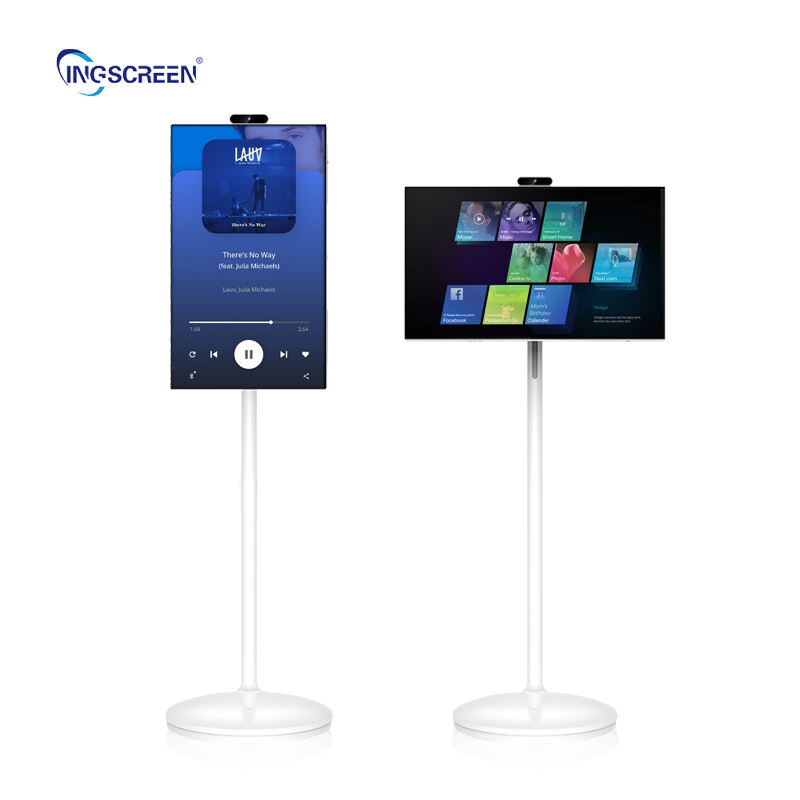
আপনার ইন্টারঅ্যাক্টিভ হোয়াইটবোর্ডের সঠিক রক্ষণাবেক্ষণ সামঞ্জস্যপূর্ণ কার্যকারিতা নিশ্চিত করতে এবং আপনার বিনিয়োগের আয়ুষ্কাল সর্বাধিক করতে অত্যাবশ্যক। ইন্টারঅ্যাক্টিভ হোয়াইটবোর্ড প্রযুক্তির জন্য বিশেষ যত্ন প্রোটোকলের প্রয়োজন যা ঐতিহ্যগত হোয়াইটবোর্ড থেকে উল্লেখযোগ্যভাবে ভিন্ন, যার মধ্যে হার্ডওয়্যার ও সফটওয়্যার উভয় উপাদানই নিয়মিতভাবে রক্ষণাবেক্ষণ করা আবশ্যিক। সঠিক রক্ষণাবেক্ষণ পদ্ধতি বোঝা টাচ সংবেদনশীলতা হ্রাস, ডিসপ্লে গুণগত মান অবনতি এবং সফটওয়্যারের কার্যকারিতা সংক্রান্ত সমস্যাগুলি প্রতিরোধ করতে পারে, যা প্রায়শই উপেক্ষিত ইন্টারঅ্যাক্টিভ হোয়াইটবোর্ড ইনস্টলেশনগুলিতে দেখা যায়।

আধুনিক ইন্টারঅ্যাক্টিভ হোয়াইটবোর্ড সিস্টেমগুলির জটিলতার কারণে রক্ষণাবেক্ষণ শুধুমাত্র পৃষ্ঠের সাধারণ পরিষ্কার করার বাইরে গিয়ে ক্যালিব্রেশন পদ্ধতি, সফটওয়্যার আপডেট, হার্ডওয়্যার পরীক্ষা এবং পরিবেশগত বিবেচনাগুলিও অন্তর্ভুক্ত করে। একটি ব্যাপক রক্ষণাবেক্ষণ পদ্ধতি আপনার ইন্টারঅ্যাক্টিভ হোয়াইটবোর্ড সিস্টেমের প্রতিটি উপাদান—যেমন ডিসপ্লে পৃষ্ঠ, টাচ সেন্সর, মাউন্টিং হার্ডওয়্যার এবং সংযোগকারী কেবল—কে কভার করে। গঠিত রক্ষণাবেক্ষণ প্রোটোকল বাস্তবায়ন করা নিশ্চিত করে যে আপনার ইন্টারঅ্যাক্টিভ হোয়াইটবোর্ড শিক্ষামূলক ও ব্যবসায়িক পরিবেশে এই সিস্টেমগুলিকে মূল্যবান করে তোলে এমন সহযোগিতামূলক কার্যকারিতা এবং দৃশ্যমান স্পষ্টতা অব্যাহত রাখবে।
প্রয়োজনীয় দৈনিক ও সাপ্তাহিক রক্ষণাবেক্ষণ পদ্ধতি
পৃষ্ঠের পরিষ্কার করা ও যত্ন নেওয়ার প্রোটোকল
আপনার ইন্টারঅ্যাক্টিভ হোয়াইটবোর্ডের দৈনিক রক্ষণাবেক্ষণ শুরু হয় নির্মাতা-অনুমোদিত পরিষ্কারক দ্রবণ এবং মাইক্রোফাইবার কাপড় ব্যবহার করে পৃষ্ঠটি সঠিকভাবে পরিষ্কার করার মাধ্যমে। স্পর্শ-সংবেদনশীল পৃষ্ঠটির জন্য হালকা পরিষ্কারক পদ্ধতি প্রয়োজন, যা আঙুলের ছাপ, ধূলিকণা এবং মার্কার অবশিষ্টাংশ অপসারণ করে কিন্তু অন্তর্নিহিত সেন্সর বা সুরক্ষামূলক আবরণকে ক্ষতিগ্রস্ত করে না। শুধুমাত্র অ্যালকোহল-মুক্ত পরিষ্কারক দ্রবণ ব্যবহার করুন যা বিশেষভাবে ইন্টারঅ্যাক্টিভ হোয়াইটবোর্ডের পৃষ্ঠের জন্য ডিজাইন করা হয়েছে, কারণ কঠোর রাসায়নিক পদার্থগুলি স্পর্শ-সংবেদনশীলতা হ্রাস করতে পারে এবং ডিসপ্লে আবরণে স্থায়ী ক্ষতি সৃষ্টি করতে পারে।
আপনার ইন্টারঅ্যাক্টিভ হোয়াইটবোর্ডের সক্রিয় ডিসপ্লে এলাকা এবং এর চারপাশের ফ্রেম—উভয়ের জন্য একটি ধারাবাহিক পরিষ্কার করার রুটিন প্রতিষ্ঠা করুন। সেন্সর এবং ইনফ্রারেড এমিটারগুলিতে ধূলিকণার জমাটি স্পর্শ নির্ভুলতাকে উল্লেখযোগ্যভাবে প্রভাবিত করতে পারে, ফলে সঠিক ইন্টারঅ্যাকশন ক্ষমতা বজায় রাখতে নিয়মিত পরিষ্কার করা অত্যন্ত গুরুত্বপূর্ণ। পৃষ্ঠটি পরিষ্কার করার সময় কঠোর ঘষার পরিবর্তে বৃত্তাকার আন্দোলন ব্যবহার করুন, যাতে অবশিষ্টাংশ সম্পূর্ণরূপে অপসারিত হয় এবং স্পর্শ সনাক্তকরণ সিস্টেমের অখণ্ডতা বজায় থাকে।
সাপ্তাহিক গভীর পরিষ্কার পদ্ধতিতে ইন্টারঅ্যাক্টিভ হোয়াইটবোর্ডের সমগ্র পৃষ্ঠটি স্ক্র্যাচ, মৃত পিক্সেল বা স্পর্শ সংবেদনশীলতা হ্রাস পাওয়া এলাকাগুলির জন্য পরীক্ষা অন্তর্ভুক্ত থাকা উচিত। পরিষ্কার করার সময় যেসব সমস্যা দেখা যায়, সেগুলি নথিভুক্ত করুন, যাতে সমস্যাগুলি বড় রকমের রক্ষণাবেক্ষণ সংক্রান্ত উদ্বেগে পরিণত হওয়ার আগেই তা ট্র্যাক করা যায়। এই পূর্বানুমানমূলক পদ্ধতিটি আপনার ইন্টারঅ্যাক্টিভ হোয়াইটবোর্ডের কার্যকারিতা প্রভাবিত করে এমন হার্ডওয়্যার-সংক্রান্ত সমস্যাগুলি সমাধানের জন্য পেশাদার সার্ভিসিং প্রয়োজন হবে কিনা তা চিহ্নিত করতে সহায়তা করে।
পাওয়ার ম্যানেজমেন্ট এবং সংযোগ যাচাই
উপযুক্ত পাওয়ার ম্যানেজমেন্ট আপনার ইন্টারঅ্যাক্টিভ হোয়াইটবোর্ডের অপারেশনাল আয়ু উল্লেখযোগ্যভাবে বৃদ্ধি করে, যা এর অভ্যন্তরীণ উপাদানগুলির উপর তাপীয় চাপ কমায় এবং পাওয়ার সার্জ ক্ষতি প্রতিরোধ করে। নির্দিষ্ট সময়ে পাওয়ার সাইকেল প্রয়োগ করুন যাতে সিস্টেমটি ব্যবহার না করার সময়ে সম্পূর্ণরূপে ঠান্ডা হয়ে যায়, বিশেষত যেসব পরিবেশে দিনে দীর্ঘ সময় ধরে অপারেশন চালানো হয় সেখানে এটি অত্যন্ত গুরুত্বপূর্ণ। নিশ্চিত করুন যে পাওয়ার সংযোগগুলি সুরক্ষিত রয়েছে এবং সার্জ প্রোটেকশন ডিভাইসগুলি আপনার ইন্টারঅ্যাক্টিভ হোয়াইটবোর্ডের বিনিয়োগকে রক্ষা করার জন্য সঠিকভাবে কাজ করছে।
সাপ্তাহিক সংযোগ যাচাইকরণে আপনার ইন্টারঅ্যাক্টিভ হোয়াইটবোর্ডের কার্যকারিতা সক্ষম করে এমন সমস্ত কেবল সংযোগ—যেমন ইউএসবি, এইচডিএমআই, বিদ্যুৎ এবং নেটওয়ার্ক কেবল—অন্তর্ভুক্ত থাকা উচিত। ঢিলে সংযোগগুলি অস্থায়ী কার্যকারিতা সমস্যার কারণ হতে পারে, যা সফটওয়্যার সমস্যা হিসেবে প্রতীয়মান হয়, কিন্তু আসলে এগুলি হার্ডওয়্যার সংযোগ সমস্যা থেকে উদ্ভূত হয়। আপনার ইন্টারঅ্যাক্টিভ হোয়াইটবোর্ড সিস্টেমে সিগন্যাল অখণ্ডতা বা বিদ্যুৎ সরবরাহকে ক্ষতিগ্রস্ত করতে পারে এমন ক্ষয়, ক্ষয়রোধক ক্ষয় (করোশন) বা ক্ষতির লক্ষণগুলি সংযোগ বিন্দুগুলিতে পরীক্ষা করুন।
আপনার ইন্টারঅ্যাক্টিভ হোয়াইটবোর্ড ইনস্টলেশনের চারপাশের কার্যকারী তাপমাত্রা পর্যবেক্ষণ করুন, যাতে যথেষ্ট ভেন্টিলেশন এবং শীতলীকরণ নিশ্চিত হয়। অত্যধিক তাপ জমা হওয়া সিস্টেমের মধ্যে ইলেকট্রনিক উপাদানগুলির ক্ষয় ত্বরান্বিত করতে পারে এবং এদের সামগ্রিক আয়ু হ্রাস করতে পারে। ভেন্টিলেশন খোলার চারপাশে বাতাসের প্রবাহ পথগুলি পরিষ্কার রাখুন এবং নিশ্চিত করুন যে পরিবেশগত নিয়ন্ত্রণগুলি ইন্টারঅ্যাক্টিভ হোয়াইটবোর্ডের অপ্টিমাল কার্যকারিতার জন্য উপযুক্ত তাপমাত্রা পরিসর বজায় রাখছে।
ক্যালিব্রেশন এবং সফটওয়্যার রক্ষণাবেক্ষণ কৌশল
টাচ ক্যালিব্রেশন অপ্টিমাইজেশন পদ্ধতি
নিয়মিত ক্যালিব্রেশন নিশ্চিত করে যে আপনার ইন্টারঅ্যাক্টিভ হোয়াইটবোর্ডটি সমগ্র ডিসপ্লে পৃষ্ঠের উপর সঠিক টাচ সনাক্তকরণ বজায় রাখছে, যা ভারী ব্যবহারের সময় সাধারণত সময়ের সাথে সাথে দ্রুত বিচ্যুতি (ড্রিফট) তৈরি করে। নির্মাতার ক্যালিব্রেশন সফটওয়্যার ব্যবহার করে মাসিক ক্যালিব্রেশন পদ্ধতি সম্পাদন করুন, এবং সর্বোত্তম সেন্সর সামঞ্জস্যের জন্য প্রয়োজনীয় নির্ভুল টাচ পয়েন্ট ক্রমগুলি অনুসরণ করুন। সঠিক ক্যালিব্রেশন একক-টাচ নির্ভুলতা এবং উন্নত ইন্টারঅ্যাক্টিভ হোয়াইটবোর্ড ফাংশনালিটি সক্ষম করে এমন বহু-টাচ জেসচার সনাক্তকরণ—উভয়কেই সমাধান করে।
ক্যালিব্রেশনের ফলাফল নথিভুক্ত করুন এবং ইন্টারঅ্যাক্টিভ হোয়াইটবোর্ডের সেইসব অঞ্চলগুলি ট্র্যাক করুন যেগুলি ধারাবাহিকভাবে পুনঃক্যালিব্রেশনের প্রয়োজন হয়, কারণ এগুলি সম্ভবত পেশাদার মনোযোগের প্রয়োজন হয় এমন বিকশিত হচ্ছে এমন হার্ডওয়্যার সমস্যার ইঙ্গিত দিতে পারে। ক্যালিব্রেশন পদ্ধতিগুলি ইন্টারঅ্যাক্টিভ হোয়াইটবোর্ড যে আলোর পরিবেশে কাজ করে সেখানেই সম্পাদন করা উচিত, কারণ পরিবেশগত আলো ইনফ্রারেড-ভিত্তিক টাচ ডিটেকশন সিস্টেমগুলিকে প্রভাবিত করতে পারে। যদি আপনার ইন্টারঅ্যাক্টিভ হোয়াইটবোর্ড ইনস্টলেশনে পরিবেশগত পরিবর্তন উল্লেখযোগ্য হয়, তবে বিভিন্ন আলোর পরিস্থিতির জন্য ক্যালিব্রেশন প্রোফাইলগুলি সংরক্ষণ করুন।
ক্যালিব্রেশন পদ্ধতি সঠিকভাবে সম্পাদন করার জন্য একাধিক ব্যবহারকারীকে প্রশিক্ষণ দিন, যাতে প্রধান প্রশাসকরা অনুপস্থিত থাকলেও রক্ষণাবেক্ষণ অব্যাহত থাকে। ক্যালিব্রেশন হল সঠিকতা বজায় রাখার জন্য সবচেয়ে গুরুত্বপূর্ণ রক্ষণাবেক্ষণ কাজগুলির মধ্যে একটি, ইন্টারেক্টিভ হোয়াইটবোর্ড এবং সঠিক সম্পাদনের জন্য আপনার নির্দিষ্ট সিস্টেম মডেলের জন্য নির্দিষ্ট ক্যালিব্রেশন ক্রম এবং সময়ের প্রয়োজনীয়তা বোঝা আবশ্যিক।
সফটওয়্যার আপডেট এবং ড্রাইভার ব্যবস্থাপনা
বর্তমান সফটওয়্যার সংস্করণ এবং ড্রাইভারগুলি আপডেট রাখা নিশ্চিত করে যে আপনার ইন্টারঅ্যাক্টিভ হোয়াইটবোর্ডটি নির্মাতাদের কর্তৃক প্রকাশিত কর্মক্ষমতা উন্নতি, নিরাপত্তা আপডেট এবং সামঞ্জস্যতা উন্নয়ন থেকে সুবিধা পাচ্ছে। প্রতি তিন মাস অন্তর একটি আপডেট পরিকল্পনা প্রতিষ্ঠা করুন, যার মধ্যে ড্রাইভার আপডেট, ফার্মওয়্যার আপডেট এবং ইন্টারঅ্যাক্টিভ হোয়াইটবোর্ডের কার্যকারিতা সমর্থনকারী সহযোগী সফটওয়্যার আপডেট অন্তর্ভুক্ত থাকবে। উৎপাদন সিস্টেমে প্রয়োগ করার আগে সমস্ত আপডেট নিয়ন্ত্রিত পরিবেশে পরীক্ষা করুন, যাতে অপ্রত্যাশিত সামঞ্জস্যতা সমস্যা এড়ানো যায়।
ইন্টারঅ্যাক্টিভ হোয়াইটবোর্ড সিস্টেমগুলির প্রধান আপডেট করার আগে সঠিকভাবে কনফিগার করা সিস্টেমগুলির ব্যাকআপ ইমেজ তৈরি করুন, যাতে আপডেটের ফলে কোনও কার্যকারিতা সংক্রান্ত সমস্যা দেখা দিলে দ্রুত পুনরুদ্ধার করা যায়। ট্রাবলশুটিং সহজ করার জন্য এবং একাধিক ইন্টারঅ্যাক্টিভ হোয়াইটবোর্ড ইনস্টলেশনে সামঞ্জস্যপূর্ণ সেটআপ নিশ্চিত করার জন্য সমস্ত সফটওয়্যার সংস্করণ, ড্রাইভার সংস্করণ এবং কনফিগারেশন সেটিংস নথিভুক্ত করুন। সফটওয়্যার সংক্রান্ত সমস্যাগুলি অভ্যন্তরীণ ট্রাবলশুটিং ক্ষমতার বাইরে চলে গেলে প্রযুক্তিগত সহায়তা প্রাপ্তির জন্য বিক্রেতার যোগাযোগের তথ্য এবং সমর্থন সম্পদগুলি বজায় রাখুন।
আপনার ইন্টারঅ্যাক্টিভ হোয়াইটবোর্ড অপারেশনকে প্রভাবিত করে এমন সফটওয়্যার-সংক্রান্ত সমস্যাগুলির সূচনা নির্দেশ করতে পারে এমন ধীর গতির কার্যকারিতা অবনতি শনাক্ত করতে সিস্টেম কার্যকারিতা মেট্রিক্স পর্যবেক্ষণ করুন। সিস্টেম ব্যর্থতা ঘটানোর আগেই বিকশিত হচ্ছে এমন সমস্যাগুলি প্রকাশ করতে স্টার্টআপ সময়, প্রতিক্রিয়া বিলম্ব এবং সম্পদ ব্যবহারের প্যাটার্ন ট্র্যাক করুন। নিয়মিত কার্যকারিতা পর্যবেক্ষণ প্রাক-সক্রিয় রক্ষণাবেক্ষণ সক্ষম করে যা ছোটখাটো সফটওয়্যার সমস্যাগুলিকে ব্যাপক ডাউনটাইম প্রয়োজন করে এমন বড় সিস্টেম সমস্যায় রূপান্তরিত হতে বাধা দেয়।
হার্ডওয়্যার পরীক্ষা এবং প্রতিরোধমূলক রক্ষণাবেক্ষণ
মাউন্টিং এবং গঠনগত অখণ্ডতা যাচাইকরণ
মাসিক মাউন্টিং হার্ডওয়্যার পরীক্ষা আপনার ইন্টারঅ্যাক্টিভ হোয়াইটবোর্ডটি নিরাপদভাবে সংযুক্ত থাকা ও সর্বোত্তম কার্যকারিতা এবং নিরাপত্তির জন্য সঠিকভাবে সামঞ্জস্যিত থাকা নিশ্চিত করে। মাউন্টিং ব্র্যাকেট, দেয়াল অ্যাঙ্কর এবং সামঞ্জস্য ব্যবস্থাগুলি ঢিলে হওয়া, ক্ষয় বা গঠনগত চাপের লক্ষণগুলি পরীক্ষা করুন, যা ইনস্টলেশনের স্থিতিশীলতা ক্ষুণ্ণ করতে পারে। ইন্টারঅ্যাক্টিভ হোয়াইটবোর্ড সিস্টেমগুলি ব্যবহারকালীন উল্লেখযোগ্য ওজন ভার এবং কম্পন সৃষ্টি করে, ফলে দীর্ঘমেয়াদী বিশ্বস্ততা এবং ব্যবহারকারীর নিরাপত্তির জন্য নিরাপদ মাউন্টিং অত্যন্ত গুরুত্বপূর্ণ।
নিশ্চিত করুন যে ইন্টারঅ্যাক্টিভ হোয়াইটবোর্ডটি সঠিকভাবে লেভেল এবং সমানভাবে সাজানো আছে, কারণ অসমান সাজানো টাচ নির্ভুলতাকে প্রভাবিত করতে পারে এবং গতিশীল উপাদানগুলিতে অসম ক্ষয়ের প্যাটার্ন তৈরি করতে পারে। সিস্টেমটি যেন মূল ইনস্টলেশন স্পেসিফিকেশন অনুযায়ী থাকে তা নিশ্চিত করতে প্রিসিশন লেভেল এবং পরিমাপক যন্ত্রপাতি ব্যবহার করুন, এবং যদি কোনও বিচ্যুতি ধরা পড়ে তবে মাউন্টিং হার্ডওয়্যার সামঞ্জস্য করুন। মাউন্টিং পরীক্ষার ফলাফল ডকুমেন্ট করুন এবং যেকোনো পুনরাবৃত্তিমূলক সাজানোর সমস্যা ট্র্যাক করুন যা ইনস্টলেশন স্থানের গঠনগত সমস্যার ইঙ্গিত দিতে পারে।
আপনার ইন্টারঅ্যাক্টিভ হোয়াইটবোর্ড ইনস্টলেশনের স্থিতিশীলতা প্রভাবিত করতে পারে এমন দেয়াল বা মাউন্টিং পৃষ্ঠের পরিবর্তনগুলি পরীক্ষা করুন। ভবনের অবসাদন, তাপমাত্রা পরিবর্তন বা আর্দ্রতা প্রবেশ সময়ের সাথে সাথে মাউন্টিং অবস্থার পরিবর্তন ঘটাতে পারে, যার ফলে মাউন্টিং সিস্টেমের সামঞ্জস্য বা শক্তিকরণ প্রয়োজন হতে পারে। ইন্টারঅ্যাক্টিভ হোয়াইটবোর্ডটি ক্ষতিগ্রস্ত হওয়া বা নিরাপত্তা ঝুঁকি সৃষ্টি হওয়ার মতো গুরুতর সমস্যা রোধ করতে গঠনগত উদ্বেগগুলি দ্রুত সমাধান করুন।
কেবল এবং কানেক্টর রক্ষণাবেক্ষণ
কেবল এবং কানেক্টরগুলির নিয়মিত পরীক্ষা করা আপনার ইন্টারঅ্যাক্টিভ হোয়াইটবোর্ড সিস্টেমের সংযোগ সংক্রান্ত সমস্যা রোধ করে, যা অনিয়মিত কাজের সমস্যা সৃষ্টি করতে পারে। সমস্ত কেবল পরীক্ষা করুন যাতে কোনও ক্ষয়, বাঁকানো বা ক্ষতির লক্ষণ থাকে যা সংকেতের গুণগত মান কমিয়ে দিতে পারে অথবা নিরাপত্তা ঝুঁকি সৃষ্টি করতে পারে। বিশেষভাবে উচ্চ-নমনীয় অঞ্চলগুলির প্রতি মনোযোগ দিন, যেখানে কেবলগুলি ইন্টারঅ্যাক্টিভ হোয়াইটবোর্ডের সাথে সংযুক্ত হয় অথবা মাউন্টিং হার্ডওয়্যারের মধ্য দিয়ে পাস হয়, কারণ এই স্থানগুলি সাধারণ কাজের সময় সবচেয়ে বেশি যান্ত্রিক চাপের সম্মুখীন হয়।
কানেক্টর কন্টাক্টগুলি ত্রৈমাসিকভাবে উপযুক্ত ইলেকট্রনিক কন্টাক্ট ক্লিনার ব্যবহার করে পরিষ্কার করুন, যাতে অক্সিডেশন এবং দূষণ অপসারণ করা যায় যা সংযোগ সংক্রান্ত সমস্যা সৃষ্টি করতে পারে। নিশ্চিত করুন যে সমস্ত কানেক্টর সঠিকভাবে সিট করেছে এবং লকিং ব্যবস্থাগুলি সঠিকভাবে কাজ করছে, যাতে সিস্টেম চালানোর সময় সুরক্ষিত সংযোগ বজায় থাকে। যেকোনো কেবল যদি ক্ষয় হওয়ার লক্ষণ দেখায়, তবে তা প্রতিস্থাপন করুন—যাতে সিস্টেম ব্যর্থতা ঘটে না, যা গুরুত্বপূর্ণ ব্যবহারের সময় ইন্টারঅ্যাক্টিভ হোয়াইটবোর্ডের কার্যকারিতা ব্যাহত করতে পারে।
কেবল ব্যবস্থাপনার অনুশীলন বাস্তবায়ন করুন যা যান্ত্রিক চাপ কমায় এবং নিয়মিত রক্ষণাবেক্ষণের সময় কেবলগুলিকে ক্ষতির হাত থেকে রক্ষা করে। কেবলগুলিকে ওজন বহন করতে বা আন্তরিক তারের বিচ্ছিন্নতা ঘটাতে পারে এমন পুনরাবৃত্ত নমন থেকে রক্ষা করার জন্য উপযুক্ত কেবল রাউটিং এবং টান মুক্তির কৌশল ব্যবহার করুন। সঠিক কেবল ব্যবস্থাপনা সংযোগ উপাদানগুলির সেবা আয়ু বৃদ্ধি করে এবং আপনার ইন্টারঅ্যাক্টিভ হোয়াইটবোর্ডের কার্যকারিতা প্রভাবিত করে এমন সংযোগ সংক্রান্ত সমস্যার সম্ভাবনা কমায়।
পরিবেশগত উৎস এবং দীর্ঘমেয়াদী সংরক্ষণ
আবহাওয়া নিয়ন্ত্রণ এবং পরিবেশ ব্যবস্থাপনা
উপযুক্ত পরিবেশগত অবস্থা বজায় রাখলে তা আর্দ্রতাজনিত ক্ষতি, তাপমাত্রাজনিত যন্ত্রাংশের উপর চাপ এবং ধুলো জমার মতো বিষয়গুলো প্রতিরোধ করে আপনার ইন্টারেক্টিভ হোয়াইটবোর্ডের কার্যকাল উল্লেখযোগ্যভাবে বাড়িয়ে দেয়, যা সিস্টেমের কর্মক্ষমতা ব্যাহত করতে পারে। আর্দ্রতার মাত্রা পর্যবেক্ষণ করে নিশ্চিত করুন যে তা প্রস্তুতকারকের নির্ধারিত সীমার মধ্যে রয়েছে, কারণ অতিরিক্ত আর্দ্রতার ফলে অভ্যন্তরীণ যন্ত্রাংশে ঘনীভবন হতে পারে, অন্যদিকে অপর্যাপ্ত আর্দ্রতা স্থির বিদ্যুৎ (স্ট্যাটিক ইলেক্ট্রিসিটি) তৈরি করে যা সংবেদনশীল ইলেকট্রনিক্স যন্ত্রের ক্ষতি করতে পারে।
তাপমাত্রা ব্যবস্থাপনার জন্য পরিবেশের আশেপাশের তাপমাত্রা এবং ইন্টারঅ্যাক্টিভ হোয়াইটবোর্ড চালু থাকাকালীন উৎপন্ন তাপ—উভয়ের উপরই মনোযোগ দেওয়া আবশ্যক। সিস্টেমের চারপাশে যথেষ্ট ভেন্টিলেশন নিশ্চিত করুন এবং সরাসরি সূর্যের আলোর সংস্পর্শে বা তাপ উৎপাদনকারী উৎসের কাছাকাছি এমন স্থানে ইনস্টল করা এড়িয়ে চলুন যা ওভারহিটিং ঘটাতে পারে। পরিবেশগত মনিটরিং সিস্টেম বাস্তবায়ন করুন যা ক্ষতি সংঘটিত হওয়ার আগেই ইন্টারঅ্যাক্টিভ হোয়াইটবোর্ডের উপাদানগুলিকে হুমকির মুখে ফেলতে পারে এমন অবস্থার কথা রক্ষণাবেক্ষণ কর্মীদের সতর্ক করে।
আপনার ইন্টারঅ্যাক্টিভ হোয়াইটবোর্ড সিস্টেমের সেন্সর, ভেন্ট এবং অভ্যন্তরীণ উপাদানগুলিতে ধূলিকণা ও বায়ুবorne দূষণকারী পদার্থ জমা হওয়া নিয়ন্ত্রণ করুন। ইনস্টলেশন পরিবেশে উপযুক্ত বায়ু ফিল্ট্রেশন ব্যবহার করুন এবং সিস্টেমের কার্যকারিতা প্রভাবিত হওয়ার আগেই ধূলিকণা জমা রোধের জন্য পরিষ্কারকরণের সময়সূচী প্রতিষ্ঠা করুন। পরিবেশগত নিয়ন্ত্রণ হল প্রতিরোধমূলক রক্ষণাবেক্ষণের একটি গুরুত্বপূর্ণ দিক, যা আপনার ইন্টারঅ্যাক্টিভ হোয়াইটবোর্ড বিনিয়োগকে এড়ানো যায় এমন ক্ষতি থেকে রক্ষা করে।
ব্যবহার প্যাটার্ন বিশ্লেষণ ও অপ্টিমাইজেশন
ব্যবহার প্যাটার্ন বিশ্লেষণ করা ইন্টারঅ্যাক্টিভ হোয়াইটবোর্ডের কার্যকারিতা অপ্টিমাইজ করার এবং উন্নত কার্যপদ্ধতির মাধ্যমে উপাদানের আয়ু বৃদ্ধি করার সুযোগগুলি চিহ্নিত করতে সাহায্য করে। আপনার সিস্টেমের উপর প্রভাব ফেলা চাপের প্যাটার্ন বোঝার জন্য ব্যবহারের তীব্রতা, সর্বোচ্চ চাহিদার সময়কাল এবং ব্যবহৃত অ্যাপ্লিকেশনের ধরন ট্র্যাক করুন। এই বিশ্লেষণের মাধ্যমে আপনার ইন্টারঅ্যাক্টিভ হোয়াইটবোর্ডের ব্যবহার পরিবেশের সাথে সম্পর্কিত ক্ষয় প্যাটার্নগুলি সম্বোধন করার জন্য রক্ষণাবেক্ষণ সময়সূচী প্রণয়ন করা সম্ভব হয়।
ইন্টারঅ্যাক্টিভ হোয়াইটবোর্ডের উপাদানগুলির অপ্রয়োজনীয় ক্ষয়ক্ষতি কমানোর জন্য ব্যবহারের নির্দেশিকা প্রয়োগ করুন, যাতে ব্যবহারকারীদের জন্য সম্পূর্ণ কার্যকারিতা অক্ষুণ্ণ থাকে। স্পর্শ সেন্সরের নির্ভুলতা বজায় রাখতে এবং অপ্রযুক্ত সরঞ্জাম বা অত্যধিক চাপের কারণে ক্ষতি এড়াতে ব্যবহারকারীদের সঠিক ইন্টারঅ্যাকশন পদ্ধতি সম্পর্কে শিক্ষিত করুন। ব্যবহারকারীদের শিক্ষা হল দীর্ঘমেয়াদী রক্ষণাবেক্ষণ কৌশলের একটি অপরিহার্য উপাদান, যা এড়ানো যায় এমন ক্ষতি প্রতিরোধ করে এবং সিস্টেমের আয়ু বৃদ্ধি করে।
উপাদানের বয়স বৃদ্ধি বা বিকাশশীল রক্ষণাবেক্ষণের প্রয়োজনীয়তা নির্দেশ করতে পারে এমন ধীরগতির কার্যকারিতা অবনতি চিহ্নিত করার জন্য সময়ের সাথে সাথে সিস্টেমের কার্যকারিতা প্রবণতা নথিভুক্ত করুন। ক্যালিব্রেশন বিচ্যুতির হার, পরিষ্কার করার পরিমাণের প্রয়োজনীয়তা এবং যেকোনো পুনরাবৃত্তিমূলক প্রযুক্তিগত সমস্যা—যা সিস্টেমিক সমস্যা নির্দেশ করতে পারে—এগুলি ট্র্যাক করুন। দীর্ঘমেয়াদী প্রবণতা বিশ্লেষণ প্রাক-ক্রমিক রক্ষণাবেক্ষণ পরিকল্পনা সক্ষম করে, যা সিস্টেম ব্যর্থতা বা উল্লেখযোগ্য কার্যকারিতা অবনতি ঘটানোর আগেই সমস্যাগুলি সমাধান করে।
প্রায়শই জিজ্ঞাসিত প্রশ্ন
আমার ইন্টারঅ্যাক্টিভ হোয়াইটবোর্ডের পৃষ্ঠটি কতবার পরিষ্কার করা উচিত?
আপনার ইন্টারঅ্যাক্টিভ হোয়াইটবোর্ডের পৃষ্ঠতল প্রতিদিন মাইক্রোফাইবার কাপড় এবং অনুমোদিত পরিষ্কারক দ্রবণ দিয়ে পরিষ্কার করুন, যাতে স্পর্শ সংবেদনশীলতা প্রভাবিত করতে পারে এমন আঙুলের ছাপ, ধূলিকণা এবং অবশিষ্টাংশ অপসারণ করা যায়। সাপ্তাহিক গভীর পরিষ্কারের সময় পূর্ণ পৃষ্ঠতলটি ক্ষতি বা সাড়া প্রদানে হ্রাস পাওয়া অঞ্চলগুলির জন্য পরীক্ষা করা উচিত। স্পর্শ সেন্সর বা সুরক্ষামূলক আবরণকে ক্ষতিগ্রস্ত করা এড়াতে শুধুমাত্র ইথানল-মুক্ত পরিষ্কারক ব্যবহার করুন যা বিশেষভাবে ইন্টারঅ্যাক্টিভ হোয়াইটবোর্ডের পৃষ্ঠতলের জন্য ডিজাইন করা হয়েছে।
আমার ইন্টারঅ্যাক্টিভ হোয়াইটবোর্ডের পেশাদার রক্ষণাবেক্ষণের প্রয়োজন হয়েছে—এটা বোঝার লক্ষণগুলি কী কী?
যখন আপনি স্থায়ী ক্যালিব্রেশন সমস্যা লক্ষ্য করেন যা স্ট্যান্ডার্ড পদ্ধতি অনুসরণ করেও সমাধান হয় না, টাচ সারফেসে ডেড জোন দেখা দেয়, ডিসপ্লে আউটপুট ঝলসানো বা বিকৃত হয়, বা পুনরাবৃত্তিমূলক সংযোগ সমস্যা দেখা দেয়—এসব ক্ষেত্রে পেশাদার রক্ষণাবেক্ষণের প্রয়োজন হয়। ঢিলে মাউন্টিং, ক্ষতিগ্রস্ত কেবল বা ওভারহিটিং-এর মতো হার্ডওয়্যার সমস্যাগুলিও পেশাদার মনোযোগ প্রয়োজন। যদি নিয়মিত রক্ষণাবেক্ষণ পদ্ধতিগুলি কার্যকারিতা সংক্রান্ত সমস্যাগুলি সমাধান করতে ব্যর্থ হয়, তবে একটি সম্পূর্ণ সিস্টেম মূল্যায়নের জন্য যোগ্য প্রযুক্তিবিদদের সাথে যোগাযোগ করুন।
পরিবেশগত উৎসগুলি আমার ইন্টারঅ্যাক্টিভ হোয়াইটবোর্ডকে ক্ষতিগ্রস্ত করতে পারে কি?
হ্যাঁ, পরিবেশগত কারণগুলো ইন্টারেক্টিভ হোয়াইটবোর্ডের দীর্ঘস্থায়িত্ব এবং কর্মক্ষমতার উপর উল্লেখযোগ্যভাবে প্রভাব ফেলে। অতিরিক্ত আর্দ্রতার কারণে অভ্যন্তরীণ যন্ত্রাংশে ঘনীভবন জনিত ক্ষতি হতে পারে, অন্যদিকে কম আর্দ্রতায় স্থির বিদ্যুৎ জমা হওয়ার পরিমাণ বেড়ে যায়। তাপমাত্রার চরম ওঠানামা ইলেকট্রনিক যন্ত্রাংশের উপর চাপ সৃষ্টি করে এবং প্রসারণজনিত যান্ত্রিক সমস্যা তৈরি করতে পারে। ধুলো জমে যাওয়ায় সেন্সর এবং বায়ুচলাচল ব্যবস্থা ক্ষতিগ্রস্ত হয়, অন্যদিকে সরাসরি সূর্যের আলো স্ক্রিনে ঝলকানি এবং অতিরিক্ত উত্তাপের কারণ হতে পারে। সিস্টেমের দীর্ঘমেয়াদী নির্ভরযোগ্যতার জন্য যথাযথ পরিবেশ নিয়ন্ত্রণ অপরিহার্য।
আমি কীভাবে জানব যে কখন ইন্টারঅ্যাক্টিভ হোয়াইটবোর্ডের উপাদানগুলি প্রতিস্থাপন করা উচিত?
যখন রক্ষণাবেক্ষণ পদ্ধতির মাধ্যমে কার্যকারিতা হ্রাসের সমাধান করা যায় না, যখন শারীরিক ক্ষতি কার্যকারিতাকে প্রভাবিত করে, অথবা যখন উপাদানগুলি আর কার্যকরী প্রয়োজনীয়তা পূরণ করে না, তখন সেই উপাদানগুলি প্রতিস্থাপন করুন। ক্যালিব্রেশনের পৌনঃপুনিকতা, পরিষ্কার করার কার্যকারিতা এবং যেকোনো পুনরাবৃত্তিমূলক প্রযুক্তিগত সমস্যা—যা উপাদানের ক্ষয় নির্দেশ করতে পারে—এর ট্র্যাক রাখুন। নির্মাতার সুপারিশ এবং বাস্তব ব্যবহারের প্যাটার্নের ভিত্তিতে প্রতিস্থাপনের সময়সূচি নির্ধারণ করুন। সক্রিয়ভাবে উপাদান প্রতিস্থাপন করলে সিস্টেম ব্যর্থতা রোধ করা যায় এবং ইন্টারঅ্যাকটিভ হোয়াইটবোর্ডের সেবা জীবন জুড়ে সামঞ্জস্যপূর্ণ কার্যকারিতা বজায় রাখা যায়।
সূচিপত্র
- প্রয়োজনীয় দৈনিক ও সাপ্তাহিক রক্ষণাবেক্ষণ পদ্ধতি
- ক্যালিব্রেশন এবং সফটওয়্যার রক্ষণাবেক্ষণ কৌশল
- হার্ডওয়্যার পরীক্ষা এবং প্রতিরোধমূলক রক্ষণাবেক্ষণ
- পরিবেশগত উৎস এবং দীর্ঘমেয়াদী সংরক্ষণ
-
প্রায়শই জিজ্ঞাসিত প্রশ্ন
- আমার ইন্টারঅ্যাক্টিভ হোয়াইটবোর্ডের পৃষ্ঠটি কতবার পরিষ্কার করা উচিত?
- আমার ইন্টারঅ্যাক্টিভ হোয়াইটবোর্ডের পেশাদার রক্ষণাবেক্ষণের প্রয়োজন হয়েছে—এটা বোঝার লক্ষণগুলি কী কী?
- পরিবেশগত উৎসগুলি আমার ইন্টারঅ্যাক্টিভ হোয়াইটবোর্ডকে ক্ষতিগ্রস্ত করতে পারে কি?
- আমি কীভাবে জানব যে কখন ইন্টারঅ্যাক্টিভ হোয়াইটবোর্ডের উপাদানগুলি প্রতিস্থাপন করা উচিত?

