

 EN
EN
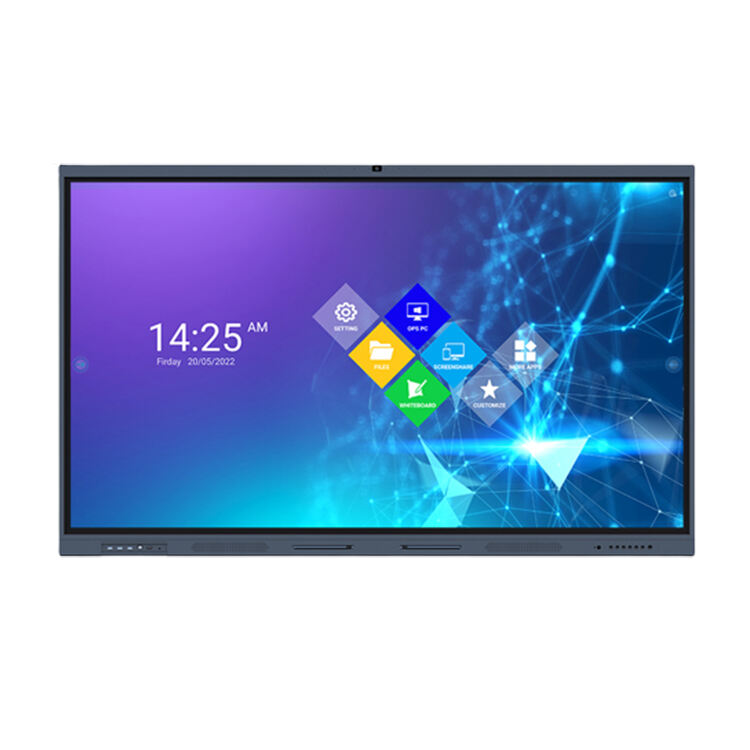
The evolution of display technology has reached unprecedented heights with the emergence of wireless touch screen solutions that are transforming how businesses and consumers interact with digital interfaces. Modern wireless touch screen systems eliminate the constraints of traditional wired connections while delivering seamless, responsive touch functionality across various applications. These innovative displays represent a significant leap forward in user experience design, offering unparalleled flexibility for presentations, collaboration, and interactive engagement in professional environments.
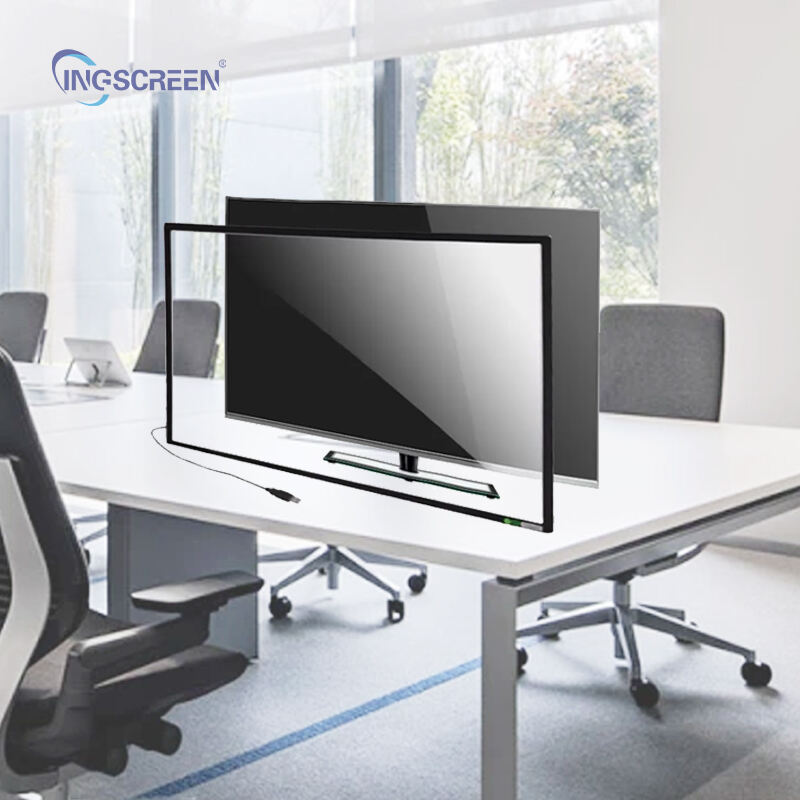
Understanding Wireless Touch Screen Technology
Core Technology Components
A wireless touch screen integrates advanced capacitive or resistive touch sensors with sophisticated wireless communication protocols to create a seamless user interface experience. The technology relies on radio frequency transmission methods, including Wi-Fi, Bluetooth, or proprietary wireless standards, to establish stable connections between the display unit and controlling devices. Multi-point touch recognition capabilities enable simultaneous input from multiple users, making these systems ideal for collaborative work environments and interactive presentations.
The underlying architecture of wireless touch screen systems incorporates specialized processing units that manage both touch input detection and wireless data transmission with minimal latency. Advanced signal processing algorithms ensure accurate touch point recognition while maintaining consistent wireless connectivity even in environments with potential interference. These systems typically feature high-resolution displays ranging from standard HD to 4K resolution, providing crystal-clear visual output that enhances user engagement and content visibility.
Wireless Communication Protocols
Modern wireless touch screen solutions utilize multiple communication protocols to ensure reliable connectivity across diverse operational environments. Wi-Fi Direct technology enables direct device-to-display connections without requiring network infrastructure, while traditional Wi-Fi connectivity allows integration with existing corporate networks. Bluetooth Low Energy protocols provide power-efficient connections for mobile device integration, extending battery life while maintaining responsive touch functionality.
Proprietary wireless protocols developed specifically for wireless touch screen applications offer enhanced security features and reduced latency compared to standard communication methods. These specialized protocols often incorporate encryption standards that protect sensitive data during transmission, making them suitable for corporate and educational environments where data security is paramount. The ability to switch between multiple wireless protocols ensures consistent performance regardless of the specific connectivity requirements of different deployment scenarios.
Applications and Use Cases
Business and Corporate Environments
Corporate meeting rooms and conference facilities benefit significantly from wireless touch screen implementations that streamline presentation workflows and enhance collaborative decision-making processes. These systems allow multiple participants to share content wirelessly from their devices while interacting directly with displayed information through intuitive touch gestures. The elimination of cable connections reduces setup time and creates cleaner, more professional meeting environments that adapt quickly to changing presentation requirements.
Interactive whiteboard functionality transforms traditional brainstorming sessions into dynamic, digital collaboration experiences where ideas can be captured, modified, and shared instantly across team members. Wireless touch screen displays in corporate environments often integrate with existing productivity software suites, enabling seamless transitions between presentation modes and interactive collaboration sessions. This integration capability significantly enhances meeting productivity while reducing the technical complexity typically associated with advanced display technologies.
Educational Institutions
Educational settings leverage wireless touch screen technology to create immersive learning environments that engage students through interactive content delivery and collaborative learning activities. Teachers can control presentations wirelessly while moving freely around the classroom, maintaining student engagement through dynamic content manipulation and real-time interaction with displayed materials. The wireless touch screen systems enable multiple students to participate simultaneously in interactive lessons, fostering collaborative learning experiences that traditional display methods cannot achieve.
Distance learning applications benefit from wireless touch screen technology through enhanced remote interaction capabilities that bridge the gap between physical and virtual classroom environments. Students can interact with shared content in real-time, regardless of their physical location, while teachers maintain full control over the learning experience through wireless connectivity options. These systems support various educational software platforms and learning management systems, ensuring compatibility with existing educational technology infrastructure.
Technical Advantages and Performance Benefits
Installation and Setup Flexibility
The wireless nature of these touch screen systems dramatically simplifies installation processes by eliminating the need for extensive cable routing and infrastructure modifications. Deployment flexibility allows organizations to relocate displays quickly based on changing space requirements or operational needs without significant technical reconfiguration. This mobility advantage proves particularly valuable in dynamic work environments where space utilization patterns frequently change to accommodate different project requirements or organizational restructuring initiatives.
Wireless touch screen installations reduce overall system complexity and associated maintenance requirements compared to traditional wired alternatives. The absence of physical connections minimizes potential failure points while simplifying troubleshooting procedures when technical issues arise. Organizations can achieve faster deployment timelines and reduced installation costs while maintaining high-performance display capabilities that meet demanding professional application requirements.
User Experience Enhancement
Touch responsiveness in wireless systems matches or exceeds the performance of wired alternatives through optimized signal processing and low-latency communication protocols. Users experience natural, intuitive interaction patterns that feel immediate and responsive, creating seamless transitions between different interaction modes and content types. The wireless touch screen interface adapts automatically to different user preferences and interaction styles, providing consistent performance across diverse user groups and application scenarios.
Multi-device connectivity capabilities enable simultaneous connections from various smartphones, tablets, and laptops, creating versatile collaboration environments where participants can contribute content from their preferred devices. This device-agnostic approach eliminates compatibility concerns while ensuring that all participants can engage fully with shared content regardless of their specific hardware preferences or operating system choices.
Selection Criteria and Implementation Considerations
Performance Specifications
When evaluating wireless touch screen solutions, key performance metrics include touch accuracy, response latency, wireless range, and concurrent user support capabilities. High-quality systems typically offer sub-millisecond touch response times with accuracy levels that support precise drawing and annotation tasks. Wireless range specifications should accommodate the intended deployment environment while maintaining stable connections across the required coverage area without signal degradation or interference issues.
Display resolution and color accuracy specifications directly impact user experience quality and content visibility in various lighting conditions. Professional-grade wireless touch screen systems feature calibrated displays with wide color gamuts and high brightness levels that ensure optimal visibility in both controlled and ambient lighting environments. Battery life considerations for portable wireless touch screen units become critical factors in scenarios where continuous operation without charging access is required for extended periods.
Integration Requirements
Successful wireless touch screen implementation requires careful consideration of existing technology infrastructure and software compatibility requirements. Organizations must evaluate network capacity and security protocols to ensure seamless integration without compromising existing system performance or security standards. Compatibility with popular productivity software, collaboration platforms, and presentation tools determines the practical utility of wireless touch screen systems in specific organizational contexts.
Scalability planning becomes essential for organizations considering multiple wireless touch screen deployments across different locations or departments. Centralized management capabilities enable IT administrators to monitor and maintain multiple systems efficiently while ensuring consistent performance and security standards across the entire deployment. Integration with existing device management platforms streamlines ongoing maintenance and support procedures while reducing the total cost of ownership for large-scale implementations.
Future Trends and Technology Evolution
Emerging Technologies
Advanced wireless touch screen development focuses on incorporating artificial intelligence and machine learning capabilities that adapt to user behavior patterns and optimize performance automatically. These intelligent systems learn from usage patterns to predict user needs and pre-load relevant content while adjusting touch sensitivity based on individual user preferences. Enhanced gesture recognition capabilities expand interaction possibilities beyond traditional touch inputs to include hand gestures and voice commands for more natural user interfaces.
Next-generation wireless communication standards promise significant improvements in connection stability, data transmission speeds, and power efficiency for wireless touch screen applications. The adoption of 5G technology and advanced Wi-Fi standards will enable higher-resolution content streaming and more responsive touch interactions while supporting larger numbers of concurrent users without performance degradation. These technological advances will expand the practical applications of wireless touch screen systems into new markets and use cases previously limited by connectivity constraints.
Market Development
Industry adoption of wireless touch screen technology continues accelerating as organizations recognize the productivity and flexibility benefits these systems provide. Manufacturing costs are declining steadily as production volumes increase and component technologies mature, making wireless touch screen solutions accessible to a broader range of organizations and applications. This cost reduction trend is expected to drive significant market expansion over the coming years as the technology becomes standard in professional environments.
Standardization efforts across the industry are improving interoperability between different wireless touch screen manufacturers and software platforms. These standardization initiatives reduce deployment complexity and total cost of ownership while ensuring long-term compatibility and upgrade pathways for organizations investing in wireless touch screen technology. The development of open standards will accelerate innovation and competition within the wireless touch screen market, ultimately benefiting end users through improved features and competitive pricing.
FAQ
What is the typical wireless range for touch screen displays?
Most wireless touch screen systems operate effectively within a range of 30-100 feet from the connected device, depending on the specific wireless protocol used and environmental factors. Wi-Fi-based systems generally offer longer range capabilities compared to Bluetooth connections, while proprietary wireless protocols may provide optimized range and performance for specific applications. Environmental factors such as physical obstacles, electronic interference, and network congestion can impact effective operating range, so proper site assessment is essential for optimal performance.
How does wireless touch screen latency compare to wired alternatives?
Modern wireless touch screen systems achieve latency levels comparable to wired alternatives, typically ranging from 1-5 milliseconds for touch response. Advanced signal processing and optimized wireless protocols minimize delay between touch input and system response, ensuring smooth user experience for drawing, writing, and navigation tasks. High-quality wireless touch screen implementations often provide latency performance that is imperceptible to users during normal operation, making them suitable for applications requiring precise touch interaction.
What security features protect wireless touch screen communications?
Wireless touch screen systems incorporate multiple security layers including encrypted data transmission, device authentication protocols, and secure connection establishment procedures. Advanced systems support enterprise-grade security standards such as WPA3 encryption and certificate-based authentication to protect against unauthorized access and data interception. Many professional wireless touch screen solutions also include network isolation capabilities and access control features that integrate with existing corporate security policies and infrastructure.
Can multiple users interact with a wireless touch screen simultaneously?
Yes, most professional wireless touch screen systems support multi-user interaction with typically 10-20 simultaneous touch points depending on the specific hardware and software configuration. This capability enables collaborative work sessions where multiple participants can interact with shared content simultaneously from different positions around the display. The system maintains accurate touch point tracking and user identification to ensure smooth collaborative experiences without interference between different users' interactions.

